.jpg)
Key Takeaways
- Creative asset management (CAM) is the operational layer that links creative production to brand governance. It reaches well past a plain file store.
- Shared drives and static PDFs strain the moment you run multiple brands or high-volume libraries. Seat-based legacy Digital Asset Management (DAMs) add cost as partners multiply.
- Vendors are best scored on five capability areas, brand governance, multi-brand architecture, partner enablement, living guidelines plus DAM, and AI-powered search.
- Hidden costs, including implementation, migration, seat scaling, and storage overages, can outweigh the sticker price.
- BrandLife fits multi-brand marketing and agency teams that want interactive guidelines and AI search, with brand portals and transparent pricing, $150/month Starter, custom Enterprise.
Your creative lead just spent part of the morning finding the fall campaign hero image, and it turned out to be last year's version. That single miss ripples out. A social post slips, an approval loops back, and a launch date wobbles.
Creative directors and agency leads feel this friction every week, and CMOs see it in delayed work and wasted time. Pressure keeps climbing as teams manage more brands, more channels, and more outside partners.
File chaos slows launches and drains budget in small, repeated ways. This guide defines creative asset management in plain language, shows why generic setups strain at scale, and covers which capabilities matter most. You also explore cost considerations and where BrandLife fits. Use this guide as a scorecard for your shortlist.
What Does Creative Asset Management Mean
A campaign launch stalls because the approved product shots live in one drive and the logo lockup in another. The caption rules sit in a PDF nobody opened.
Creative asset management fixes that split. It is the practice and system for organizing, governing, and activating creative content across campaigns and channels. That includes images, video, design files, and templates, tied to workflows built for how creative teams work.
CAM overlaps with digital asset management, and it usually reaches further into briefing, review, and distribution. Creative assets are the visual and written content that carries your brand into market.
Creative asset management vs. digital asset management
Your team feels the difference when the files live in one tool and the approvals happen somewhere else.
Creative asset management compared with digital asset management.
Modern platforms merge asset organization with collaborative review in one place, an approach covered in BrandLife's brand asset management guide. Brand and creative leaders get fewer detours between the rulebook and the deadline.
Challenges with Shared Drives, Static PDFs, and Legacy DAMs
A franchisee in another market posts an outdated logo, and nobody catches it until the campaign is already live. That is the status quo showing up in public. Version confusion and off-brand reuse usually trace back to tools built for storage first, not brand governance. Asset-request bottlenecks pile on top. Two patterns show up again and again.
The limits of generic cloud storage
Folder sprawl is where Google Drive and Dropbox start to strain. SharePoint hits the same wall. Search depends on someone remembering the file name or the right folder path. Permissions stay broad, so a partner link can expose more than intended.
Approval trails fade. Version control gets hard to manage once copies spread across folders and links. Retired campaign files keep circulating. A single source of truth turns into multiple conflicting ones. Teams pushing product photography across Amazon and Shopify feel that overhead grow with every SKU and every channel.
Where seat-based legacy DAMs strain budgets
Budget pressure shows up fast once you add agencies, franchisees, and outside reviewers. Recent market guides place many enterprise DAM tools in the $500 to $1,600+ per month range. Pricing patterns summarized in CMSWire's review of enterprise DAM solutions also point to implementation fees from $5,000 to $50,000.
Some market estimates put storage near $1,000 per terabyte. Seat-based pricing then raises costs as access expands. Opaque quotes make the total harder to model before you sign. Growing brands can end up paying enterprise rates for features their teams rarely use.
Required Capabilities in a Creative Asset Management Software
A brand manager cares whether the wrong logo can reach the market. A designer cares whether search returns the right file in seconds. Score each tool against real work instead of a spec sheet. Four capability areas matter most for multi-brand teams and distributed creative operations.
Brand governance and approval workflows
A retired promo can stay in circulation for weeks when publishing rights are too broad. Brand governance fixes the root problem, deciding who can edit, approve, and distribute each asset.

Approval routing sends creative to the right reviewer and logs decisions in an audit trail. Version control keeps a full history, so you can restore an earlier file quickly, and asset expiration retires outdated campaign creative before it spreads.
Multi-brand and partner architecture
An agency onboarding a fourth client usually sees folder naming rules collapse under the load. Separate workspaces solve that.
Each client brand or sub-brand gets distinct color palettes, font libraries, and asset storage, kept apart but easy to switch between. Multi-brand workspaces give agencies a client-ready structure from day one.
AI search, tagging, and content intelligence
Large libraries turn file-hunting into a weekly tax on creative time. AI can tag assets by keyword, color, object, product, SKU, category, or campaign. Plain-language retrieval still works when folder memory is fuzzy. Visual search adds another route, using a reference image to find similar creative.
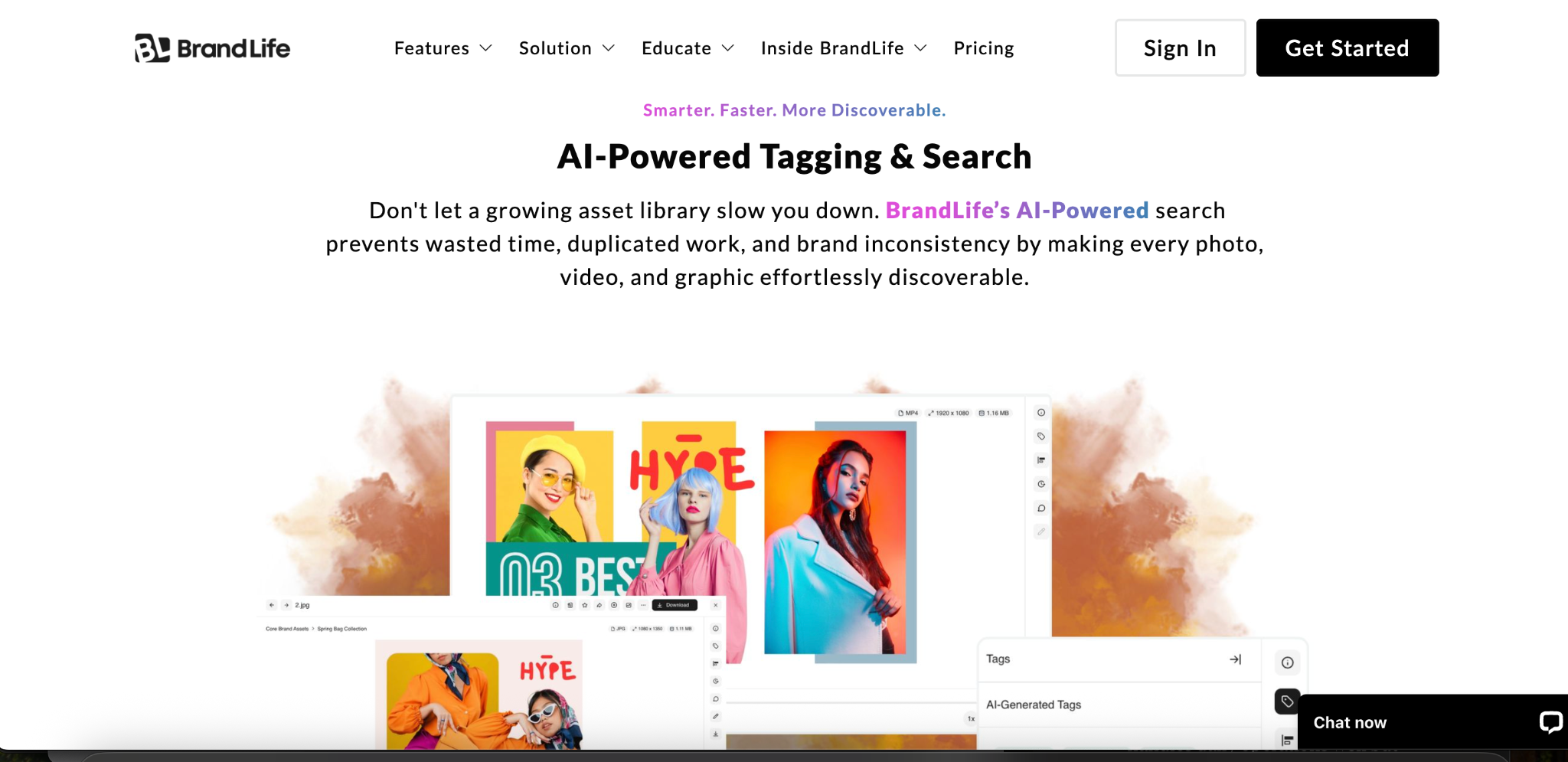
Visual search adds another route, using a reference image to find similar creative. AI-powered search and tagging helps BrandLife customers spend 40% less time searching, which saves 6+ hours weekly per creative. Contextual search can also sort files by channel or use case, so the most relevant assets rise first.
Living guidelines plus DAM and integrations
A 60-page brand PDF gets opened at kickoff, then fades into the background. Web-based guidelines fix that by updating in one place and staying searchable for everyone.
Interactive brand guidelines sit beside the approved asset, so a designer reads the rule and downloads the file on the same screen, through a living guidelines portal. Native connections to Figma and Canva pull those assets into the tools your team already uses, keeping a single connected hub instead of scattered files.
Implementation and Total Cost of Ownership Considerations
A low quote can still turn into a slow rollout once migration and setup begin. The sticker price rarely tells the whole story.
Real cost shows up in implementation time, services, added seats, and storage growth. Model those variables before you sign, and your comparison gets more honest.
Hidden costs to model before you sign
Enterprise setups often take 8 to 12 weeks or more to onboard, based on market reviews and total cost patterns. Migration adds more work, since old folder structures need cleanup and metadata often needs re-tagging.
Integration projects connect your DAM to design tools, your CMS, and other systems, adding internal time or services. Seat scaling raises costs as more stakeholders and partners need access, and someone still has to maintain the permissions, workflows, and review rules at the center of a total cost calculator.
Storage overage terms can sit deep in the contract, so read them before growth in high-resolution video pushes you into a higher band.
A phased rollout that earns adoption
Teams that skip discovery usually migrate their mess into a cleaner interface. Start with an inventory of every repository, from Drive to legacy storage, then design your information architecture, mapping brand hierarchy and metadata before you import files.
Pilot with one brand or region, and migrate high-value assets first, such as brand kits and current campaigns. Test AI tagging and search, then adjust the taxonomy.
Connect creative tools and configure approval steps by asset type. Roll out with quick-start guides for designers, marketers, and partners, and track logins, searches, and downloads so you can measure value early.
Use Cases by Team Type
In-house marketing and brand teams
A CMO at a growing consumer brand needs every channel on the current logo by Monday. In-house marketers and brand teams lean on governance and living guidelines, so approved messaging reaches every channel without a version scramble. Approval workflows and asset expiration keep retired creative from resurfacing.
Creative and design ops teams
A design ops lead buried in duplicate files wants search that works. Creative and design ops teams benefit from AI tagging, and some platforms add visual search for faster retrieval. Figma and Canva integrations pull assets straight into the design workflow, so the right file shows up faster and the team gets more time back for creative work.
Agencies managing multiple client brands
An agency account director juggling five client brands needs clean separation. Multi-brand workspaces give each client its own colors, fonts, and asset library, plus branded portals for client review, so each account stays distinct.
Franchise and multi-location marketing teams
A head of franchisee marketing coordinating hundreds of locations needs brand-safe distribution at the edge. Scoped brand portals show each franchisee only approved assets, with expiring links and clear local-use guidance, keeping execution closer to brand standards across markets you rarely see.
How BrandLife Approaches Creative Asset Management
BrandLife customers report 40% less time spent searching for assets, saving 6+ hours weekly per creative. That outcome comes from one connected workspace instead of a stack of disconnected tools. BrandLife pairs modern DAM with multi-brand workspaces and AI-powered search and tagging, plus interactive brand guidelines and free partner portals in the same place.
The fit gets specific by team. Agencies get client-ready workspaces from day one, each with its own colors, fonts, and asset library. Multi-location brands can give franchisees scoped portals that show only approved assets. DTC teams can organize product-heavy libraries with AI tagging across SKUs, categories, and campaigns.
Pricing stays plain. Starter runs $150/month for one user, one brand, and 1GB of storage. Pro and Business layer in automation and multi-brand support as needs grow, and Enterprise is custom, covering unlimited users, unlimited brands, and custom storage. See the full breakdown on BrandLife's pricing page.
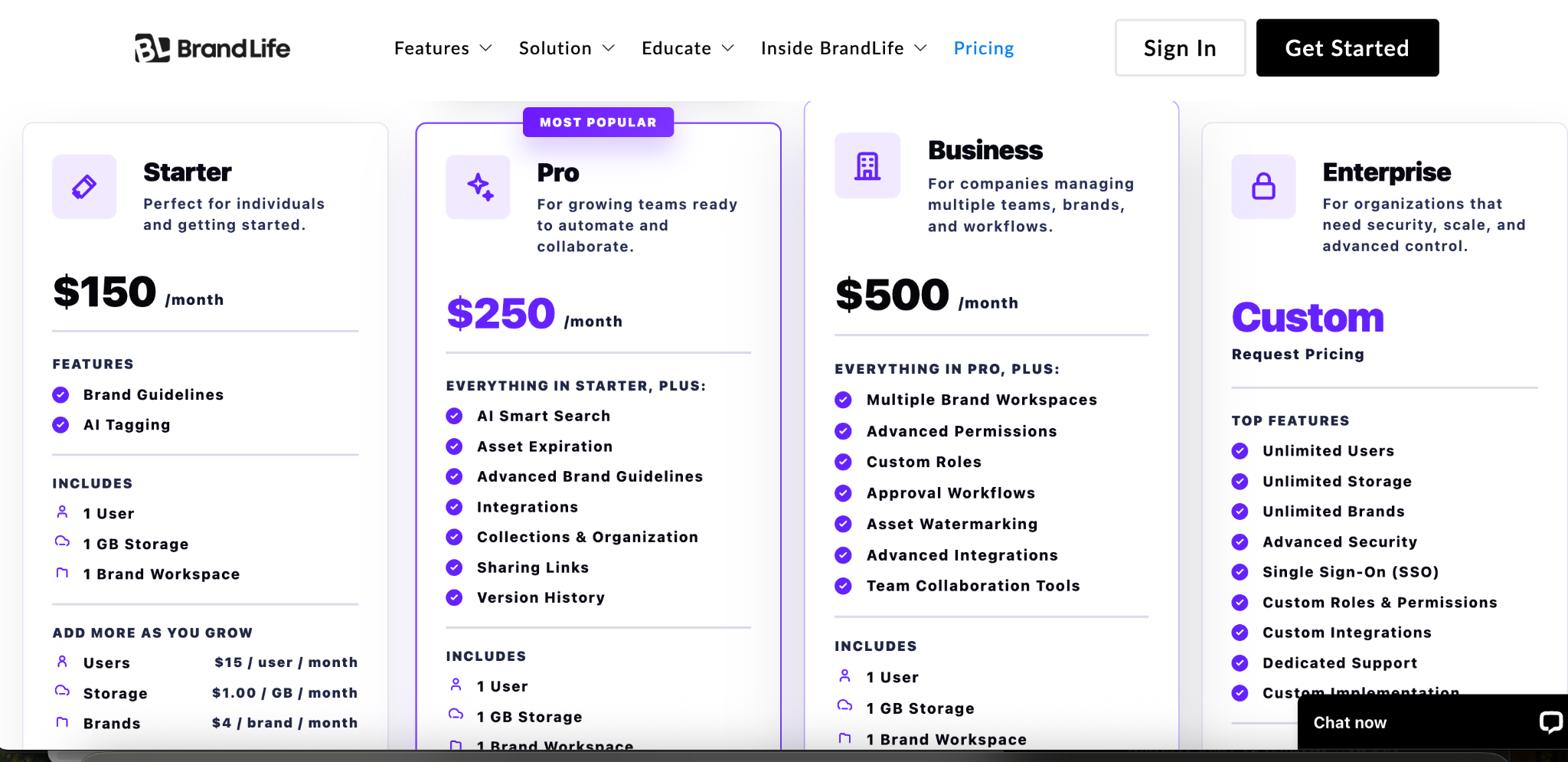
Customers also report 50% faster launch cycles and 70% fewer asset-request emails. That makes BrandLife a practical option for teams that want modern DAM features without enterprise-level complexity or opaque quotes.
Get started with BrandLife and see how BrandLife brings your brand assets and approvals together in one place for your team.
Frequently Asked Questions
What is creative asset management software?
It is software marketing and creative teams use to organize creative content and govern how it gets distributed, keeping images, video, and campaign files searchable in one workspace. Many platforms also support briefing, review, and approvals, so the work happens where the files already live.
Do you need both a CAM platform and a separate DAM?
Most teams don't run two separate systems once they adopt a real CAM platform, since modern tools fold DAM-style storage, search, and rights management into the same workspace. The distinction mostly matters when comparing older, storage-first tools that never added workflow and governance on top.
How long does it take to see ROI from creative asset management software?
Search-time savings usually show up within the first few weeks, once assets are tagged and teams stop asking each other for files. Broader wins, like faster launch cycles and fewer asset-request emails, tend to compound over a full quarter as more of the library gets organized and partners onboard onto portals.
Who should own creative asset management inside an organization?
Ownership usually sits with a brand or creative operations lead, since they understand both the asset library and the approval chain. IT typically supports integrations and access controls, while agencies, franchisees, or regional teams should get a say in portal structure before rollout, since they feel the access rules directly.
Can creative asset management software replace tools like Figma or Canva?
CAM platforms work next to design tools rather than replacing them. They pull approved assets into Figma or Canva through native integrations, so designers keep working from the current file without leaving their usual workspace.
.jpg)