.jpg)
Key Takeaways
- A creative brief is a 1-2 page document that sets a project's goals and key message so creative work starts aligned.
- Shared drives and static PDF briefs leave teams guessing on scope and specs, which drives revision loops and off-brand output.
- A strong brief covers 10 to 12 components, from objectives and audience to technical specs and DAM metadata requirements.
- This guide includes a copy-paste template plus four worked examples, from global campaigns to always-on AI content.
- When the brief pre-defines metadata and usage rights, assets land searchable and reusable inside your DAM.
- BrandLife supports the workflows that turn approved briefs into searchable assets across multi-brand workspaces and partner portals.
Scroll through a recent r/advertising thread and you will find marketers arguing about brief formats. Some swear by one page. Others want a fuller deck. The common thread is simple. A fuzzy brief burns time.
You already know that pain. A vague request lands, a designer builds the wrong deliverable, and a few revisions later the launch slips. Multiply that across several brands and multiple channels, add agencies or franchisees, and the friction stacks up fast.
This guide covers what a creative brief is and why older briefing habits slow projects down. We include a fill-in template and four worked examples, plus how briefs connect to your Digital Asset Management (DAM) and AI search. It is written for the person who owns intake and brand consistency.
What is a Creative Brief?
A missed platform spec can send a designer into the wrong banner sizes for hours. One missing field can turn a clear request into cleanup work. A strong brief keeps that from happening.
In simple terms, a creative brief is a short document that defines a project's scope and key message. It names the deliverables, the stakeholders, and the timeline. It gives your creative team the context to produce work tied to business goals.
Keep it to one or two pages. It should guide real decisions and stay short enough that busy stakeholders will read it.
What a brief does for brand and marketing ops
Once more than one team touches a project, the brief becomes an operating contract. It gives creative, brand, and channel owners one source of truth.
A strong brief informs the concept and leaves room to create. It sets guardrails, then gives the team enough context to work with confidence. For brand ops leaders, it becomes a repeatable intake standard that removes ambiguity before production starts.
Why Shared Drives and Static Briefs Slow You Down
A franchisee can grab last quarter's promo art from a shared folder that still looks current. The wrong offer can reach several markets before anyone catches it. That is a governance problem hiding inside a file habit.
Shared drives store files and lose context. A folder can show that a JPG exists. It rarely shows who approved it or whether the asset usage rights still apply. Your team fills those blanks with guesses, and guesses lead to rework.
Static PDF briefs create the same issue. The moment a spec changes or an approver changes, emailed copies go stale. People work from multiple versions and call it collaboration. Seat-based legacy tools add friction by limiting access, so partners wait on someone with a login.
Those habits invite scope creep and off-brand output at the edge of your network. The cost shows up in slower launches and more asset-request emails. A clear brief, paired with a modern DAM, closes those openings early.
Essential Components of a Creative Brief
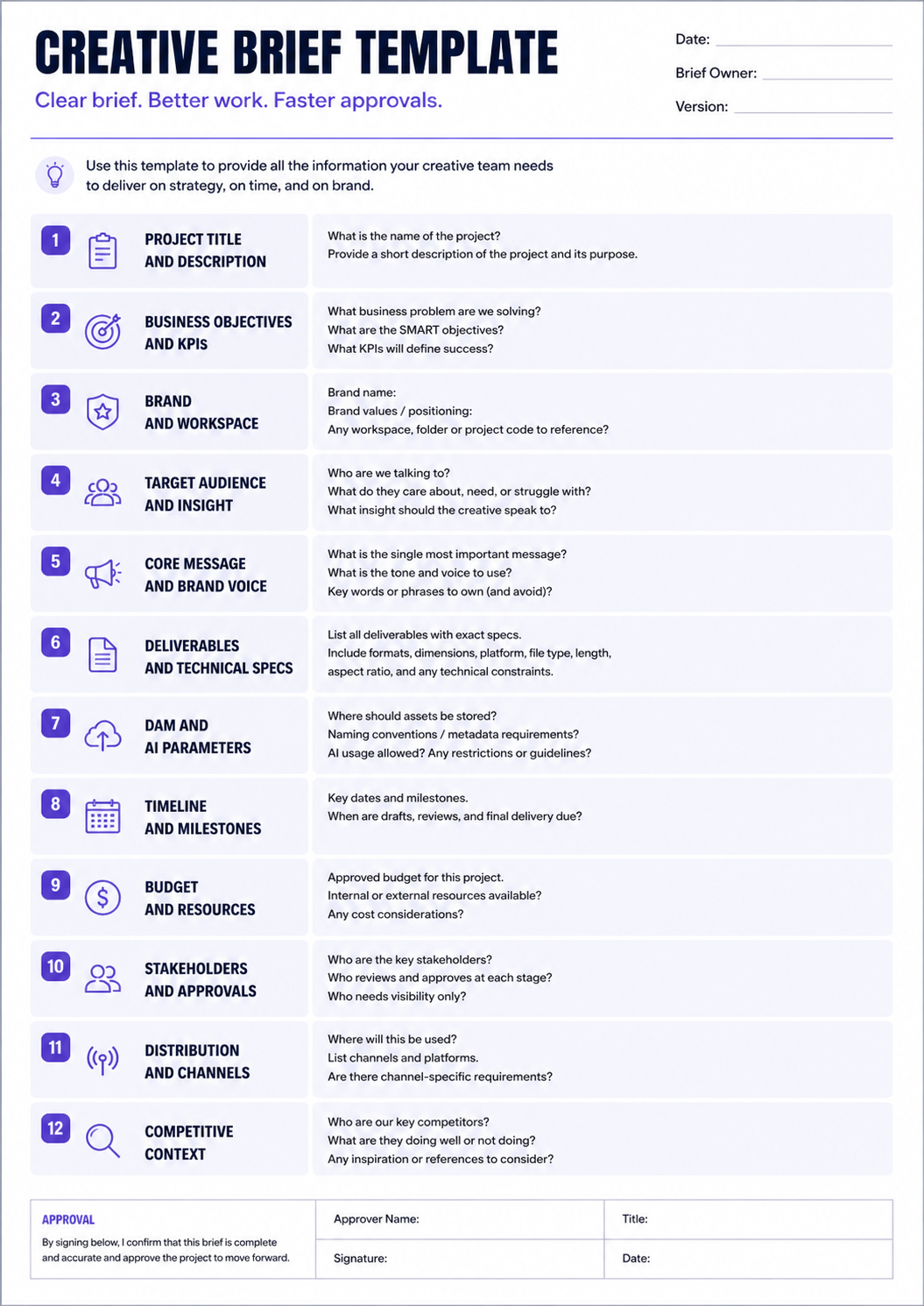
Ten fields do most of the heavy lifting. Each one answers a question your team would otherwise ask mid-project, when the answer costs time and another review pass. The table below maps each component to its brand ops or DAM impact.
| Component | What it captures | Brand ops / DAM impact |
1. Project title and overview | Campaign name, brand and product background, why it exists | Ties every asset to a named campaign for later search |
2. Business objectives and success metrics | Measurable goals tied to KPIs like lead generation or conversion | Connects creative output to reportable results |
3. Target audience and insight | Audience traits, behaviors, the problem the work solves | Keeps messaging and visuals pointed at real people |
4. Key message and brand voice | Single-minded proposition and tone hierarchy | Enforces brand governance before production starts |
5. Deliverables and technical specs | Asset types, formats, sizes, platform constraints | Prevents wrong-dimension rework on ingest |
6. Timeline and milestones | Concept, feedback rounds, approvals, handoffs | Sets clear approval checkpoints |
7. Budget and resources | Production, media spend, internal and external resources | Clarifies who produces what and at what cost |
8. Stakeholders and approvals | Who inputs, who signs off, who executes | Maps to approval workflows and permissions |
9. Distribution and channels | Where it runs and why each channel fits | Shapes channel-led taxonomy in the DAM |
10. DAM and AI parameters | Metadata fields, taxonomy tags, usage rights, workspace location, AI guardrails, localization rules | BrandLife framework, assets stay searchable and rights-aware after launch |
Caption: Ten core creative brief components mapped to brand ops and DAM impact.
Two components get skipped all the time. Success metrics tell the team what matters. Technical specs tell them how to build it correctly. Write both down, and teams spend less time reworking files.
How to Write a Creative Brief (With Template)
A blank doc feels manageable until five people answer the same unanswered question. A simple sequence fixes that. The copy-paste block below follows the same order, so you can fill it in as you go.
Step-by-step writing flow
Start with the project and business objective, stated in a sentence or two that ties the work to a measurable goal. A launch brief and a brand-awareness brief pull from different playbooks, so naming the objective early keeps the rest of the document focused.
Identify the audience next, then write the single key message the work needs to land. A vague audience description rarely helps a designer make real decisions, so add the specific behavior or need the creative should speak to.
Outline deliverables with exact specs before you set the timeline and budget. A deliverable list that just says social assets invites guesswork, while a list that names formats, dimensions, and platform constraints lets a designer start building right away.
Name stakeholders and approvers, including who signs off at each stage and who gets looped in for visibility only. Close with the DAM and AI parameters that show where assets belong and how they should be handled once the work is approved.
Write objectives in SMART terms, meaning specific, measurable, achievable, relevant, and time-bound, and keep the language plain throughout. Clear briefs are easier to review and approve, and they hold up better when someone outside the original conversation reads them cold.
The copy-paste template
Copy the block below into your document or intake form, then fill each field in order. A blank field is worth noticing on its own, since it usually means the project isn't as defined as it feels.
- Project title and description
- Business objectives and KPIs
- Brand and workspace
- Target audience and insight
- Core message and brand voice
- Deliverables and technical specs
- DAM and AI parameters
- Timeline and milestones
- Budget and resources
- Stakeholders and approvals
- Distribution and channels
- Competitive context
Some projects only need a light touch on all twelve fields. A single social asset might need three sentences per field, while a global campaign brief might need a full paragraph and supporting links for each one. Adjust the depth to the size of the project rather than the format of the template.
Keep it short but specific
Review starts moving faster when the brief stays concise. Hold it to one or two pages for most projects, and resist the urge to pad it with background information that belongs in a linked deck instead.
Run it past creative and channel owners before kickoff, since a channel owner often catches a specs issue a creative lead would miss, and the reverse holds too. Include brand governance in the review, particularly for franchise or partner-facing work where the brief effectively sets the rules for people who aren't in the room.
Get explicit sign-off before production starts, from a named approver rather than a general reply-all thread. A brief that everyone has seen is different from a brief that someone has actually approved, and that difference is where scope creep usually starts.
That approval gate prevents the awkward moment when finished work reaches a stakeholder who is seeing it for the first time.
Creative Brief Examples by Use Case
A single template can stretch across very different workflows. The value comes from adjusting the same core fields to fit the work in front of you. The four examples below are illustrative, so treat the details as a starting point.
Global brand campaign to local variants
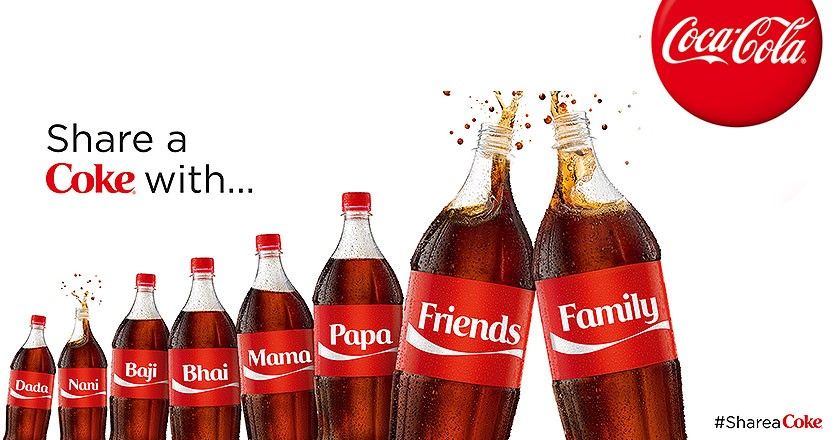
A global launch can drift fast when regional teams interpret the rules differently. Coca-Cola's "Share a Coke" campaign is a well-documented example, since the same personalized-bottle concept ran worldwide while regional teams adapted the names, language, and cultural references market by market. The brief should lock the core assets, then spell out what local teams may adapt. It can define metadata tags for each region and name the DAM collections where variants live. Localization rules in field ten help a team in Berlin or Toronto use the right logo lockup and language.
Franchise or partner enablement kit
Franchise teams move faster when approved files are easy to pull. Anytime Fitness, a global gym franchise with thousands of independently owned locations, shows why this matters at scale, since each location runs local marketing while staying visually consistent with the parent brand. The brief can list starter-pack assets such as posters, social templates, and point-of-sale art. It should state the allowed customizations and the approval rule for anything outside them. Distribution can run through a brand portal with expiration dates, so partners pull current, approved files.
E-commerce product content refresh
Product teams feel the pain of loose specs almost immediately. A catalog-heavy brand like Warby Parker, which photographs hundreds of frame styles across multiple angles and colorways, shows why this component matters at scale. The brief can group products into families and attach a short list with angles and colorways. It can also define the structured data and DAM taxonomy each SKU needs for syndication. That way, product images arrive organized for Shopify, Amazon, and other e-commerce channels.
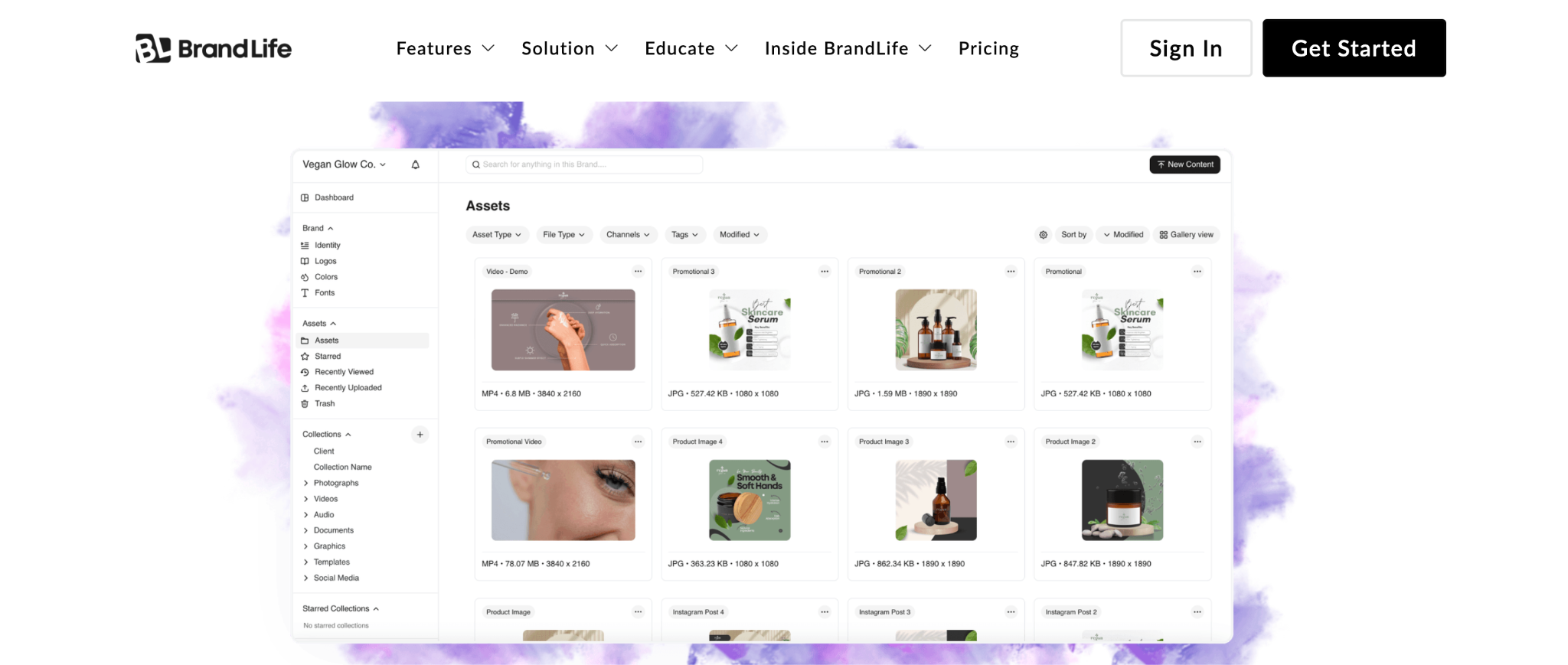
Caption: Explore BrandLife for e-commerce\
Alt text: A screenshot showing BrandLife’s e-commerce features
Always-on content with AI support
Always-on content breaks down when every prompt starts from scratch. Duolingo's social team has described its own approach directly, with one social media manager telling Adweek that the comment section is our social brief, reacting to trends in real time rather than working from a traditional campaign brief. A structured brief can still set the AI guardrails such as brand palette use, required human review, and banned content types. Teams can place brand voice prompts next to those constraints. Every AI-assisted asset then goes through the same human check before it is published.
How BrandLife Connects Briefs to Your DAM
Search gets easier when assets arrive organized the first time. The payoff shows up months later, when your team can find approved files without another cleanup sprint. That starts with turning brief fields into structured asset information.
Metadata and taxonomy set at brief time
Campaign codes, product lines, and regions work better when they are defined before upload. BrandLife supports custom metadata, and teams can carry those fields from the brief into the DAM on ingest. AI search can then add tags by color, object, product, SKU, category, and campaign. BrandLife customers report 40% less time searching for assets.

Multi-brand workspaces and access
Agency teams and multi-brand marketers need clean separation between brands. BrandLife gives each brand its own workspace, with separate color palettes, font libraries, and asset storage. Multi-brand workspaces keep agency clients and sub-brands organized. You can set permissions and collections to match the approval structure in the brief.
Interactive brand guidelines and brand portals
Partners follow brand rules more easily when the rules live beside the assets. The approved message and voice from the brief can live inside the workspace as interactive brand guidelines. Those guidelines update in place, so partners see the current standards. Brand portals distribute approved assets with expiration dates and secure links. BrandLife customers report up to 70% fewer asset-request emails.
AI guardrails carried from brief to production
AI works better when the rules are written before the prompt. Your brief can set the boundaries for AI-assisted output, from palette use to human review. Teams can carry those constraints into BrandLife's AI-assisted content workflows, so draft assets stay closer to brand rules from the start. Across BrandLife workflows, customers report launch cycles up to 50% faster and 6+ hours saved weekly per creative.
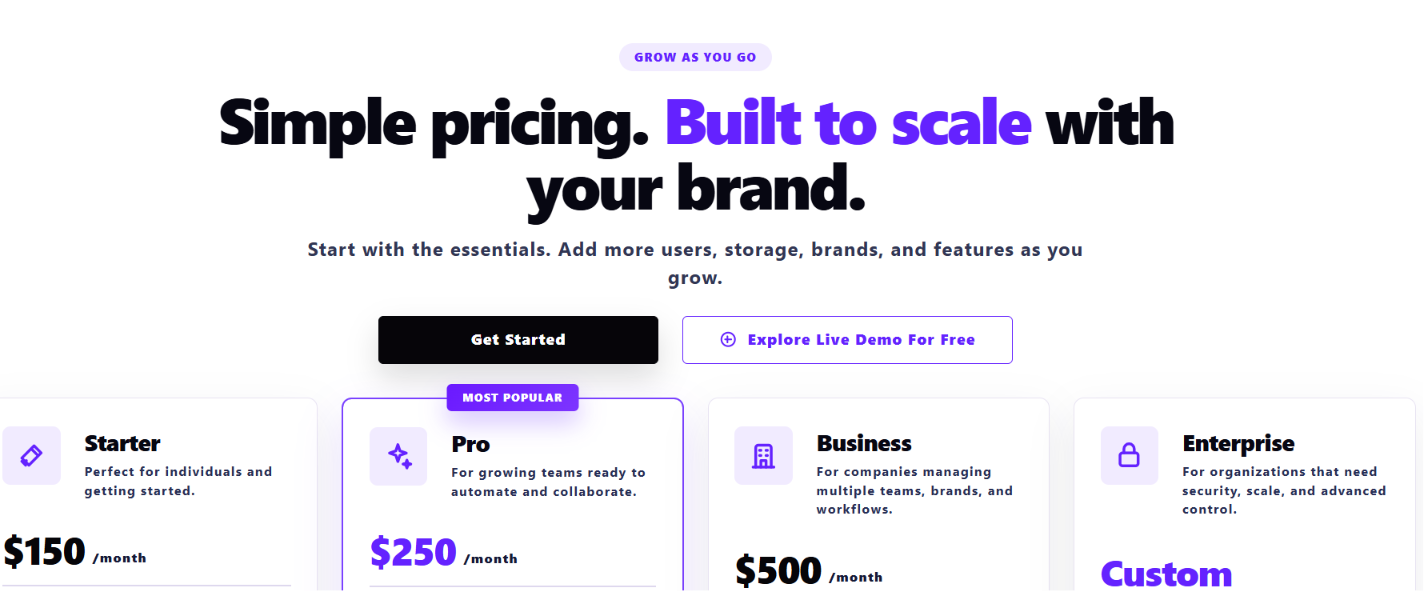
Pricing stays transparent. The Starter plan runs $150 per month for one user and one brand. Enterprise pricing is custom for unlimited users and brands. See full details on the pricing page.
Book a demo for free with BrandLife if you want your briefs and assets working from the same system.
Frequently Asked Questions
Who writes a creative brief?
Ownership matters more than job title. Marketing or brand ops usually drafts the brief and gathers the first round of inputs. Creative leads and brand governance review it before sign-off. On agency or franchise projects, the account lead may draft it and the client approves it. One person should own the document from start to finish.
How long should a creative brief be?
One or two pages fits most projects. That length gives the team enough detail to make decisions and stays readable for busy stakeholders. Complex global campaigns can run longer. A single social asset may need far less. If the brief grows past two pages, move background material into linked references.
What's the difference between a creative brief and a marketing brief?
Scope is the main difference. A marketing brief covers campaign strategy and the broader channel plan. A creative brief guides execution, including the message, deliverables, and specs your team needs to produce. Larger campaigns often use both, with the creative brief pulling context from the marketing brief.
Should a creative brief be a document or a live meeting?
Teams work best when they use both. The written brief is the source of truth people can return to later. The live briefing gives creative and channel owners a chance to ask questions before work starts. Send the brief ahead of time, walk through it together, then update the master version with any decisions.
How do you keep a creative brief from becoming outdated?
Version control keeps the brief useful. When a spec or approver changes, update the master copy and keep every team pointed to that version. Link assets to a brief ID when possible, so the approved instructions stay easy to trace. A centrally hosted brief keeps everyone working from the same current information.
.jpg)