.jpg)
Key Takeaways
- Brand guidelines have shifted from static PDFs to living systems that connect rules to reliable assets and partner workflows.
- Score tools against five criteria, namely, brand governance strength, multi-brand architecture, franchise and partner enablement, and weigh living guidelines with digital asset management (DAM) and AI-powered asset management.
- Hidden costs, including implementation, migration, integrations, seat scaling, and governance overhead, can dwarf the sticker price.
- Agencies weigh these criteria differently than franchises or CRE firms. Match the tool to your team complexity and brand count.
- BrandLife is a strong fit for multi-brand teams that want interactive guidelines and AI search. You also get brand portals and transparent pricing ($150/month Starter, custom Enterprise).
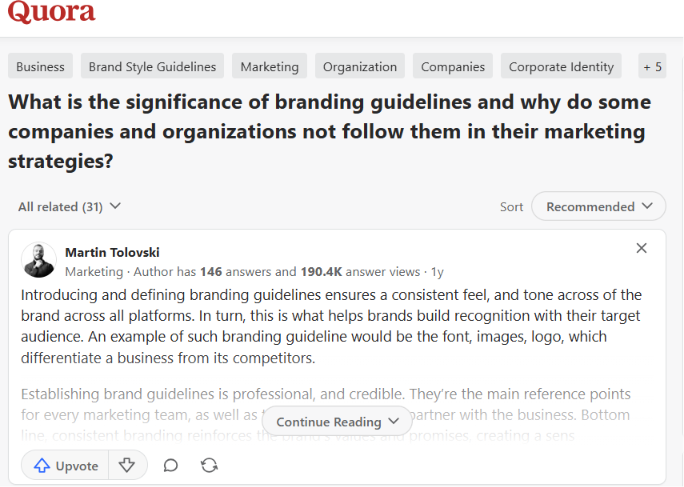
Why do companies write brand guidelines and then fail to follow them in their own marketing? That question comes up often in a discussion thread on Quora. The pattern behind it is one agencies and franchise networks run into constantly. Guidelines get written once, stored somewhere hard to find, and quietly ignored the next time someone needs a logo file fast.
Brand guidelines are the operating rules for how a brand looks, sounds, and shows up across channels, teams, and partners. The category itself is shifting. Buyers now want living brand guidelines connected directly to assets and approvals, rather than documents that get shelved after onboarding.
This guide breaks down five criteria for evaluating brand guidelines software, the hidden costs that turn a good deal into a budget problem, and a simple scoring framework for your own shortlist.
Criterion 1: Brand Governance Strength
Brand governance strength covers permissions, approvals, and file control. These features help your team ship the right logo, current colors, and approved messaging across regions and partners. Two factors determine how well that works in reality. Who is allowed to act on an asset, and how the rules get enforced once a file leaves the workspace.
Permissions, roles, and approval workflows
Permissions, roles, and approval workflows keep brand decisions clear. Role-based access decides who can edit, review, or publish each asset. Approval workflows route creative to the right approver and log decisions in an audit trail. That record helps when a partner asks why a file was replaced or retired.
Consistent governance also supports the recognition and trust that brands build over time according to PR Newswire.
Rule enforcement at the asset level
The strongest platforms put usage guidance right next to the file itself, so teams can check the rule and download the approved version in the same place. Version control keeps a full history so you can restore earlier files quickly.
Asset expiration retires outdated campaign creative before it keeps circulating. That combination removes the blind spot that shared drives create.
Criterion 2: Multi-Brand Architecture
Multi-brand architecture matters the moment your team manages more than one identity at once. Agencies, CRE firms, and architecture teams all need clear separation so colors, fonts, and assets stay locked to the right brand.
That separation depends on two factors. One is how the workspace itself is structured. The other is what happens when the underlying tool was never built for more than one brand.
Workspaces for master brands, sub-brands, and campaigns
Workspaces for master brands, sub-brands, and campaigns keep each identity organized. Each client brand, sub-brand, or campaign gets its own space with distinct color palettes and font libraries. Guidelines stay separate but connected, so your team switches context cleanly. BrandLife's multi-brand workspaces give agencies a client-ready structure from day one. CRE firms get a clean home for each regional portfolio.
The limits of single-brand tools
Single-brand tools break down when separation depends on folders and naming rules. Some platforms center on one shared asset library first, so multi-brand setup takes more manual work. That overhead grows with every new client, market, or campaign. An architecture firm with regional portfolios feels it in duplicate files and mislabeled assets. Purpose-built multi-brand architecture reduces that admin load and keeps each brand's rules intact.
Criterion 3: Franchise and Partner Enablement
Franchise and partner enablement determines how well your brand travels beyond headquarters, especially once teams take on broader multi-market operations. Local teams move faster when they get approved assets, clear rules, and access scoped to their role.
That access takes two forms. One is the portal a partner logs into. The other is the templates that let them customize safely within your guardrails.
Branded portals with tailored access
Branded portals with tailored access keep outside teams in the right lane. A portal can show each franchisee, reseller, or client only the assets and guidelines they are approved to use. Secure sharing with expiring links helps retire old campaign files when a promotion ends. BrandLife offers unlimited free brand portals for partners and franchisees, so external distribution can scale without paid partner seats. BrandLife customers report up to 70% fewer asset-request emails, which helps regional teams stay self-serve.
Pre-approved templates and localized content
Templates let local teams customize the details that need customizing, such as address, store hours, or a local offer, while the logo and color system stay locked down. That shortens onboarding for new locations and speeds up local marketing requests, giving partners real flexibility while keeping your guardrails in place.
Criterion 4: Dynamic Online Guidelines Plus DAM
Living guidelines paired with a DAM fix the stale-PDF problem at the source. When the rules and the files live in one system, like a living guidelines portal, your team reads the guidance and grabs the approved asset in the same workflow.
That pairing rests on two ideas.
Living guidelines vs. static PDFs
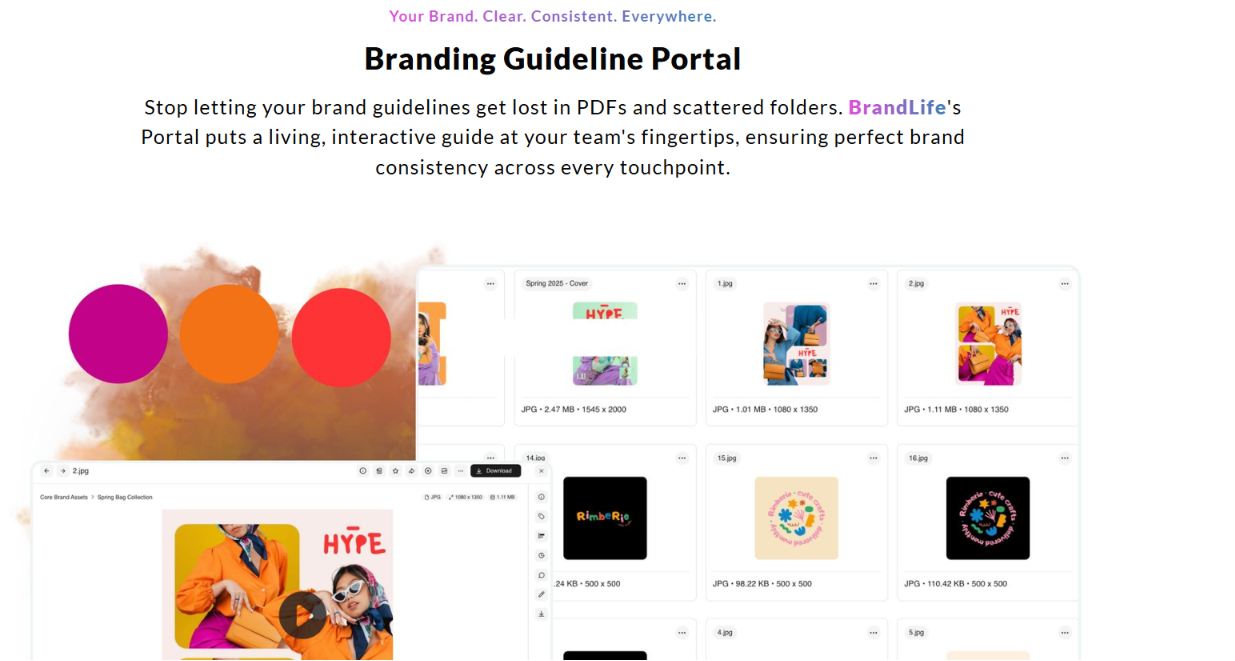
The real choice here is between shelfware and something people actually open. Web-based guidelines update in one place and stay searchable for everyone, covering logo usage, color codes, typography, imagery style, voice, and tone. BrandLife's interactive guidelines are built to replace the PDF that nobody opens.
Guidelines linked to a single source of truth
When a guideline sits right next to its approved asset, a designer reads the rule and downloads the file from the same screen, with no detour to a shared drive. Native integrations with Figma and Canva pull those assets straight into the design workflow.
That kind of single connected hub replaces scattered files and duplicate versions, no matter how many regions or teams are pulling from it.
Suggested read: The Ultimate Guide to Maintaining Brand Consistency Across Platforms
Criterion 5: AI-Powered Asset Management
AI-powered asset management cuts the file-hunting time that slows creative teams down. Search, tagging, and recommendations help people find the right asset faster, especially in large libraries.
Most of that value comes from two places. One is how the AI helps a team find an existing file. The other is how far it stretches into helping them create the next one.
AI search, auto-tagging, and visual search
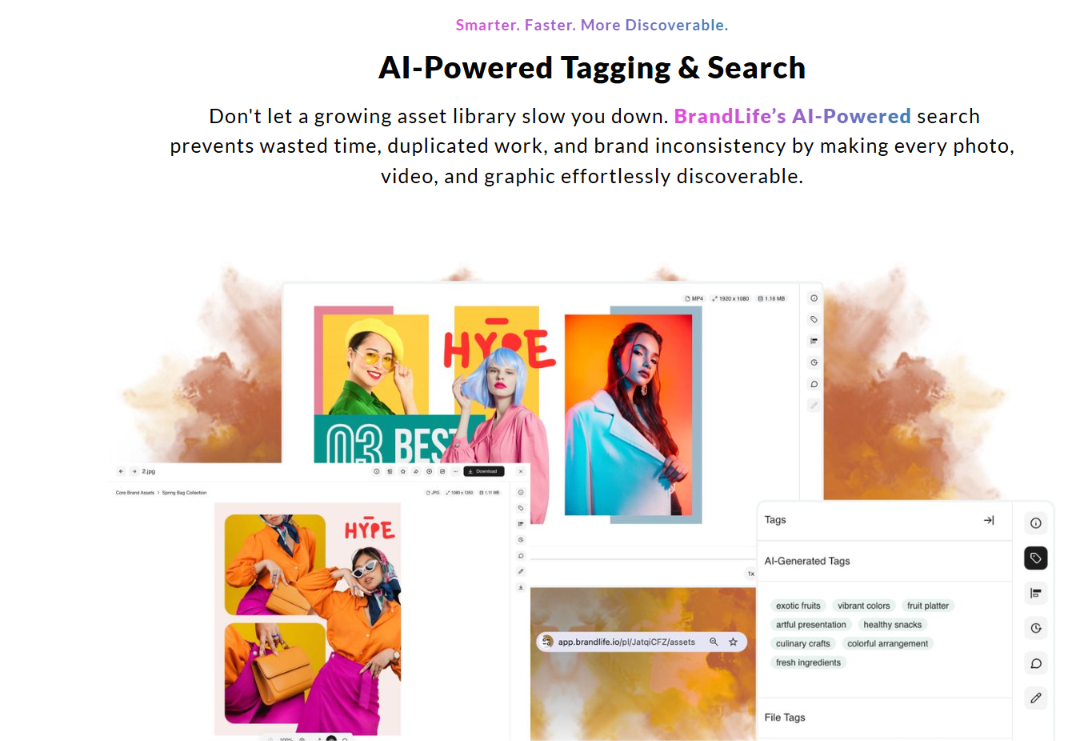
AI search, auto-tagging, and visual search help teams retrieve assets without perfect folder memory. According to Forrester, AI can tag assets by keyword, color, object, product, SKU, category, or campaign. Plain-language search helps users find files in seconds instead of scanning folders. Visual search adds another path, using a reference image to find similar creative. BrandLife's AI-powered search and tagging helps customers spend 40% less time searching for assets, which can save 6+ hours weekly per creative.
Contextual retrieval and brand content generation
Contextual retrieval and brand content generation move AI past simple search. Contextual search can surface assets based on channel, campaign, or use case, so teams see more relevant files first.
BrandLife also extends AI to brand content generation, drafting on-brand copy and variants inside the workspace. That gives teams help with finding assets and building content in the same system.
Hidden Costs & Common Buying Mistakes
Hidden costs rarely show up on the base quote itself. They tend to surface in a handful of predictable places.
- Hidden costs show up after the base quote.
- Implementation and onboarding come first, often taking 8 to 12 weeks or more, in line with typical
patterns. - Migration adds more work, since old file structures need cleanup and metadata often needs re-tagging.
- Integration projects connect your DAM to design tools, your CMS, and other systems, adding internal time or services spend.
- Seat scaling raises costs as more stakeholders and partners need access.
- Governance overhead matters too, since someone still has to maintain the permissions, workflows, and review rules at the center of any
.
Common Buying Mistakes
Most of these costs are avoidable. The teams that get burned tend to make one of the same few mistakes.
- Teams choose seat-based DAM pricing for partner-heavy use cases, then watch costs rise as external users multiply.
- Teams choose guideline tools with weak asset linkage, so the rules drift away from the files.
- Teams miss storage overage terms buried in the contract.
- Clear pricing helps here, since you can model the total cost before you sign.
A Vendor Evaluation Framework
A vendor evaluation framework keeps your shortlist grounded in real work. Score each platform from 1 to 5 across five criteria, then weight those scores based on your team complexity and brand count. A multi-brand agency may weigh architecture and portals more heavily. A smaller in-house team may put more weight on AI search and living guidelines.
Then total the weighted scores so each tool is judged the same way. A practical shortlist often includes BrandLife plus established DAM and brand-guideline platforms.
| Criterion | Weight (example) | Score (1-5) | Weighted total |
Brand governance strength | 20% | TBD | TBD |
Multi-brand architecture | 25% | TBD | TBD |
Franchise and partner enablement | 20% | TBD | TBD |
Living guidelines plus DAM | 20% | TBD | TBD |
AI-powered asset management | 15% | TBD | TBD |
Caption: A weighted scorecard template for rating brand guidelines vendors against your team's priorities
How Does BrandLife Help?
Choosing brand guidelines software means picking a system that makes it easier for every team, partner, and stakeholder to use your brand correctly. The best platforms combine governance, digital asset management, collaboration, and accessibility, so brand standards become part of everyday workflows instead of a forgotten PDF.
As your organization grows, factors like multi-brand support, partner access, AI-powered search, and transparent pricing become increasingly important. Evaluating vendors against these criteria helps you invest in a solution that scales with your business instead of creating new operational bottlenecks.
For organizations managing multiple brands, distributed teams, or external partners, BrandLife performs well across all five evaluation criteria. Its combination of living brand guidelines, built-in DAM, AI-assisted asset discovery, and multi-brand architecture gives marketing teams a single source of truth for both brand standards and approved assets. Teams can keep everything connected instead of managing guidelines and assets in separate systems, making it easier to maintain consistency as brands, campaigns, and partner networks expand.
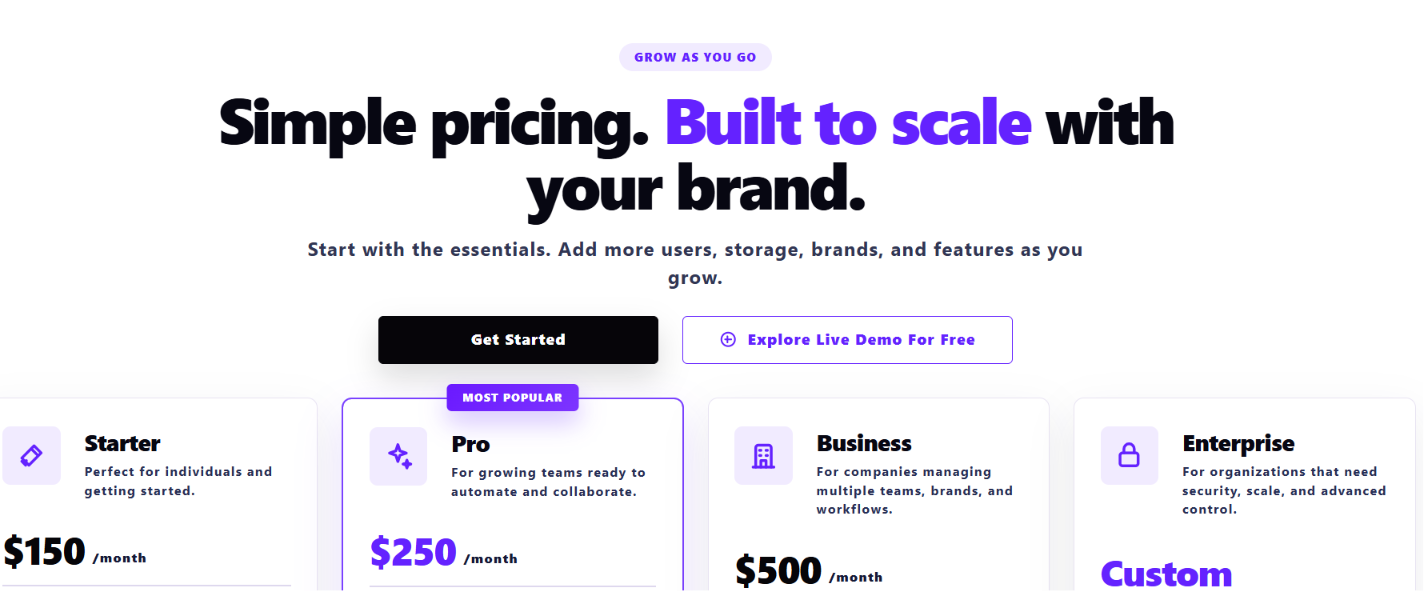
Pricing stays transparent. Starter runs $150/month for 1 user, 1 brand, and 1GB of storage, while Enterprise is custom with unlimited users, unlimited brands, and custom storage. See the full breakdown on BrandLife's pricing page.
BrandLife customers report 50% faster launch cycles and 70% fewer asset-request emails, which makes it a practical option for teams that want modern DAM features without enterprise-level complexity.
Ultimately, the right choice depends on your organization's structure, workflows, and growth plans. Use the five criteria in this guide as a practical scorecard, and compare your shortlisted platforms objectively.
Choose the solution that helps your teams spend less time enforcing brand standards and more time building your brand. Get started with BrandLife to bring your brand guidelines, assets, and approvals into one connected place.