
Key Takeaways
Image management software for brands is a subset of digital asset management. It helps you govern and distribute approved images across channels and business units.
Shared drives and static PDF guidelines break down once your team runs more than one brand or region. Seat-based legacy DAMs struggle with the same growth.
The capabilities that matter most: AI search and role-based governance. Multi-brand workspaces and approval workflows come next. Secure partner distribution closes the gap.
Watch the hidden costs. Implementation and training can run 15 to 30% of first-year contract value in enterprise DAM.
BrandLife combines a modern DAM with multi-brand workspaces and AI search. Interactive brand guidelines live in the same workspace. Starter runs $150/month with transparent, usage-based pricing.
Image management software is the governed layer that sits on top of storage, turning a folder of product shots into a searchable, approved, distributable library. Your creative lead just spent 45 minutes tracking down the Fall campaign hero image. It turned out to be last year's version. That's a normal Tuesday for brand and creative ops teams buried in scattered files.
Learn the definition of an image library.
Monotype's 2025 Scaling Creative Operations report found that 57% of creative teams spend more than a quarter of their time on non-creative tasks like asset management and compliance checks, largely because there's no reliable way to confirm what already exists before recreating it. The problem grows with the brand. You run more channels and more product images than you did two years ago, and file chaos slows launches while putting off-brand execution in front of retailers and franchisees. When the wrong logo ships, it costs you rework and credibility.
This guide covers what image management software means for brands and who needs it most. It also shows the capabilities that separate real platforms from simple storage. You'll see how to plan a rollout and where BrandLife fits, with a practical evaluation framework you can use before your next renewal.
What Image Management Software Means for Brands
Image management software is a governed system for approved visual assets, working as the operational layer for consistency instead of a folder full of images. File-hunting eats hours each week for brand and creative teams, and this category exists specifically to close that gap.
Consider it as a subset of digital asset management (DAM) aimed at product shots and campaign creative. The platform helps your team find the right file fast and keep it on-brand, adapting each asset for the channel and handing it to the people who need it. Storage is table stakes; governance and retrieval are the point.
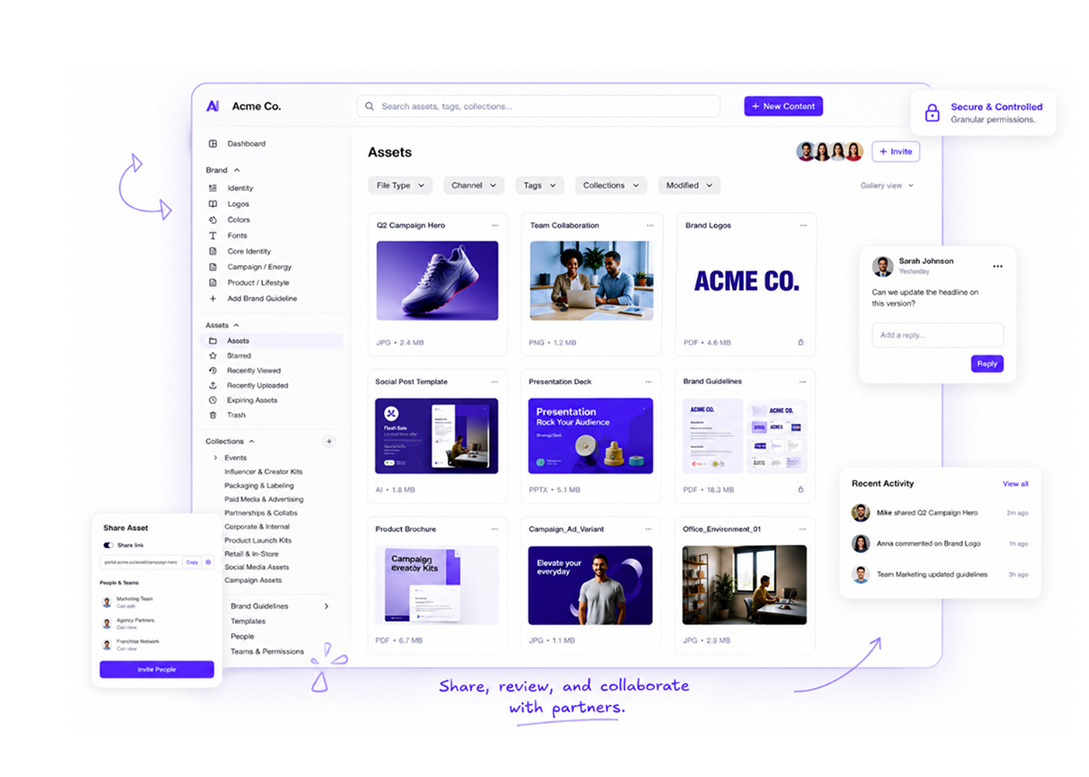
A real platform combines several layers:
-
Centralized storage with structured metadata and search, so files stay findable
-
Role-based permissions and brand governance, controlling who touches what
-
Brand portals and living guidelines
-
Approval workflows and channel distribution
-
AI enrichment, tagging assets automatically by keyword and SKU
The connective tissue across all of this is taxonomy, the naming and category structure that keeps a growing library searchable. Get taxonomy right and AI tagging gets sharper; skip it and even a good platform turns into a nicer-looking mess. Acquia's own guidance on DAM for omnichannel brand experiences makes this same point directly.
Google Drive and Dropbox hold files well, but they struggle to keep those files correct. A governed modern DAM platform gives you version control, so the current asset stays the default. It records approval trails, so you know a file cleared review, and it applies expiration dates, so retired creative stops circulating. Plain storage sends your designer digging through nested folders at 11pm; AI retrieval finds the right file by visual similarity or SKU in seconds. One approach costs you time and brand risk. The other returns hours to your team and keeps partners on-brand.
Who Needs Image Management Software Most
Three team profiles hit the file-chaos wall first: brand and marketing ops, creative and design ops, and franchise or partner-facing teams. A franchise marketer pushing approved creative to hundreds of locations feels the pain first, since one outdated promo graphic in the field means regional teams run last quarter's offer.
Brand and marketing ops teams
Consistency across sub-brands and regions lives or dies on structure. Brand ops leaders own the taxonomy and permissions that keep every touchpoint aligned. When a new region spins up, they need approved logos and colors in one place instead of an email thread. Marketing ops carries the integrations and adoption load, so they care about admin scalability across distributed users.
Creative and design ops teams
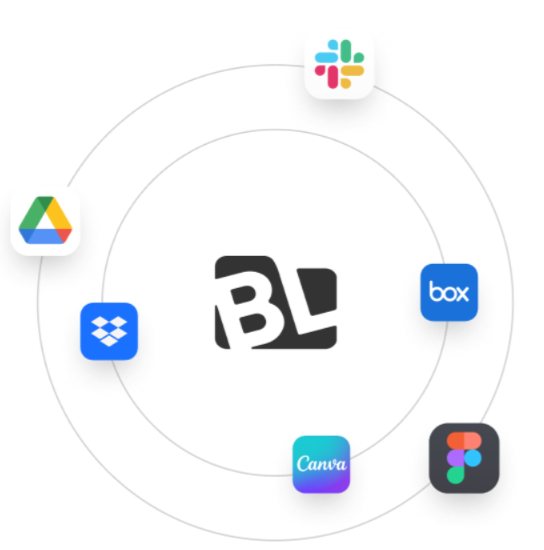
Designers want to make things instead of finding them. Faster review and clean versioning give them that time back. AI search cuts the manual metadata upkeep that eats afternoons. Native Figma and Canva integrations keep assets flowing between the DAM and the tools your creatives already use. Handoffs move faster and re-uploads drop.
Franchise, partner, and e-commerce teams
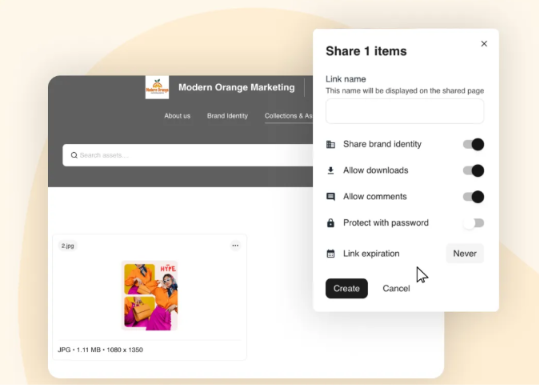
A retail chain can push localized promos to hundreds of locations with cleaner control over what each market can access. They need brand portals for partners and franchisees that show only approved files, with secure sharing and expiration controls. E-commerce content teams face a different volume problem. They manage product imagery tied to SKUs across Amazon and Shopify. On those listings, the wrong shot costs sales.
Why Shared Drives, Static PDFs, and Legacy DAMs Fall Short
Three common setups create brand risk, and each fails for a different reason: shared drives hit a ceiling on scale, static PDFs drift out of sync, and legacy DAMs trade governance for pricing friction.
The shared-drive ceiling
Google Drive works fine for a small library and strains under a large one. Search leans on file names, so a mislabeled asset stays hidden. Approval trails that prove a file cleared review sit outside the tool. Expiration dates that retire old creative do the same. Version confusion follows fast. Your team ends up with hero-image-final-v4-USE-THIS.jpg and still picks the wrong one. As volume grows, the drive quietly becomes the bottleneck it was meant to solve.
Static PDF brand guidelines
Partners keep the old brand color long after you change it. You update the color in the document, then email a fresh copy. Most inboxes still hold the previous one. Franchisees and agencies work from whatever version sits in their inbox. That means outdated fonts and retired logos reach the market long after you move on. Living guidelines that update in place fix this, since everyone reads from one current source.
The legacy DAM tradeoff
Vendr data puts one major platform's median contract near $39,270 a year, based on 78 purchases (vendr.com). Enterprise DAM handles governance well and adds friction elsewhere. Seat-based pricing punishes growth, so adding partners means adding cost. Onboarding can stretch across a long rollout. Multi-brand support can feel bolted on for agencies juggling several clients. Pricing stays quote-based, which slows every budget conversation. Our Bynder pricing breakdown walks through the factors that shape those quotes.
Capabilities to Require in Image Management Software
Renewal season forces a decision, and vague feature lists make scoring hard. Use these four capability areas as a framework before you sign. Each maps to a real cost your team pays when the platform falls short. Strong platforms cover all four cleanly, without forcing your team into disconnected tools.
AI search, tagging, and visual search
Manual metadata upkeep eats afternoons your designers would spend creating instead. Auto-tagging fixes much of it. Assets get labeled by keyword, campaign, or product detail as they land. Visual search adds another lane, finding files by visual similarity when nobody remembers the name. The category is moving in this direction fast. Recent enterprise positioning centers on AI governance, metadata enrichment, and compliance workflows. Treat AI-native search as a core requirement during evaluation.
Governance depth and permissions
Unapproved variations reach the market when anyone can publish. Role-based access decides who uploads and who publishes each asset. That control keeps off-brand files away from customers. Look for approval trails that record each review step, plus rights management for licensed photography and talent. Auditability matters when a legal question surfaces later. Distributed teams need clean permission tiers, so a franchisee sees only their own files.
Multi-brand workspaces
Schroders has described a DAM rollout spanning a hero brand and multiple sub-brands, which shows why separate brand spaces matter. Agencies and multi-brand companies carry a structure problem that single-brand tools miss. Each client or sub-brand needs its own color palette and font library, with separate asset storage. Separate workspaces prevent cross-brand mix-ups and speed up onboarding for new clients.
Workflow, approvals, and distribution
Creative review stalls when feedback lives in email threads. Built-in proofing and comment threads keep approvals moving in one place. Secure external sharing sends files to partners with links that expire on schedule. Clean handoff to your CMS or e-commerce stack closes the loop, so approved product images reach live listings with less manual work.
Implementation Considerations and Hidden Costs
Implementation and training can add 15% to 30% to your first-year contract value in enterprise DAM. List price rarely tells the full story. Plan for the work and the fees that sit outside the subscription line.
Planning your rollout
Migration means pulling assets from scattered drives and legacy repositories into one governed system. Taxonomy design comes first, since a clean category structure makes AI tagging sharper later, and metadata cleanup follows, taking longer than most teams expect. Adoption across distributed users is the real test of whether the rollout worked. Consolidation pays off when it lands: Orange Logic's own case studies describe Tauck consolidating more than 30 legacy systems into a single source of truth, and Acquia's New Balance case study documents a DAM managing over 470,000 digital assets (13 TB of data) as a central source of truth across 2,900 users, 80 roles, and 7,000 retailers in 120 countries.
Five line items commonly sit outside the quote you first see:
-
Implementation and migration, landing first, at that 15 to 30% range
-
Seat scaling, since many vendors price by user count or tier
-
Storage overage for large image libraries billed by volume
-
Add-on modules for workflow and advanced AI, which can sit outside the base plan
-
Professional services for taxonomy setup and change management, raising year-one spend again
Ask for the fully loaded year-one number before you commit.
How BrandLife Approaches Image Management
Great creative work stalls on file chaos more than on ideas. BrandLife pulls search and governance into one workspace instead of a stack of disconnected tools, and customers report 40% less time searching for assets, 70% fewer asset-request emails, and 6+ hours back in a creative's week once self-serve search replaces the "can you send me the logo" thread.
AI-powered search and tagging label each image by keyword and SKU on upload, version control keeps the current file as the default, and asset expiration retires outdated creative on schedule.
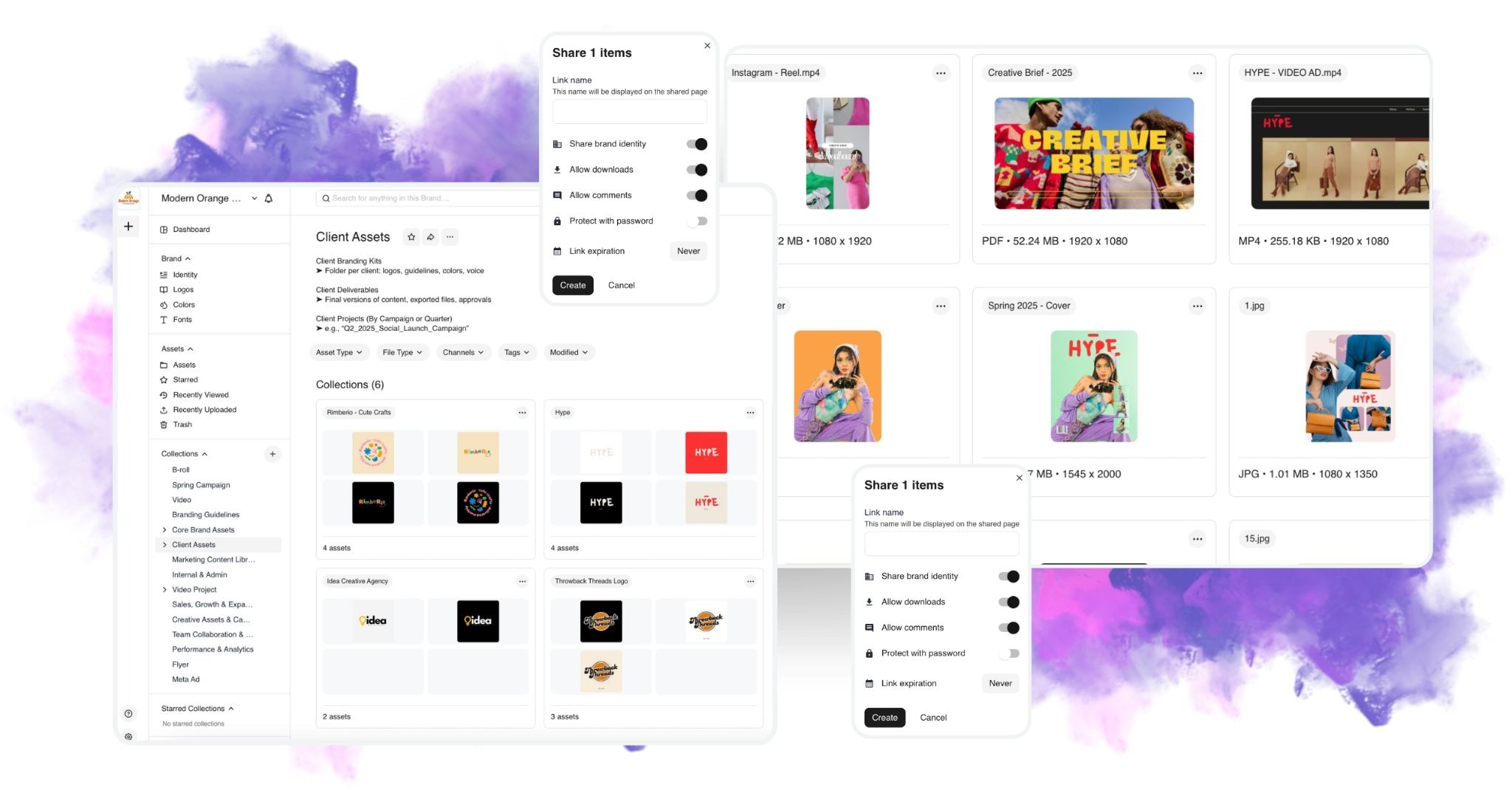
 give each client or sub-brand its own palette, font library, and storage, so agencies onboard new clients faster, and[ interactive brand guidelines](https://www.brandlife.io/features/branding-guideline-portal) live inside the same workspace to keep static PDFs from drifting out of date. Franchisees and retailers get[ unlimited free portals](https://www.brandlife.io/why-brandlife) with secure, expiring links. [Pricing stays public](https://www.brandlife.io/pricing-plans): Starter runs $150/month for one user, one brand, and 1GB of storage, with Enterprise custom-priced and add-ons covering SSO, visual search, watermarking, and custom roles. DTC operators use it to keep Amazon and Shopify product shots organized by SKU, agencies keep client brands cleanly separated, and franchise marketers push current creative to hundreds of locations at once, with[ customers reporting 50% faster launch cycles](https://www.brandlife.io/features/ai-powered-tagging-searching) as a result.](https://cdn.prod.website-files.com/662ed3db96695bb4010b57c3/6a5f1c09b185e5ad0c17737b_pasted-image-3_237da75852a8.png)
 to see how BrandLife works.](https://cdn.prod.website-files.com/662ed3db96695bb4010b57c3/6a5f1c09b185e5ad0c177373_pasted-image-4_5002b88295da.png)
Frequently Asked Questions
What is image management?
Storing and distributing digital images and graphics usually runs through a DAM platform. For brands, it covers product photography and campaign creative. The goal is fast retrieval of the correct, approved file. A real system adds search and version control on top of storage, so images stay findable and on-brand as your library grows.
Why is image management important for brands?
File-hunting eats hours each week, and off-brand files reaching partners cost credibility. Good image management fixes both. It keeps every touchpoint consistent by giving teams one approved source. It speeds launches by cutting the time spent searching and re-requesting. Self-serve access can reduce asset-request volume, and BrandLife customers report 70% fewer asset-request emails. It also lowers compliance risk by retiring outdated creative on schedule.
Who needs image management software?
Brand ops and marketing ops teams need it to hold consistency across sub-brands and regions. Creative and design ops teams need faster review and clean versioning. Franchise and partner marketers need to distribute compliant assets to hundreds of locations. E-commerce content teams need product imagery tied to SKUs across Amazon and Shopify. In short, any team managing more than one brand or product catalog hits the wall first.
Is a DAM system the right fit for my organization?
Start with your brand count and team complexity. If you run more than one brand or product line, a governed DAM earns its keep quickly. If you distribute assets to external partners and franchisees, secure portals and expiring links matter. High image volume tied to product launches also points toward a real platform. Teams still comfortable in a single shared folder can wait. Most growing brands outgrow that folder faster than expected.
How much does image management software cost?
Vendr data puts one major platform's median contract near $39,270 a year (vendr.com). Enterprise DAM pricing stays quote-based and modular. Implementation and training can add 15 to 30% on top (uplifted.ai). BrandLife keeps pricing public and usage-based. Starter runs $150/month for one user, one brand, and 1GB of storage. Enterprise moves to custom pricing for unlimited users and brands, with marketplace add-ons for SSO and visual search.