

Key Takeaways
- Separate work from files before you shop. MRM tracks who is doing what and how much it costs. A DAM tracks which file is approved and who can use it.
- Match the system to your biggest pain. If people can’t find the right file, start with a DAM. If leaders can’t see spend or workload, start with MRM.
- Approve tasks in MRM and files in the DAM. Splitting sign-off this way keeps one approved version for everyone downstream.
- Price bundled suites one half at a time. A suite that combines DAM and MRM can look cheaper, so compare each half with what you’d actually use.
- Use BrandLife for the asset side of your stack. BrandLife is a DAM for growing and multi-brand teams, with version control and approval status on every file. Pair it with your planning tools for campaign budgets and resource planning. Starter plans begin at $150/month.
Budgets are tight, and marketing teams feel it. In Gartner’s 2026 CMO Spend Survey, 56% of CMOs said their marketing organization lacks the budget to deliver its 2026 strategy.
That squeeze shows up as two different problems. One is the work, meaning who’s assigned, what’s late and where the money went. The other is the files, such as which banner is final and where the approved logo lives. Teams then buy one system hoping it fixes both.
Here’s the short answer to DAM vs MRM. An MRM system manages marketing work and money, from the annual plan to spend reports. A DAM manages the approved assets that work produces. Some suites bundle both, but the jobs stay separate, and you can buy them separately. This guide compares the two, maps who owns what, and helps you decide which comes first.
Difference Between DAM and MRM
The clearest way to separate DAM and MRM is to ask what each one tracks. MRM tracks work and resources. A DAM tracks files and their approval state.
What is MRM (Marketing Resource Management)?
Marketing resource management software helps marketing leaders plan campaigns and control the resources behind them. A typical MRM tool holds the annual marketing plan and the budget assigned to each program. It assigns tasks with deadlines and shows who’s overloaded. It also reports on expenses against the plan.
MRM sits close to finance and operations. A marketing ops manager might use it to approve a new campaign, allocate agency hours and flag a program running over budget. The output is a managed plan, not a finished file.
What is a DAM (Digital Asset Management)?
A digital asset management system is a central library for approved brand and campaign files. It stores the master version of each image or document. Metadata makes each file findable, and permissions decide who can use it. Version history shows what changed, and approval status shows what’s cleared for use.
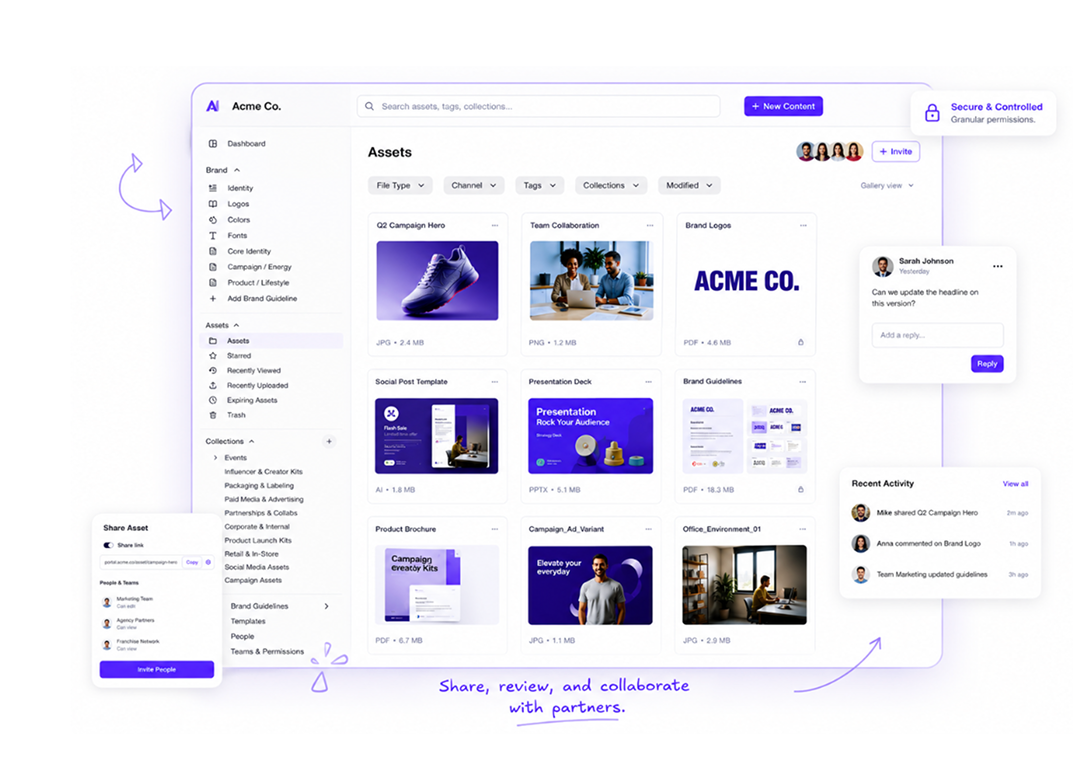
BrandLife’s Digital Asset Management Software
For a fuller primer, see this guide on what digital asset management is. The short version: a DAM is where finished work lives so the next campaign can reuse it.
DAM vs MRM Comparison
DAM and MRM overlap at one point: both touch campaign workflow. Past that, they track different things for different people.
| Area | MRM | DAM |
|---|---|---|
| Primary job | Plan and resource marketing work | Store and govern approved assets |
| Assets | Links to deliverables; may attach files | Master files with metadata and version history |
| Planning | Annual plans, campaign calendars, briefs | Collections for campaigns; no planning engine |
| Budgets | Budget allocation, spend tracking, forecasts | Usually none |
| Workflow | Tasks, assignments, deadlines, capacity | Review, approval status, distribution, expiry |
| Reporting | Spend vs plan, on-time delivery, workload | Downloads, asset usage, search activity |
| Main users | Marketing ops, finance partners, project managers | Brand and creative teams, plus sales and partners |
DAM vs MRM at a glance
MRM knows a deliverable exists and when it’s due, and it may store a draft as an attachment. A DAM holds the final file in a form other people can search and reuse long after the campaign ends. Budgets sit firmly on the MRM side, since most DAMs don’t track spend at all. That matters when money is flat. Gartner’s survey puts average marketing budgets at 7.8% of company revenue in 2026, barely up from 7.7% in 2025, so knowing where each dollar went is a job for MRM.
Workflow and reporting follow the same split. MRM workflow runs from brief to delivery and reports on spend and deadlines. DAM workflow picks up at review, continues after approval until the file retires and reports on which assets people actually used.
Who Owns DAM and MRM in a Marketing Team?
Software decisions go wrong when nobody asks who will live in each system every day. Mapping each job to a team first makes the tool choice much easier.
| Responsibility | Lead team | System of record |
|---|---|---|
| Annual plan and campaign calendar | Marketing leadership, marketing ops | MRM |
| Budget allocation and spend tracking | Marketing ops with finance | MRM |
| Briefs and deadlines | Project managers, creative ops | MRM or a project tool |
| Creative production and review | Creative team | Design tools, then DAM for review |
| Final approval of a file | Brand team | DAM |
| Distribution to sales and partners | Brand or marketing ops | DAM |
| Retiring expired assets | Brand team | DAM |
| Reporting on asset reuse | Brand or creative ops | DAM |
DAM and MRM ownership by team
Files should move from MRM to the DAM between creative production and final approval. MRM tracks the task as “in review,” while the file itself goes into the DAM for sign-off, so approval attaches to the asset. When the MRM task closes, the approved file is already where everyone else will look. The same rule applies if your creative team runs projects in a lighter tool, as our glossary entry on creative project management explains.
Name one owner for how the two systems connect, usually someone in marketing ops. That person decides which system holds the master record for each field, with due dates in MRM and approval status and usage rights in the DAM.
When two systems both claim the same field, people stop trusting either one. Give every field a single home before you connect anything.
Do You Need a DAM, an MRM or Both?
Not every marketing team needs both systems. The answer depends on how complex your budgets are and how many people reuse your files.
A DAM on its own works when your main pain is finding and controlling files. Think of a brand team at a growing company with one budget owner and a handful of campaigns. A spreadsheet or project tool can handle tasks and spend, while the DAM handles the assets that keep getting lost. You’re probably here if people ask for the latest logo every week and nobody asks where the budget went.
MRM on its own can work when assets are simple and few people reuse them. A team that mostly runs events or paid media may care more about spend and timelines than a shared library, and files can stay in shared storage while volume stays low.
Both systems earn their place once complexity shows up on both sides. It’s a common setup for these teams.
- Large marketing departments with several cost centers and a shared brand library
- Agencies tracking client hours and budgets while managing many client brands
- Multi-brand portfolios where each brand plans its own campaigns but shares corporate assets
- Regulated industries that need budget approvals and asset-level compliance records
Our guide on how marketing teams use a DAM goes deeper on day-to-day use.
Start with the side that hurts more. Rolling out both systems at once doubles the setup work, and most teams feel one gap far more than the other.
Once the system-of-record boundary is clear, teams also need operating practices for their approved files. Use this brand asset management guide for growing teams for the scaling-team perspective.
How to Choose Between a DAM and MRM
Answer each question for your team as it works today, then count where most answers land.
| Question | Points to a DAM | Points to MRM |
|---|---|---|
| What do people complain about most? | Can’t find the right file | Can’t see who’s doing what |
| Who asks the hardest questions? | Brand team or partners | Finance or leadership |
| How many budget owners do you have? | One or two | Several cost centers |
| How often are files reused across campaigns? | Often | Rarely |
| Do assets carry usage rights or end dates? | Often | Rarely |
| How many campaigns run at once? | A few | Many, across regions |
DAM vs MRM decision table
If most answers sit in the DAM column, start there and track work in a project tool for now. If most sit in the MRM column, start with planning and budget control. A near-even split points to both systems, so decide from day one how files will move between them.
Whichever way you lean, license fees are only part of the bill. Ask each vendor in writing about seats for occasional users like sales reps and agency partners, setup fees for MRM budget structures, integration work if the two systems need to share status, training for teams outside marketing ops and the lock-in that comes with buying a suite when you only need half of it. Published pricing makes that comparison far easier.
The cheapest system is the one your team will actually use. A tool that only marketing ops can operate will push everyone else back to email and shared drives.
Using BrandLife Along With Your MRM
DAM vs MRM isn’t a contest between tools. MRM runs the plan and the money, and a DAM holds the approved work. Clear ownership of each job matters more than the software you pick, and you can sort it out in a week.
- List your top 10 recurring requests and mark each one as a work request or a file request.
- Fill in the responsibility map above and name a lead for every row.
- Score the decision table and see which column wins for your team.
- Fix the bigger gap first, starting with either files or planning, not both at once.
BrandLife is a DAM built for growing and multi-brand teams. It covers the asset side of this comparison. Pair it with your planning tools for campaign budgets and resource planning.
- Version Control and Approvals: BrandLife’s version control tracks every file update and marks the latest approved version, so approvals stay tied to the right file.
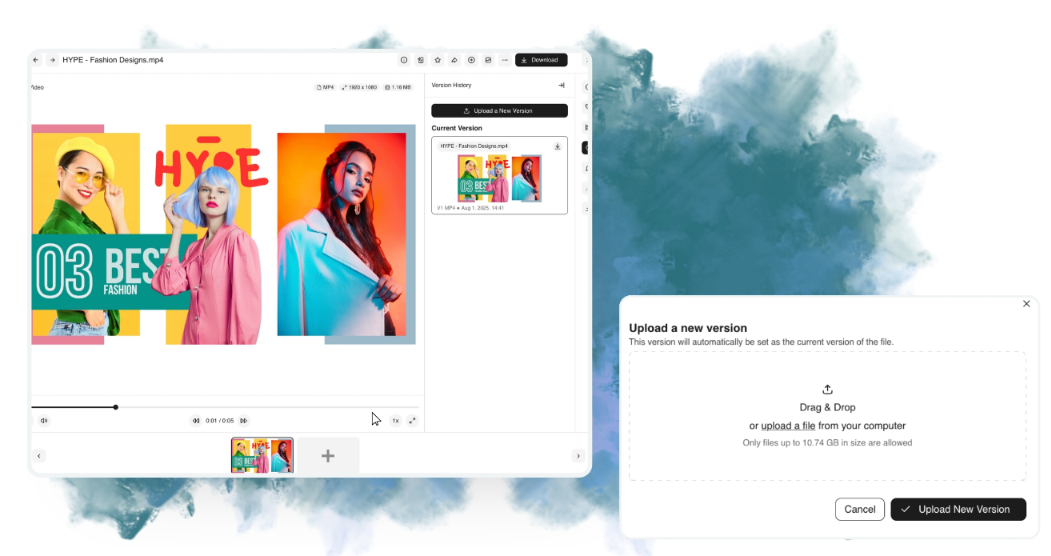
DAM version control in BrandLife
- Custom Status Fields: Custom status fields show where each asset sits in review, which picks up the job where the MRM task leaves off.
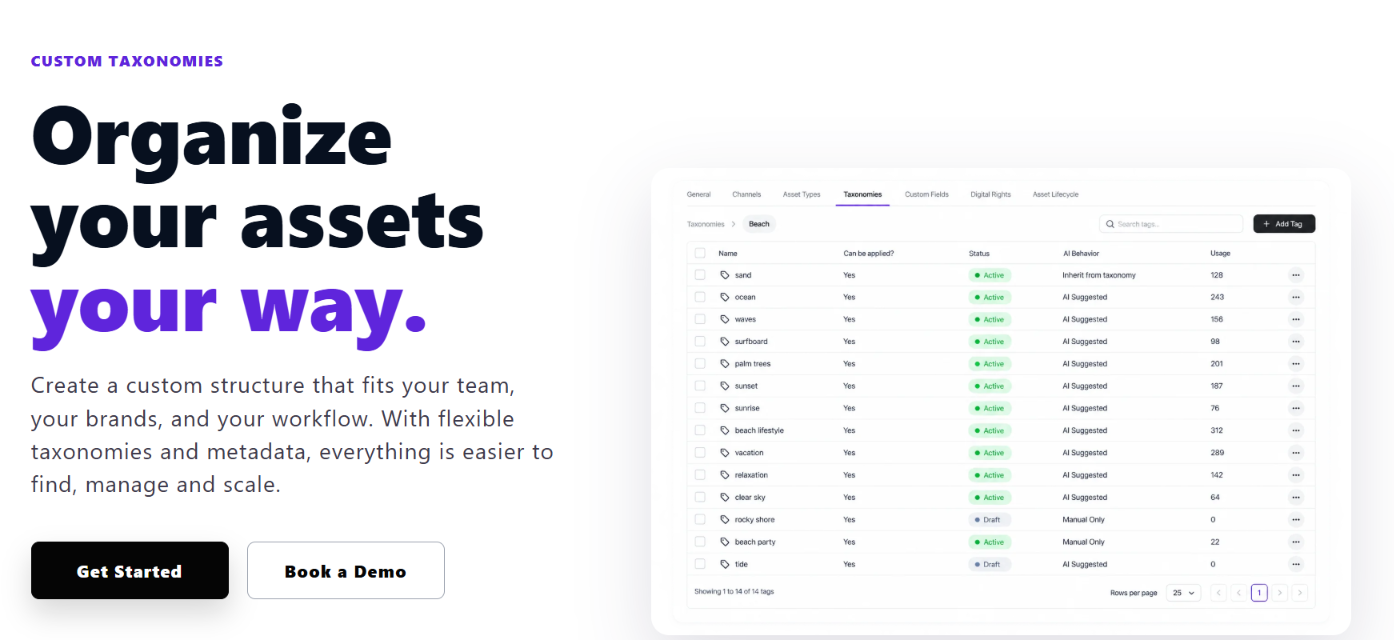
Asset review status in BrandLife
- Separate Brand Workspaces: Each brand can run in its own workspace, which helps agencies and multi-brand portfolios keep files separate.
Start with the assets behind your top 10 requests. Create your BrandLife workspace, upload those files and send the next request to the library instead of a designer’s inbox. The Starter plan is $150/month, Enterprise pricing is custom, and sign-up happens online.
Put your top 10 requested assets in one library with BrandLife. Get started today
Frequently Asked Questions
- Is MRM the same as marketing automation?
No. Marketing automation sends messages, such as emails and nurture sequences, based on audience behavior. MRM manages the plans and budgets behind marketing work. A team can use both, plus a DAM for approved assets.
- Can an MRM system replace a DAM?
Some MRM suites include a DAM module, so one vendor can cover both jobs. A planning tool that only attaches files to tasks is not a DAM. Check for searchable metadata, version history and asset-level permissions before you treat it as one.
- Does a DAM include budget tracking?
Most DAMs don’t track budgets. A DAM manages files, their approval state and who can use them. Budget allocation and spend reporting belong in MRM or finance tools.
- What is the difference between DAM vs MRM and DAM vs PIM?
DAM vs MRM compares asset management with management of marketing work and money. DAM vs PIM compares asset management with product data, such as specs and prices. Read our DAM and PIM comparison for that side.