

Key Takeaways
- Sort files by the job they do after approval. Documents get signed and retained as records. Brand assets get reused across channels and shared with partners.
- Search is the most practical difference. A DMS finds the words inside a file, while a DAM finds images by what they show through tags and previews.
- Give crossover files one home each. Keep a photo license in the DMS and the photo in the DAM, with the license reference recorded on the asset.
- Replace one system only when a file type is rare. Teams that produce plenty of both documents and brand assets usually keep both systems.
- Use BrandLife for the brand-asset side. BrandLife is a DAM for growing and multi-brand teams, with version control and AI tagging on every file. It sits beside your document system, and plans start at $150/month.
The Association for Intelligent Information Management (AIIM) estimates that unstructured data makes up 80 to 90% of an organization’s data assets. That group covers documents and emails as well as multimedia content, so contracts and logo files sit side by side in the estimate, and on many company drives too.
Brand teams feel that mix every day. Legal needs the signed photo license, while sales needs the photo itself in the right crop. Both end up in the same folder tree, and neither group can find what it needs.
The simple answer to DAM vs DMS is that a document management system manages documents from first draft to signature and retention, while a digital asset management system manages finished brand and media files so people can find and reuse them. Organizations that produce both can run both, as long as every file has a clear home. This guide compares the two systems, sorts common brand files into each and helps you decide what your team needs.
What is the Difference Between DAM and DMS?
The fastest way to tell the systems apart is to look at what happens to a file once it’s finished. A document gets filed, retained and possibly audited later. An asset gets reused, resized and shared across every channel.
What is a DMS (Document Management System)?
A document management system stores and controls electronic documents across an organization. AIIM’s definition of document management lists the core controls. Check-in and check-out stop two people from overwriting each other’s edits, version control and roll-back show how a document changed and let you restore an earlier draft, and an audit trail records who did what to each file.
A DMS suits files whose content matters more than their look, such as contracts, policies, briefs and research reports. Legal, finance and HR teams lean on it most, and retention rules matter because some records must be kept for set periods.
What is a DAM (Digital Asset Management)?
A digital asset management system is a central library for approved brand and media files. It stores the master version of each image or design file with a visual preview, uses metadata and tags to make files findable by what they show, and sets permissions for who can download or share each one. For a full primer, see this guide on what digital asset management is.
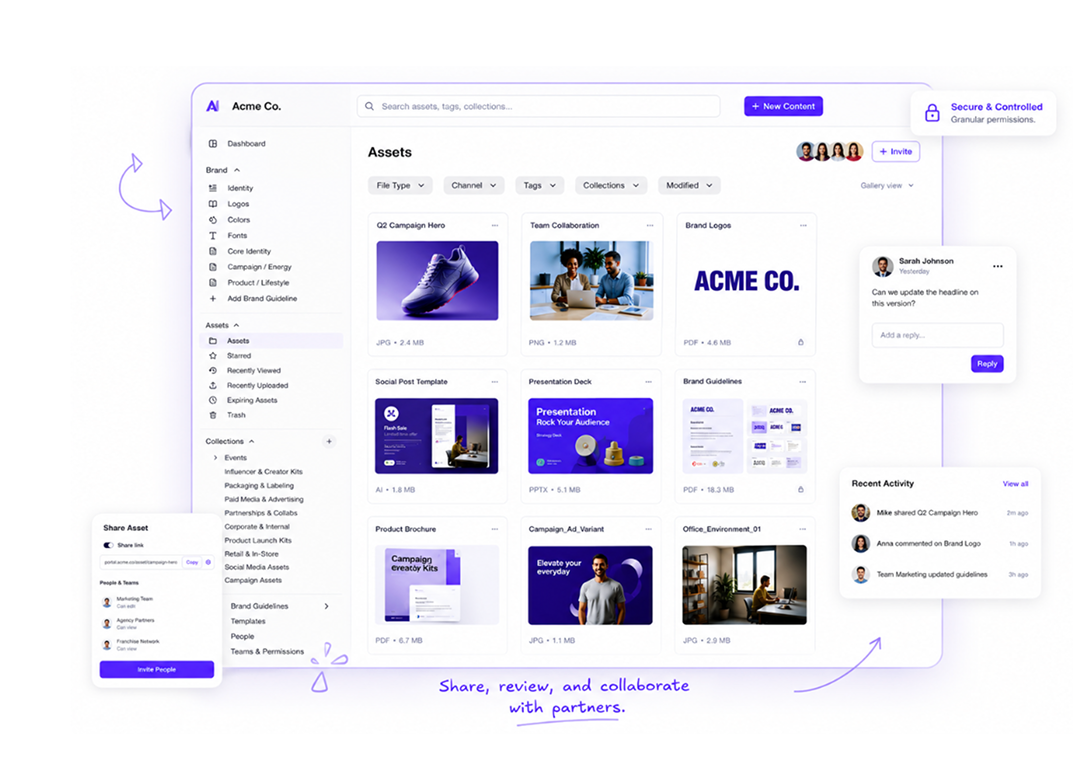
BrandLife’s Digital Asset Management Software
DAM vs DMS Comparison
The two systems overlap on storage and version history. They split on what they store, what they record about each file and how people find it.
| Area | DMS | DAM |
|---|---|---|
| Primary job | Control and retain business documents | Store and distribute approved brand assets |
| File types | Contracts, policies, briefs, invoices, reports | Images, video, logos, fonts, design files, final PDFs |
| Metadata | Owner, author, dates, document type, retention | Visual tags, campaign, product, usage rights, expiry |
| Permissions | Edit and view rights, check-out locks, audit trail | Download and share rights, partner access, link expiry |
| Search | Full-text search inside document content | Tags and filters with visual previews |
| Typical users | Legal, finance, HR, operations | Brand and creative teams, plus sales and partners |
DAM vs DMS at a glance
A DMS handles files you read, and a DAM handles files you look at. A 40-page agency contract needs locking during edits and a signature trail. A 40 MB product photo needs a preview, resized versions and a record of where it can run.
Metadata follows the same split. DMS metadata describes a document’s history and status, and AWS’s overview of document management systems lists the owner, editors and creation and modification dates as typical fields. DAM metadata describes what a file shows and how it may be used, so a product photo might carry its SKU, campaign name, rights holder and end date. Our glossary entry on digital asset metadata covers the DAM side in more depth.
Permissions differ in focus too. DMS permissions control who can edit and who can only view, with check-out locks to stop conflicting changes. DAM permissions control use, deciding who can download a file, whether a partner gets access and when a shared link stops working.
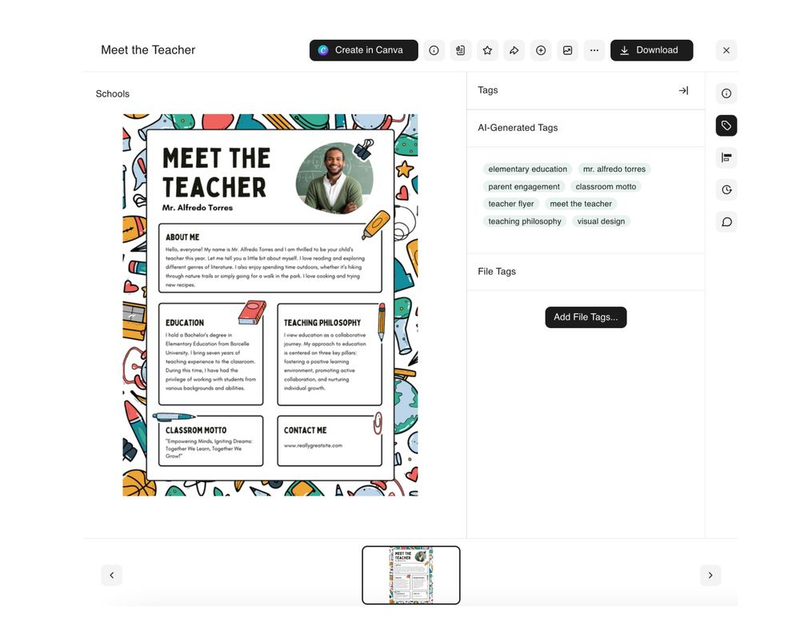
Search may be the most practical difference of all. A DMS searches the words inside a document, so a phrase from a contract clause finds it. Images carry no words to search, so a DAM relies on tags and previews instead, and a query like “red product shot, spring campaign” can still return the right file.
Alt text · DAM asset panel showing AI-generated image tags Caption · AI tags make images searchable in a DAM
Which Files Belong in a DAM or a DMS?
Brand teams create both kinds of files every week. Sorting them by the job each one does settles most “where does this go?” debates.
| Brand-team file | Better home | Why |
|---|---|---|
| Agency master services agreement | DMS | Signed and retained as a record |
| Approved logo files | DAM | Reused daily by many teams and partners |
| Stock or photographer license | DMS, linked from the DAM | A legal record that governs how a photo is used |
| The licensed photo itself | DAM | Reused and tracked against its end date |
| Creative brief | DMS or project tool | Drafted and approved as text |
| Final campaign creative | DAM | Distributed to channels and partners |
| Brand guidelines | DAM | Used alongside the assets they govern |
| Influencer or talent release | DMS | Signed consent with retention needs |
| Press release draft | DMS | Text edited by communications and legal |
| Product photography | DAM | Searched by product and reused across channels |
Brand files sorted into a DAM or a DMS
Some files need both systems, and a licensed photo is the clearest case. The license agreement is a legal document, so it belongs in the DMS with its retention rules, while the photo belongs in the DAM where people actually use it. Link the two by recording the license reference and expiry date in the photo’s DAM metadata. Our glossary entry on usage rights explains which terms to capture.
Brand guidelines are another crossover. Some teams draft them in a document tool, but the approved version works best in the DAM, next to the logos and colors it describes.
Do You Need Both a DAM and a DMS?
Running both systems is the common outcome, but some teams can skip one for now. Replacement works when one file type barely exists in your work. A small brand team with a handful of contracts can keep them in a restricted DAM folder, and a legal or finance team with occasional images can keep those in its DMS.
Watch the limits, though. A DAM may lack the check-out locks and retention rules that regulated records need, and a DMS may struggle with image previews and tag-based search. If your team keeps working around the system it has, that’s the sign to add the other one. And if your files still live in one big shared drive, sort that out first, as our guide to moving off a shared drive explains.
Teams that run both avoid duplication by agreeing on a few rules before anyone uploads.
- One system of record per file type, using the brand-file table above as a starting point
- Links instead of copies, so the license lives in the DMS and only its reference sits in the DAM
- Shared naming for campaigns and projects in both systems, so searches line up
- Clear owners, with legal or operations running the DMS and brand or creative ops running the DAM
- Expiry that flows one way, so when a license ends in the DMS, someone retires the matching asset in the DAM
If your team keeps documents in Microsoft SharePoint, our glossary entry on DAM vs SharePoint compares the two directly.
How to Choose Between a DAM and a DMS
Answer each question for your team as it works today, then count where most answers land.
| Question | Points to a DMS | Points to a DAM |
|---|---|---|
| What are most of your files? | Contracts, policies, reports | Images, video, logos, design files |
| How do people search? | By words inside the file | By what the file shows |
| Who needs access? | Internal teams, mostly legal and finance | Brand teams plus outside partners |
| What happens after approval? | The file is retained as a record | The file is reused across channels |
| Do files carry legal retention rules? | Often | Rarely, though assets carry usage rights |
| Do you share files outside the company? | Occasionally, under control | Constantly, with expiring links |
DAM vs DMS decision table
If most answers point to a DAM and you already have a DMS, add the DAM for brand files. If most point to a DMS, keep documents there and fix image storage later. A close split means you need both, so set the rules above from day one.
Whichever way you lean, license fees are only part of the cost. Ask each vendor in writing about storage pricing for large video and image files, seats for occasional users like sales reps and agency partners, migration effort, integration work if the two systems need to share references and any retention features your legal team requires. Published pricing makes that comparison far easier.
See how AI tagging finds your brand images.
Manage Brand Assets Beside Your DMS With BrandLife
BrandLife is a DAM built for growing and multi-brand teams, and it works beside whatever system your legal and operations teams use for documents. Contracts, policies and signed releases stay in your DMS. The logos, product photos and campaign creative your teams reuse every day move into BrandLife, where people can actually find them.
Its version control tracks every file update and marks the latest approved version, so nobody pulls last season’s banner by mistake. AI tagging labels each upload by what it shows, which gives images the searchable words a document system can’t. Each brand can also run in its own workspace, with its own assets kept separate from the rest of the portfolio.
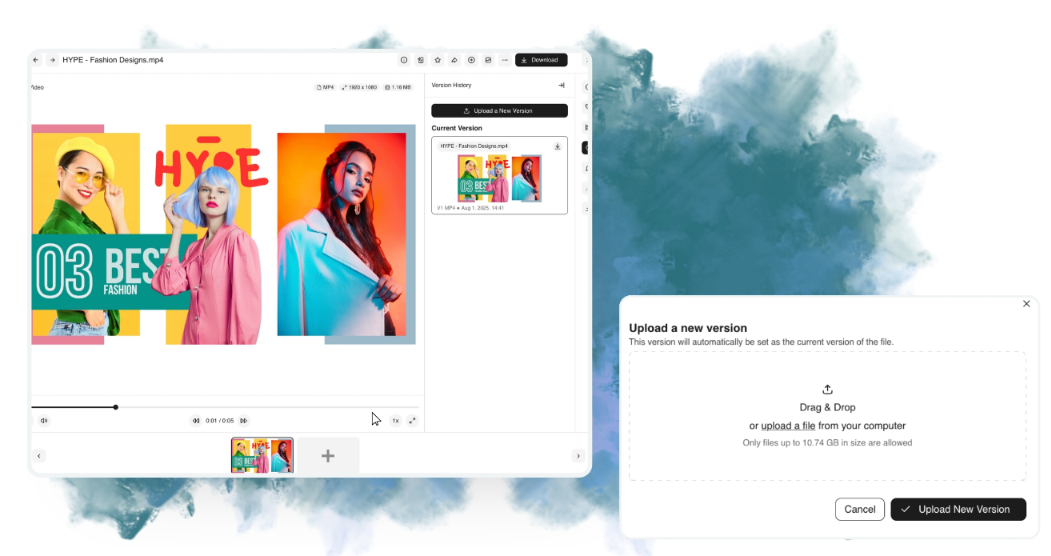
BrandLife’s version control feature
The Starter plan is $150/month, Enterprise pricing is custom, and you can sign up online and upload your first assets the same day.
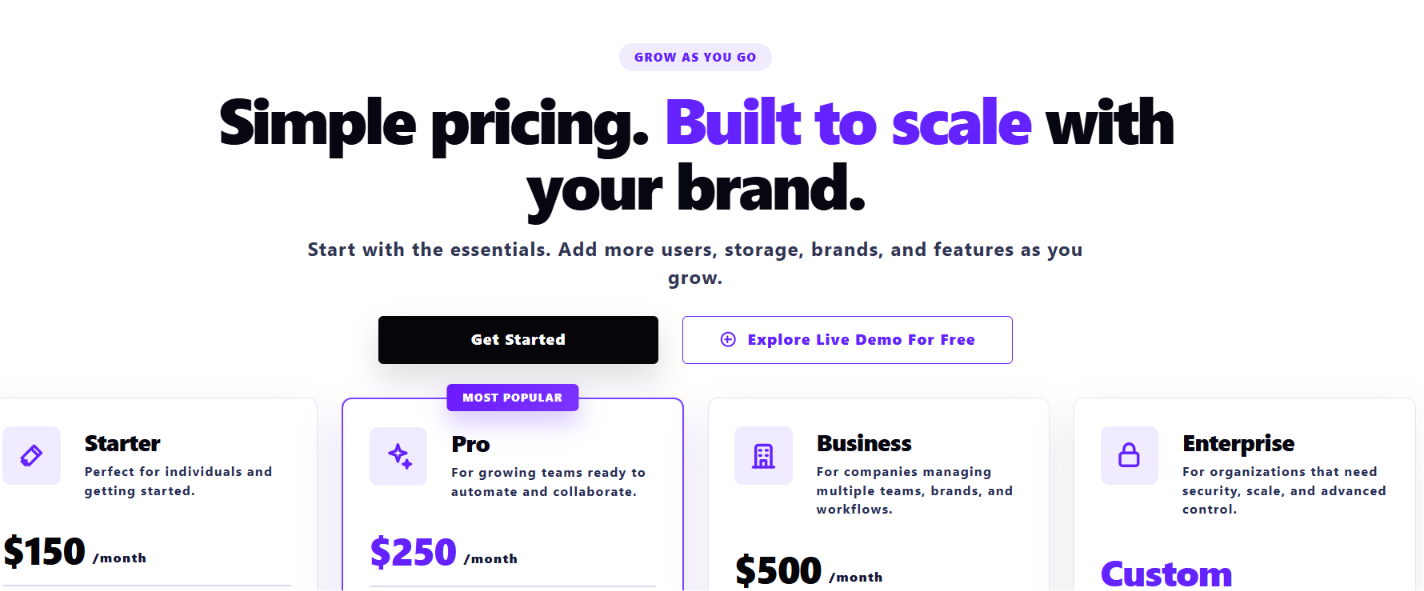
BrandLife's pricing page at glance
Create a brand asset library beside your DMS with BrandLife.
Frequently Asked Questions
- Can a DMS store images and video?
Yes, a DMS can store image and video files. It’s designed for documents, though, so it may lack visual previews and tag-based search. Teams that reuse images heavily usually find a DAM easier for that work.
- Does a DAM have version control like a DMS?
A DAM can keep version history and let you restore earlier files. DMS version control usually adds check-in and check-out locks for documents edited by several people, so check which controls each tool includes before you buy.
- Is a DMS the same as cloud storage?
No. Cloud storage holds files in folders with basic sharing. A DMS adds document controls such as check-out locks and audit trails, and a DAM adds asset controls for brand files.
- Is SharePoint a DMS or a DAM?
SharePoint is most often used as a DMS. Its document libraries support version history, check-out and permissions, which suit contracts and policies well. It wasn’t built around visual previews, tag-based image search or partner sharing, so many brand teams pair it with a DAM for logos, photos and campaign creative.
- What is the difference between a DMS and ECM?
ECM (enterprise content management) is the broader category. A DMS focuses on storing and controlling documents, while an ECM platform usually adds records management, document capture and workflow across the whole organization. Brand files still tend to sit better in a DAM, whichever of the two your legal team runs.