Key Takeaways
| Key takeaways In DAM vs CMS, the split is clear. A CMS (content management system) builds and publishes web pages. A DAM (digital asset management system) stores and governs the approved files those pages and other channels use. WordPress alone runs 39.6% of all websites, per W3Techs in October 2026. Most websites already run on a CMS, so the real question is where approved assets live. The two systems differ most on users and governance. A CMS serves web editors and developers, while a DAM serves anyone who needs a brand file. The handoff matters as much as the tools. Pick one of four handoff patterns, then decide which system owns alt text and expiry dates. One system is enough when assets live only on your website. Both make sense once the same files also feed sales decks and partner portals. BrandLife is a DAM for growing and multi-brand teams, with version control and published pricing from $150/month. It sits beside your CMS as the approved source. |
|---|
According to W3Techs' October 2026 usage report, WordPress powers 39.6% of all websites. Only 32.1% of sites use none of the content management systems W3Techs tracks. In other words, more than two in three websites run on a CMS that W3Techs can identify.
The confusion starts with the files. Your web editor uploads a hero image to the CMS. Sales grabs an older version from a shared drive for a pitch deck. A partner pulls a third copy from an email thread. Three channels now hold three versions. Nobody can say which one was approved.
Here's the short answer to DAM vs CMS. A CMS owns the page, including its layout and when it goes live. A DAM owns the asset, for example the approved file, whether it's a photo or a logo. It also holds the rules for who can use it. Teams can run both, with the DAM supplying files the CMS publishes..
What is the Difference Between DAM & CMS
The fastest way to tell the systems apart is to ask what each one finishes. A CMS finishes a published page. A DAM finishes an approved, findable asset that's ready for any channel.
What a CMS does
A content management system lets non-developers create and publish website content. Editors write in a visual editor, arrange content into templates and schedule pages to go live. Developers control the design system, the page structure and the site's code.
W3Techs' most used platforms include WordPress and Shopify, which runs 5.3% of all websites, with Webflow further down the list. Most CMS tools include a media library for files uploaded to that site. That library serves the website, which is its limit.
What a DAM does
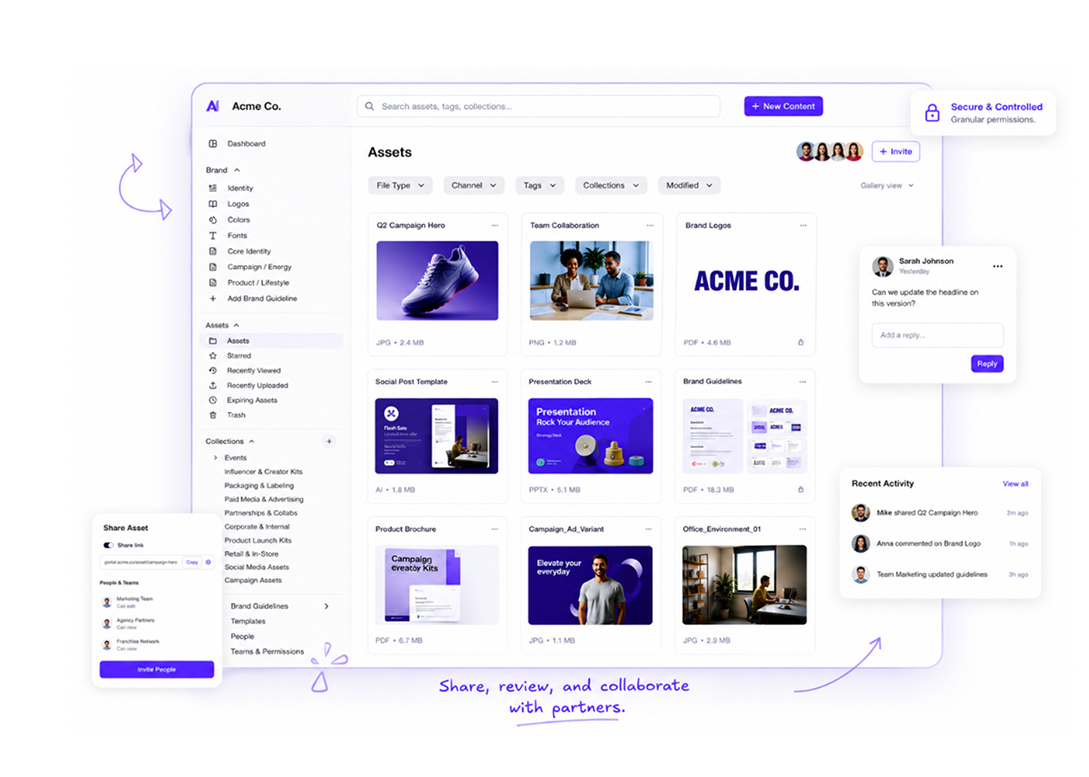
A digital asset management system is a central library for rich media and brand files. It stores the master version of each asset with searchable metadata. It also records who can use each file and until when. A DAM serves every channel, from the website to sales decks and partner portals.
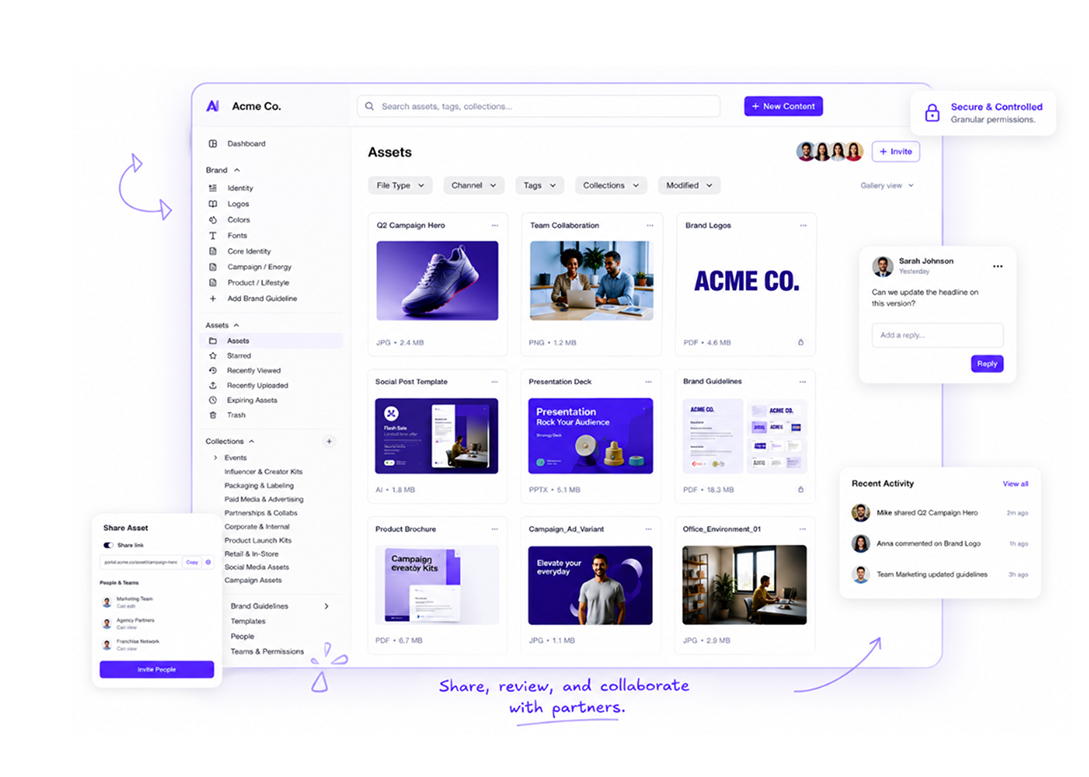
If you're new to the category, this guide on what digital asset management is covers the basics. The key distinction is scope. A CMS media library knows about one site. A DAM knows about the brand.
How DAM and CMS compare on content, users, workflow, metadata and governance
DAM and CMS platforms overlap on storing files, which is why teams mix them up. The differences show up in the five areas below.
| Area | CMS | DAM |
|---|---|---|
| Primary job | Build and publish web pages | Store and govern approved assets |
| Content types | Page text, layouts, posts, menus, structured fields | Images, video, logos, fonts, design files, documents |
| Main users | Web editors, content marketers, developers | Brand and creative teams, plus sales and partners |
| Workflow | Draft, review, schedule, publish, update | Upload, tag, approve, distribute, version, expire |
| Metadata | SEO fields, categories, page tags, alt text per page | Descriptive tags, usage rights, campaign, product, expiry date |
| Governance | Page-level roles and publishing permissions | Asset-level permissions, version history, approval status |
| Output | Live web pages and app content | Approved files for any channel |
Content types and users
A CMS is built around pages and the text inside them. Its users mostly sit on the web team. A DAM is built around files, and its users span the company. A regional marketer or an agency partner may never log into the CMS. They still need the current logo.
Workflow and metadata
CMS workflow ends at publish. DAM workflow keeps going after approval, because one file may be reused across many channels. Metadata follows the same split. CMS metadata describes a page for search engines. DAM metadata describes an asset so people can find it and know whether they may use it.
Governance
CMS permissions decide who can publish a page. DAM governance decides which version of a file is approved and who may use it. It also sets when a file retires. Licensed photos with an end date are a DAM problem first. If the CMS keeps an expired copy, the site keeps showing it.
How to Integrate a DAM with a CMS
A DAM and a CMS connect through a handoff: the moment an approved asset moves from the library onto a page. How you design that handoff decides whether your site stays current or slowly fills with stale copies.
Four ways assets move from DAM to CMS
| Method | How it works | Good fit | Watch for |
|---|---|---|---|
| Download and upload | An editor downloads from the DAM and uploads to the CMS | Small sites, low volume | Copies drift; updates in the DAM never reach the page |
| Delivery link | The page loads the file from a DAM or CDN URL | Images reused across many pages | Changed or expired URLs break images |
| Connector or plugin | Editors browse the DAM from inside the CMS editor | Busy web teams | Check whether it copies the file or references it |
| API | Developers fetch assets and metadata into the CMS | Headless sites, multiple channels | Build and maintenance time from developers |
The API route is common with headless setups, where content and presentation are separate. Our glossary entry on headless DAM explains the model. For a wider look at connection options, see this guide to DAM integrations.
DAM and CMS integration best practices
The tooling is the easy part. The hard part is deciding which system wins when they disagree. Settle these rules first:
Master file: The DAM holds the approved original. The CMS holds a copy or a reference, never a new master.
Updates: When a file changes in the DAM, decide whether pages update automatically or wait for an editor.
Expiry: When a license ends, someone must remove the file from live pages. Name that person.
Deletion: Deleting a DAM file shouldn't silently break a page. Check the integration's behavior before cleanup days.
Do You Need a DAM If You Have a CMS?
Not every team needs both systems on day one. The right answer depends on how many places your assets travel and how many people need them.
When a CMS alone is enough
A CMS on its own works when your website is the main destination for visual content. Think of a single-brand company with one site and a small web team. If images rarely leave the site, the CMS media library can hold them.
Watch for the warning signs. People start keeping logos in personal folders. Someone asks for "the latest deck images" weekly. That's when files have outgrown the site.
When a DAM alone is enough
Some teams publish through other people's platforms. A franchise marketing team may send approved assets to locations that run their own sites. An agency may deliver brand files to clients who own the CMS. In those cases the DAM is the main system, and the CMS belongs to someone else.
| When you need both Both systems earn their keep once the same assets feed several channels. Common cases include: Multi-brand portfolios with separate sites per brand and shared corporate assets. Agencies managing many client sites from one asset library. Ecommerce teams using product photos on the site and across marketplaces. Sales and partner programs that need the same approved images as the website. Product data adds a third system to the conversation. If your challenge is specs and SKUs, read our comparison of DAM and PIM roles. This article stays focused on the CMS side |
|---|
How to Choose Between a DAM and a CMS
Use these questions to decide what your stack needs. The framework favors neither system. Answer each one honestly, then count which column gets more answers.
| Question | Points to CMS only | Points to adding a DAM |
|---|---|---|
| Where do your visual assets end up? | Mostly on your website | Website plus sales, social, print or partners |
| How many people outside the web team need files? | A few | Many, including external partners |
| Do assets carry usage rights or end dates? | Rarely | Often, such as licensed photos or campaign creative |
| How many brands or sites do you run? | One | Several |
| How often do people ask for "the latest version"? | Rarely | Weekly or more |
| Who maintains integrations? | Nobody, and that's fine | A web or ops owner can manage one |
If four or more answers land in the right column, a DAM is worth a serious evaluation. If most land on the left, improve your CMS media library first. Naming rules and a folder structure may be all you need for now.
DAM and CMS hidden costs
License fees are only part of the cost. Before you commit, check these:
Storage limits in your CMS plan, especially for video.
Integration build time if you need an API or custom connector.
Seats for occasional users like sales reps and agency partners.
Training for people outside the web team who'll search for files.
Migration effort for moving existing media out of the CMS library.
Ask every vendor for these costs in writing. Transparent pricing makes the comparison far easier.
Using BrandLife With Your CMS
BrandLife is a DAM built for growing and multi-brand teams. It sits beside your CMS as the approved source, so your website and every other channel draw from the same files.
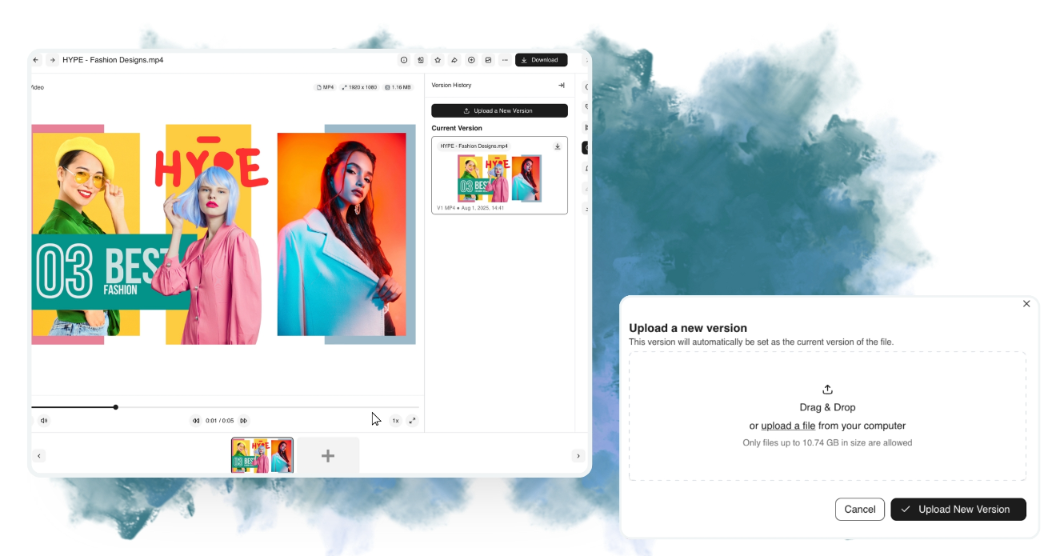
Version control tracks each file update and marks the latest approved version, with full history kept.
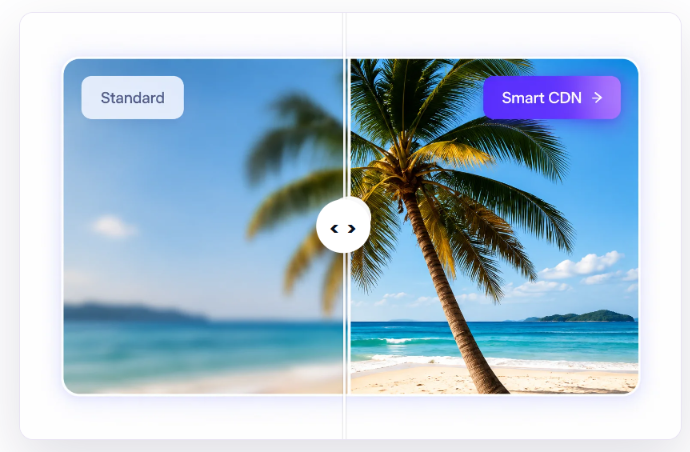
Smart CDN serves images and video from the nearest global server, with automatic compression and format optimization.
Separate brand workspaces help agencies and multi-brand portfolios keep files apart.
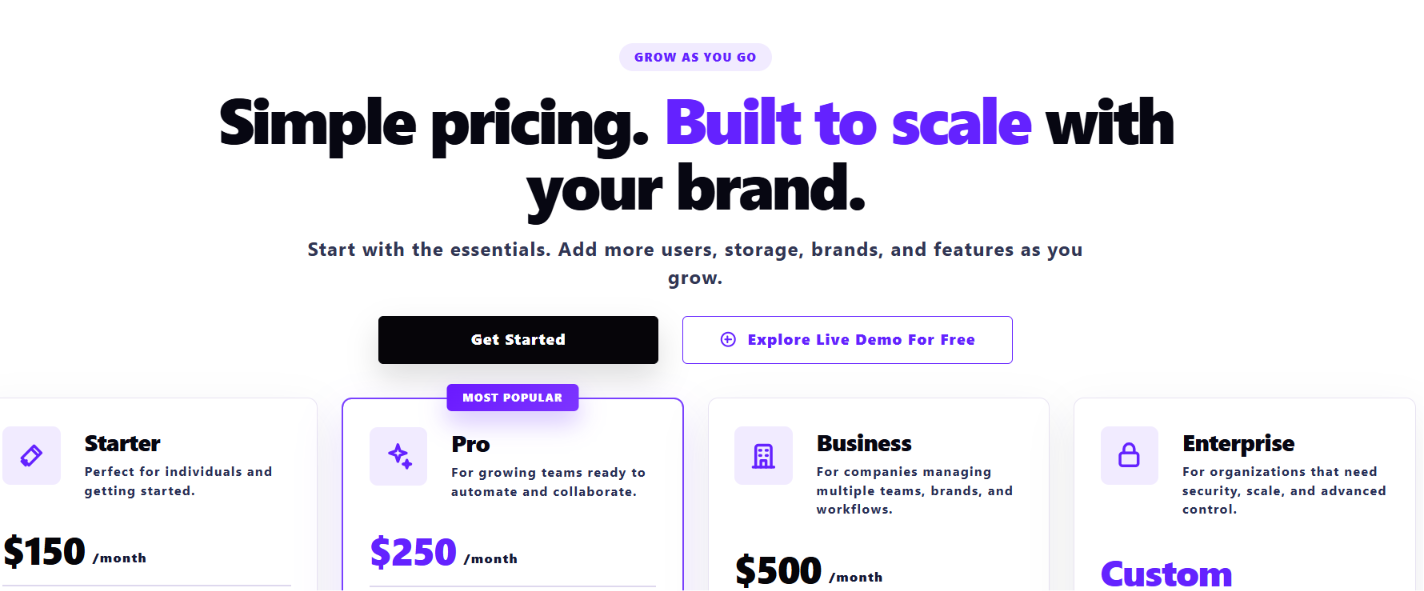
Pricing is published. The Starter plan is $150/month, and Enterprise pricing is custom. Check current plan details for which features each plan includes.
Try BrandLife to move your most reused assets into one library.
Frequently Asked Questions
Is a CMS enough without a DAM?
A CMS is enough on its own when your website is the only place assets are used. Once files feed sales decks or partner portals, a CMS media library struggles. It wasn't built for asset-level permissions or expiry dates across channels.
Is the WordPress Media Library a DAM?
The WordPress Media Library stores files uploaded to that WordPress site. It works well for the site itself. A DAM covers every channel and adds governance, such as approval status and version history.
Do I need a DAM if I use a headless CMS?
A headless CMS separates content from presentation, so assets can reach several front ends. That makes a central asset source more useful. Connecting a DAM through an API lets every channel pull the same approved file.
What is the difference between DAM vs CMS and DAM vs PIM?
DAM vs CMS compares where assets live with where pages are built. DAM vs PIM compares assets with product data, such as specs and prices. Some ecommerce teams run all three systems together.