
Key Takeaways
- Make the approved file the easiest one to find. Reps reach for old decks because the current version is harder to locate, not because they want to go off-brand.
- Control the assets that change often or carry risk. Pitch decks and pricing sheets come first, followed by case studies, product images and partner kits.
- Share through portals and expiring links, not attachments. Portals give each audience a short list of approved files, and expiring links stop old copies from circulating.
- Name an owner for every launch, update and retirement. Sales content goes stale within a quarter when nobody is responsible for replacing it.
- Use BrandLife as the approved library behind your sales team. BrandLife is a DAM with brand portals, version control and share links that can expire, and plans start at $150/month.
Sellers don’t have much selling time to spare. Salesforce’s 2026 State of Sales research found the average seller spends 40% of the week actually selling, based on a survey of 4,050 sales professionals in 22 countries.
The rest of the week goes to admin, and finding the right file is part of it. A sales rep (representative) needs the new pricing one-pager for a call in ten minutes. Marketing posted it in a chat thread last month, so the rep grabs last quarter’s version from their downloads folder and sends that instead.
DAM for sales enablement fixes that by making a digital asset management system the single approved source for sales content. Marketing uploads and approves the files, reps find and share them through controlled portals and links, and when marketing updates or retires a file, every rep sees the change. This guide covers which sales assets to control, how to share them safely, how to keep them current and how to roll a DAM out to your sales team.
Why Do Sales Teams Use the Wrong Assets?
Sales teams don’t set out to go off-brand. They use the wrong file because the right one is harder to find than the old one, and the same patterns show up across most teams.
- Files live in too many places, from email threads and chat channels to personal drives, and the newest version is rarely the easiest to reach.
- Reps save local copies of decks that worked once and reuse them for months, long after pricing or messaging changed.
- Nobody announces retirement, so when marketing publishes a new case study, the old one stays in circulation too.
- Partners get forwarded attachments, with no way for marketing to update or recall them later.
The cost lands in two places. Reps lose selling time searching for files or rebuilding slides themselves, and marketing loses control of what prospects see, from outdated product claims to logos that no longer match the brand. Expired pricing is the riskiest case, because a prospect holding an old rate card can stall or dispute a deal.
Which Sales Assets Should Go in a DAM?
Not every file a rep touches needs governance. Focus on files that change often, carry pricing or legal risk, or travel outside the company.
| Sales asset | Why it needs control | Update trigger |
|---|---|---|
| Master pitch deck | Messaging and product claims change | Launches, repositioning |
| Pricing sheets and rate cards | Old prices confuse buyers and stall deals | Every price change |
| Case studies and customer logos | Customer permission can be withdrawn | Approval ends or story updates |
| Product images and demo videos | Products and interfaces change | New releases |
| One-pagers and battle cards | Positioning shifts against competitors | Quarterly review |
| Proposal and contract templates | Legal terms must stay current | Legal review |
| Partner co-branding kits | Partners need approved logos and rules | Partner program changes |
| Event and trade-show materials | Campaign creative has a shelf life | Each event |
Sales assets to manage in a DAM
Give reps editable templates for proposals and decks, and keep finished, locked versions of anything that goes out unchanged, such as case studies and product sheets. A rep should never need to edit the logo or the legal footer.
Some sales files don’t need central control at all. Personal call notes, one-off emails and account-specific drafts that only one rep will use can stay in your CRM or inbox. A library stuffed with personal drafts quickly gets as hard to search as the shared drive it replaced.
Case studies deserve extra care. Record the customer’s approval and any end date in the file’s metadata, so reps can see at a glance whether a story is still cleared for use. Our glossary entry on usage rights explains which terms to capture.
How to Share Sales Assets Safely From a DAM
Once the right files sit in one library, four controls decide whether sales can use them safely.
- Brand Portals give each audience a curated view of the library. A sales portal shows reps only what they need, grouped by product or deal stage, while a partner portal shows resellers the co-branding kit and approved product images. Each audience sees a short, relevant list instead of the full library.
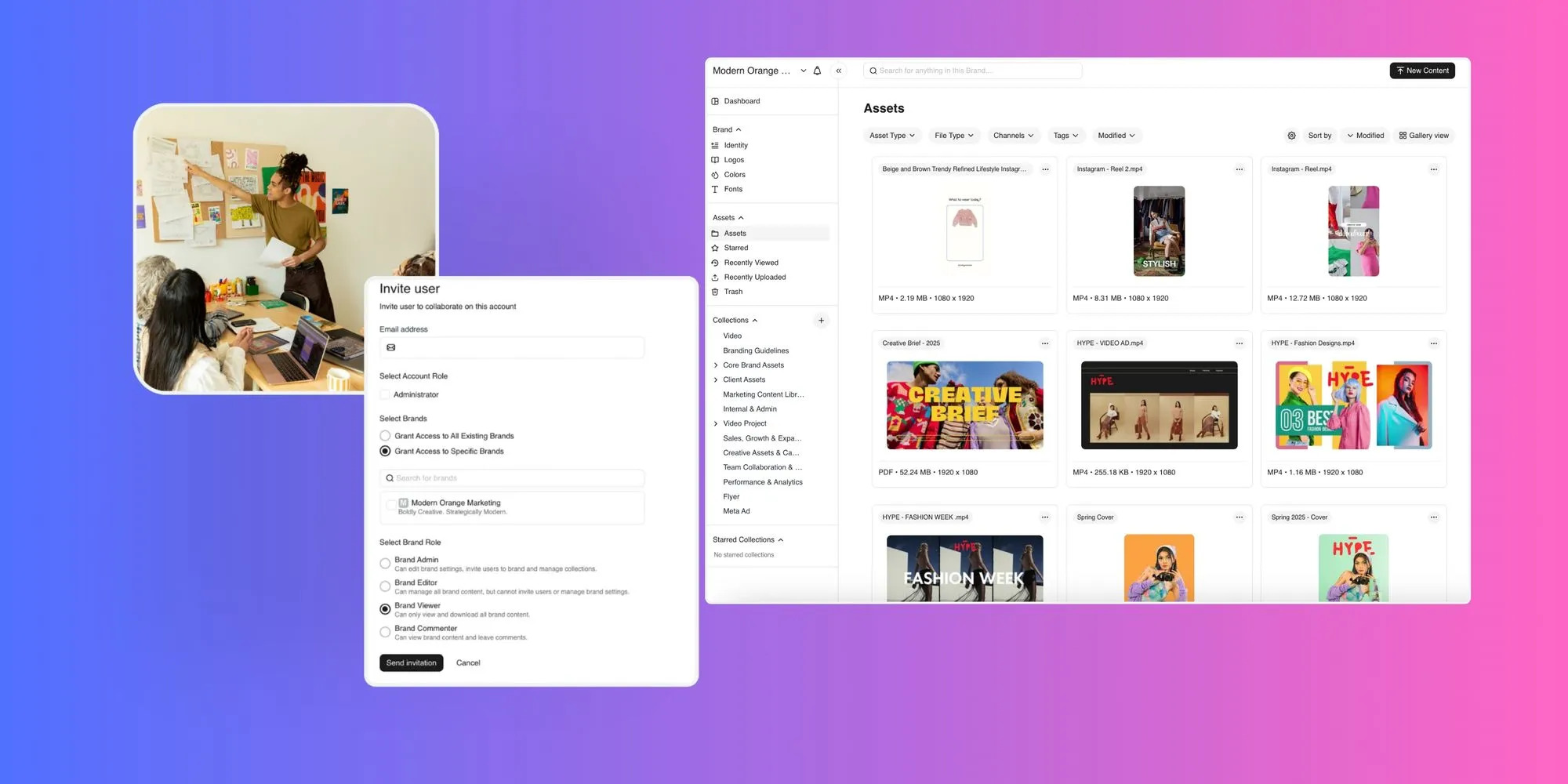
A sales & marketing portal built from approved DAM assets
- Permissions decide who can view each file and who can share it. A common setup lets reps download and share approved files, limits partners to partner-approved files and allows only marketing to upload or replace a master. Keep the roles few and clearly named, such as rep, partner and admin.
- Expiration keeps old files from lingering, and there are two kinds to set up. Asset expiration retires a file from the library on a set date, which suits seasonal promotions and limited offers. Link expiration ends a shared link after a set date, so a prospect’s copy stops working once the deal window closes.
- Field access matters because reps work from trade shows and client sites. Before rollout, check how the DAM works in a mobile browser and on weak connections, and decide which files reps should keep offline for events. A file a rep can’t open on a phone at a booth might as well not exist.
How to Keep Sales Content Up to Date
Sales content goes wrong at three predictable moments, at launch, at each update and at retirement. Give each moment a short written workflow and a named owner.
| Moment | Owner | Done when |
|---|---|---|
| Launch | Product marketing | Asset is live in the sales portal and announced |
| Update | Asset owner | New version uploaded and change noted |
| Retirement | Marketing ops | File archived, links ended, replacement named |
Sales content owners by stage
At launch, marketing approves the asset in the DAM, tags it by product and deal stage and adds it to the sales portal. Sales enablement or marketing ops then announces it in the sales channel with a direct link rather than an attachment, and managers walk through it at the next team meeting.
For an update, upload the new file as a new version of the existing asset rather than as a separate file, so version history keeps the earlier copy and portal placements stay in place. Then tell reps what changed in one line, such as “Pricing updated for Q1.”
See the guide to DAM metadata and search covers the tagging that keeps updated files findable.
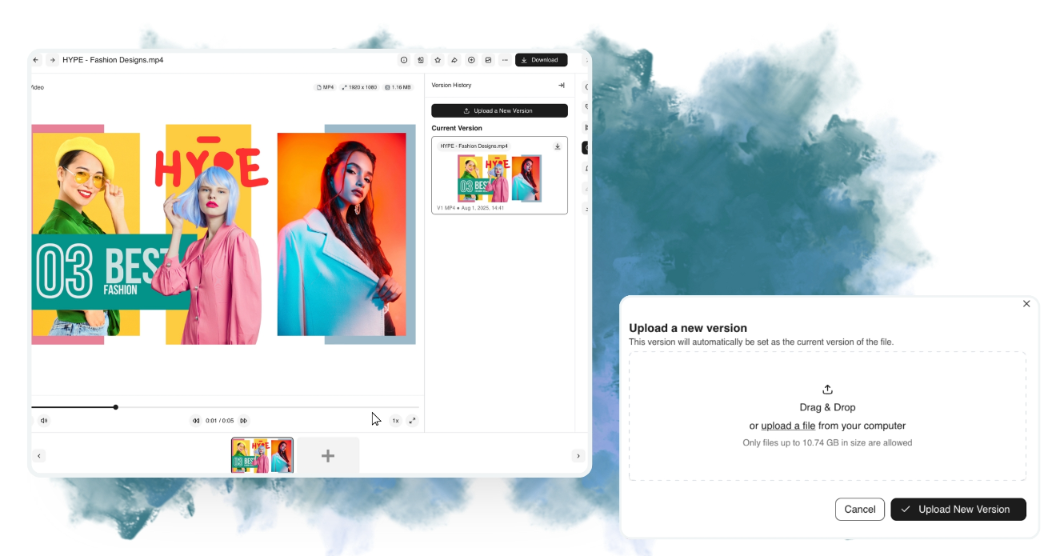
Updating a sales deck without a new file
Retirement is the step most teams skip. When a price or customer story ends, archive the file or let it expire, remove it from portals and end any active share links. Then tell sales what replaces it, so reps don’t go looking for the old version.
How to Roll Out a DAM for Sales Enablement
Most teams can roll a DAM out to sales in about a month. If you’re also setting it up for marketing, our guide to how marketing teams use a DAM covers that side.
- Week 1, audit: List the 30 files reps request most from chat and email history, mark which to keep or retire and name an owner for every file that stays.
- Week 2, build: Upload approved versions with product and stage tags, set roles for reps, partners and admins, and build one sales portal plus a partner portal if you need one.
- Week 3, pilot: Give one sales team access, remove their old shared folder, test search and expiring links on real deals and check phone access before any events.
- Week 4, launch: Roll out to all reps with a 15-minute walkthrough, redirect old folder links to the portal and book a monthly review to update or retire files.
How to Measure DAM Success for Sales
Track a few signals before and after rollout. Count weekly asset requests sent to marketing, note how many outdated files surface in deal reviews and ask reps how long it takes to find a deck. Rising portal downloads along with falling requests is the pattern you want.
Common DAM Rollout Mistakes
The most common mistake is launching with everything, so start with the top 30 files rather than the whole archive. Keeping the old shared folder open is a close second, because reps will keep using it as long as it exists. Files also go stale within a quarter when nobody owns updates, and skipping the phone test means finding problems at the first trade show instead of before it.
Give Sales One Approved Library With BrandLife
BrandLife is a DAM built for growing and multi-brand teams, and it gives sales a single approved library so reps stop relying on forwarded attachments and local copies. Its brand portal creates a branded destination for approved logos, images and campaign collections, with access you control, so reps and partners see only what’s cleared for them.
Version control marks the latest approved version of every file and keeps approvals tied to the right asset, which means reps always pull the current deck. Share links can carry download controls and an expiration date, so a prospect’s copy stops working when the deal window closes. For distributed sales networks, see our guide on DAM for franchise and multi-location brands.
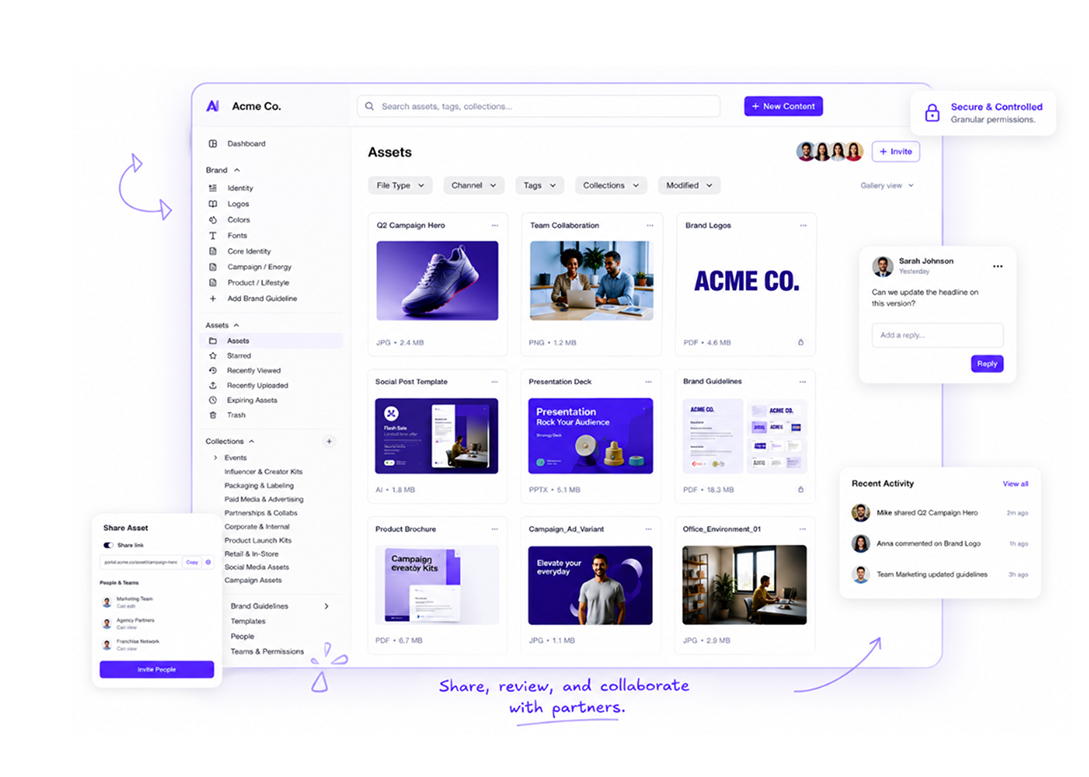
BrandLife’s Digital Asset Management Software
BrandLife isn’t a full sales enablement platform with rep coaching or deal-level analytics, and it works alongside the tools your sales team already uses. The Starter plan is $150/month, Enterprise pricing is custom, and you can sign up online and publish your first sales portal the same week.
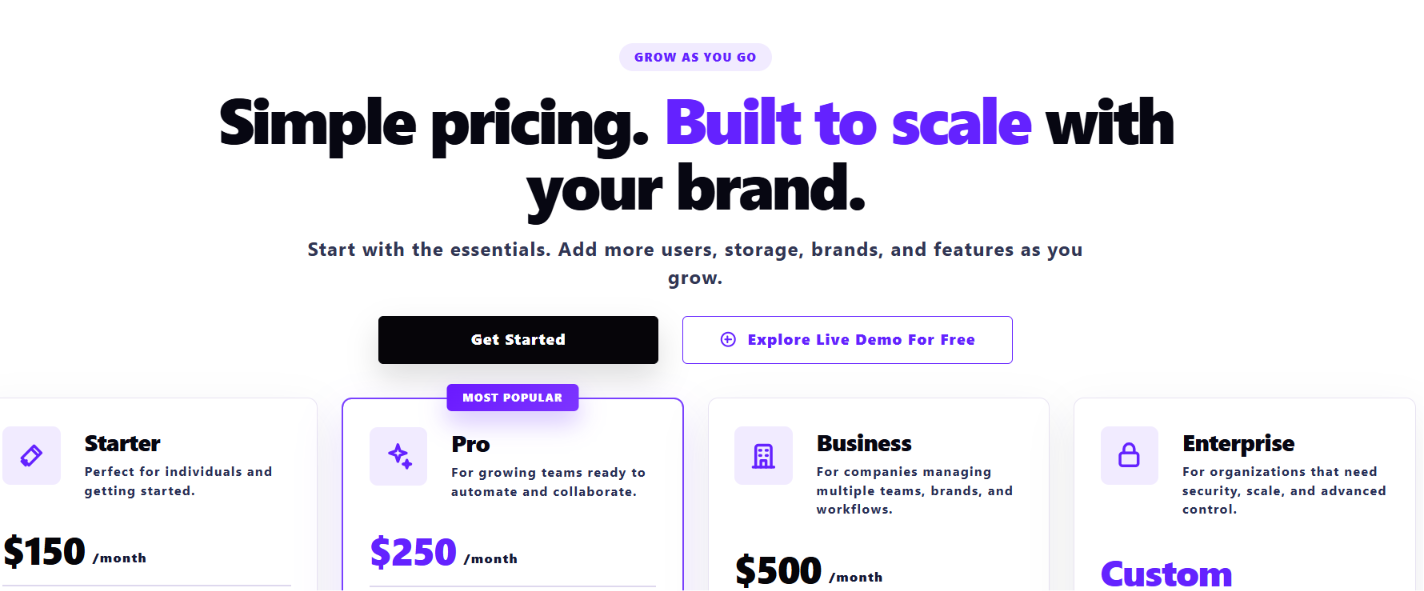
BrandLife's pricing page at glance
Give your sales team BrandLife’s branded asset portal.
Frequently Asked Questions
- Is a DAM the same as a sales enablement platform?
No. A DAM stores and governs approved assets for every team, including sales. A sales enablement platform focuses on rep coaching and buyer engagement tracking, and some teams use both, with the DAM supplying approved files to the enablement tool.
- How do you stop reps from using outdated decks?
Make the current deck the easiest one to find by putting it in a single portal. Upload changes as new versions of the same asset, expire or archive old versions and close any shared folders that still hold copies.
- Can external partners access sales assets in a DAM?
Yes, through a partner portal or controlled share links. Permissions limit partners to approved files, expiring links end access on a set date, and a quarterly review keeps partner access current.
- Which sales assets should go into a DAM first?
Start with the assets that carry the most risk or demand. Pricing sheets, the master pitch deck and approved case studies are good first choices, followed by product images and partner kits.
- Can sales reps use a DAM on their phones?
Most cloud DAMs open in a mobile browser, but the experience varies by vendor. Test search, downloads and link sharing on a phone before your first trade show, and decide which files reps should save offline for events with weak connections.