Key Takeaways
- SharePoint handles general document collaboration well. However, brand and marketing teams need dedicated Digital Asset Management (DAM) features and approval workflows that go further than file sharing.
- The most reliable SharePoint alternatives for brand work split into two camps. General collaboration suites cover docs and chat, and content operations platforms handle assets and brand governance.
- Pricing ranges from low per-user rates for docs-first tools to custom enterprise DAM contracts. Public pricing makes shortlist planning easier.
- Score every option on DAM depth and brand governance before you commit. Weigh multi-brand support and migration effort too.
- BrandLife pairs a modern DAM with multi-brand workspaces and AI search. Interactive brand guidelines and partner portals come built in, starting with its Starter plan at $150/month, with transparent pricing throughout.
Your creative lead pulled the Spring campaign hero from a SharePoint folder and dropped it into a partner deck. Two hours later, someone flags it as the wrong version, the one that was already retired.
That kind of mix-up shows up when asset-heavy teams rely on a tool built for documents. SharePoint is capable of shared files and internal wikis. It handles version history and permissions for Office content well. The scale of the problem is well documented. Employees spend an average of 1.8 hours a day, or 9.3 hours a week, searching for and gathering information, according to research cited by McKinsey.
Brand operations usually need more. You need AI-powered search across image and video libraries, approval routing before creative reaches the market, and a clean way to share approved assets with franchisees or agencies.
This round-up covers the best SharePoint alternatives for marketing teams managing brand assets and multi-brand governance. We will also weigh capability and pricing, and cover migration efforts too.
Why Do Brand and Marketing Teams Outgrow SharePoint
Version mix-ups and folder sprawl show up fast when campaign volume grows. Search and governance create the first wave of friction. Partner sharing and multi-brand structure create the second.
1. Search built for documents
Finding a Q3 lifestyle photo by filename is slow. Finding it by color or campaign gets even slower when metadata lives in folder names. Imagine a retail marketer trying to pull every asset that features a specific product color for a last-minute paid social push, in SharePoint, that means opening folder after folder and hoping someone named the file correctly back in March.
2. Brand governance and approval bottlenecks
Email-chain approvals make it hard to track who signed off and which comment applies to which file. That's how an unapproved logo variation reaches a retailer. A common example is a regional manager forwarding a "final" hero image over email, a designer swapping the CTA the next day, and nobody circling back to update the copy sitting in three other inboxes.
Brand teams need approval workflows with status updates and comment threads tied to each asset. They also need retired creative to expire on schedule so it stops circulating. General file storage leaves that work to folder discipline.
3. External sharing with agencies and franchisees
Guest access gets messy fast when outside partners need campaign files. Access settings pile up. Regional teams grab whatever they can find. A franchise with 40 locations, for instance, often ends up with 40 slightly different versions of "the current logo pack" scattered across email threads and personal drives.
Brand and franchise marketers want branded partner portals that show only approved assets, with expiration dates and link controls. That controlled distribution is where a DAM-first platform pulls ahead of a docs-first one.
Franchise-driven teams feel this most directly. BrandLife's product demo on YouTube walks through exactly this workflow, sharing a single collection externally with download and comment permissions, without adding the partner as a full team member.
4. Multi-brand and regional complexity
Agencies juggling five client brands in one SharePoint tenant run into folder sprawl and color confusion. Each brand benefits from its own space. Take a boutique creative agency managing brand kits for a coffee chain, a fitness studio, and a nonprofit; one shared SharePoint tenant means one wrong click can put a client's confidential campaign in front of another client's team.
What to Look for in SharePoint Alternatives
A polished demo can still hide admin work and add-on costs. Weigh DAM depth and brand governance first. Multi-brand support, external portals, pricing visibility, and migration effort should follow close behind.
1. DAM depth and asset search
A single product photo can exist in multiple crops and campaign versions. Ask how the platform tags media, versions files, and handles lifecycle controls like expiration. An e-commerce brand with 5,000 SKUs, for example, needs search that works by product code and image content. Here’s when a visual search option helps product-heavy libraries move faster.
2. Brand governance and approvals
PDF brand guides age fast after export. Check whether the tool routes approvals and keeps guidelines current in the same workspace. A rebrand that changes a single accent color shouldn't mean re-exporting and re-emailing a 40-page PDF to every partner.
3. Multi-brand workspace support
Five brands in one library gets messy fast. Confirm the platform can segment brand kits by region, franchise group, or client.
Dedicated multi-brand workspaces keep each brand's assets and fonts isolated. Agencies can onboard a new client while every other brand library stays clean.
4. External collaboration and portals
Agencies and photographers need faster handoffs than guest accounts usually provide. Test how the tool handles uploads, reviews, and secure distribution for outside contributors. A field photography team, for example, benefits from uploading straight into a portal rather than emailing zip files back to the office.
5. Pricing transparency and migration effort
Sticker shock usually appears after the sales call. Some tools publish clear pricing. Many enterprise DAMs stay quote-based, so total cost shows up later.
Migration deserves the same scrutiny. Moving off SharePoint means mapping file taxonomy and version history into the new system. Ask about storage limits and seat scaling before you sign.
Five evaluation criteria for scoring SharePoint alternatives before you demo.
The Best SharePoint Alternatives, Brand by Brand
Every brand below solves the SharePoint problem a little differently. BrandLife leads the list because it is the platform this guide is written around, followed by the five competitors' brand and marketing teams most often shortlist along with it.
1. BrandLife
BrandLife is built specifically for brand and creative teams that have outgrown folders, with multi-brand workspaces, AI-powered tagging, interactive brand guidelines, and unlimited free partner portals targeting the exact gaps SharePoint leaves open.
Key features
- AI-powered tagging and search by keyword, SKU, or campaign.
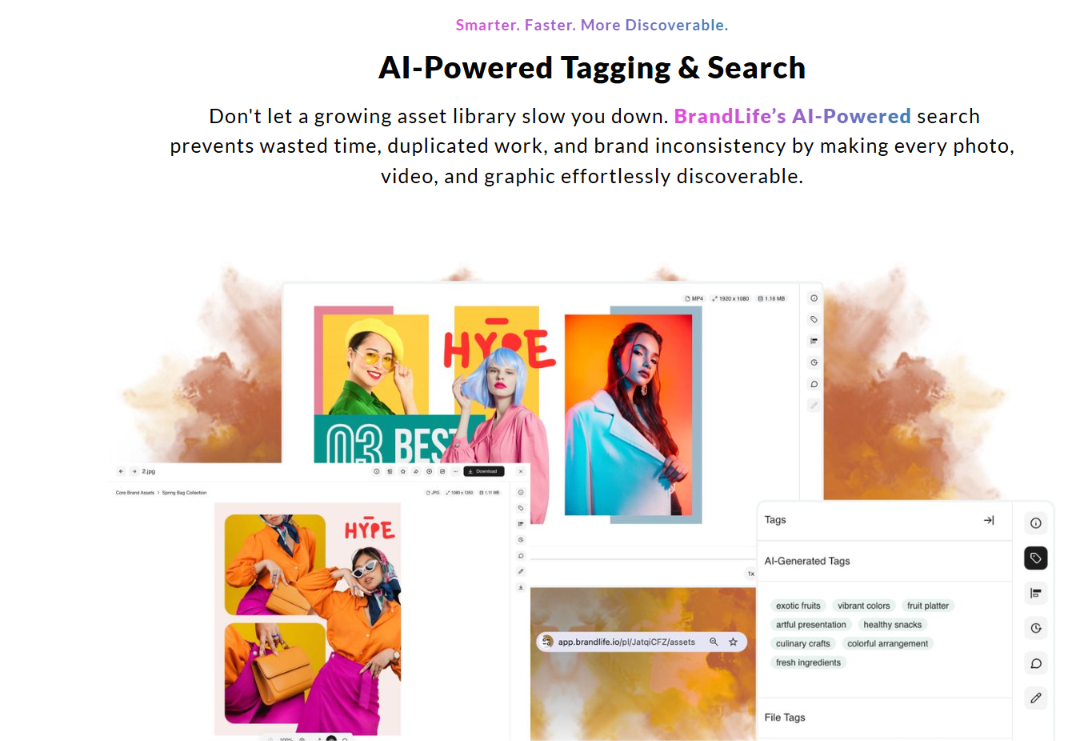
- Multi-brand workspaces with separate palettes and font libraries per client or sub-brand.
- Interactive brand guidelines that live inside the asset workspace instead of a static PDF.
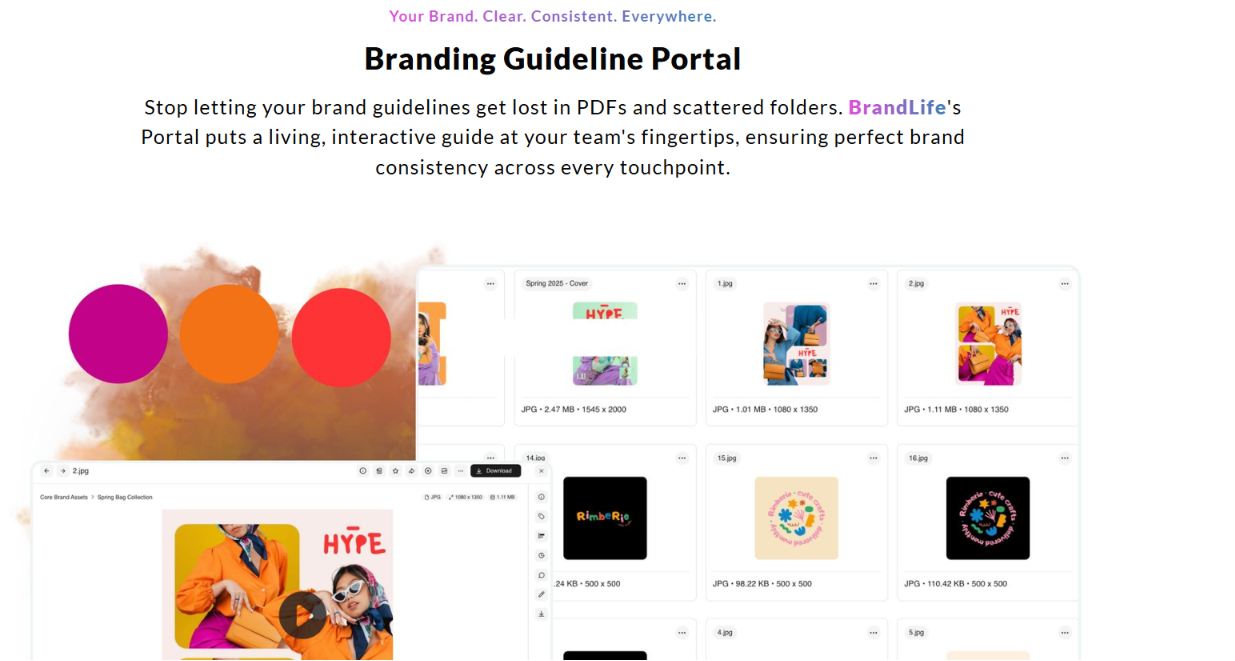
- Unlimited free partner portals with expiration controls and secure sharing.
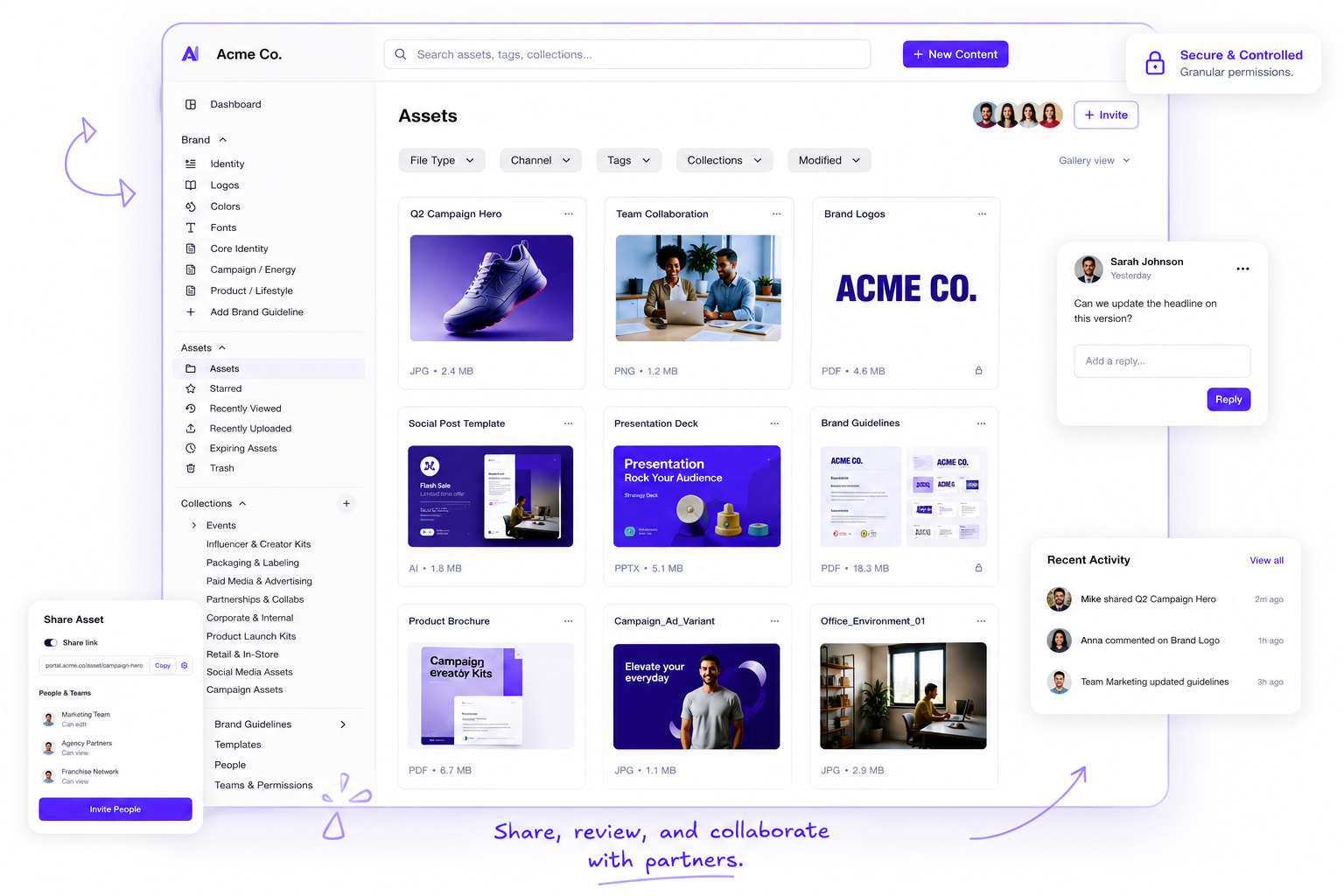
- Native integrations with Canva, Figma, Slack, SharePoint, OneDrive, Google Drive, and Dropbox.
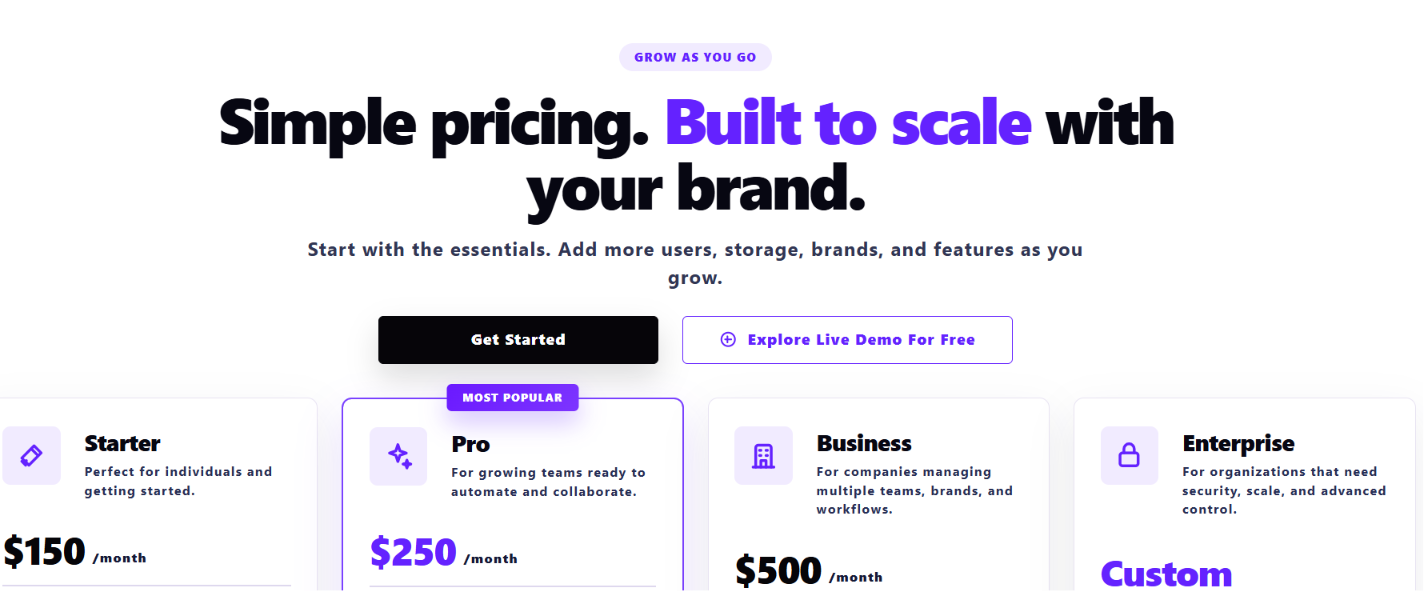
Best for: Agencies and franchise brands managing multiple brands that want public, self-serve pricing. Starter is $150/month for one user and one brand.
See the full BrandLife breakdown later in this guide for pricing tiers and customer examples.
2. Bynder
Bynder is an enterprise-grade DAM known for strong content marketing around DAM maturity and a broad partner ecosystem.
Key features
- AI capabilities including natural language search, face recognition, and text-in-image search.
- Deep taxonomy and metadata structure for large, complex asset libraries.
- Workflow automation and structured approval routing.
- Dedicated customer success and support teams for onboarding.
Best for: Large enterprises that need deep taxonomy, workflow automation, and dedicated support.
3. Frontify
Frontify pairs a DAM with a heavier focus on brand guidelines and style-guide governance than most competitors.
Key features
- Living brand guidelines, design systems, and campaign toolkits alongside the asset library.
- Customizable workflows for review and approval.
- Digital and print template libraries.
- Custom portals for internal teams and external partners.
Best for: Mid-market and enterprise brand teams that treat their guidelines as a living product and manage regional compliance. Pricing is custom and quote-based.
4. Brandfolder
Brandfolder leans into creative analytics and asset ROI tracking alongside standard DAM organization.
Key features
- Brandfolders, Collections, and Brand Portals for organizing assets by brand or product line.
- Usage analytics and creative ROI tracking on top of storage and search.
- Granular privacy and permission settings per Brandfolder.
- One-link sharing for external collaborators.
Best for: enterprise and global brands that want usage data on top of standard DAM features. Pricing is generally quote-based and sits above BrandLife's published Starter tier.
5. Air
Air positions itself as a creative operations platform rather than a traditional DAM.
Key features
- AI-powered search by color, object, or person, with automatic tagging on upload.
- Real-time commenting, visual feedback, and version locking.
- Integrations with Slack, HubSpot, Adobe Creative Cloud, Shopify, and Canva.
- Performance analytics linking creative assets to ad results.
Best for: creative and agency teams whose biggest bottleneck is feedback and approval cycles rather than large-scale governance. Plans are reported to run from roughly $250 to $500 a month, with a free tier available.
6. Dash
Dash is a lighter-weight DAM built for small and growing e-commerce brands.
Key features
- AI-powered object, text, and facial recognition search for asset discovery.
- Advanced versioning and annotation tools for creative assets.
- Flexible organization with boards, sub-boards, and custom fields.
- Transparent, tiered pricing with no hidden fees.
Best for: single-brand e-commerce teams that need simple visual content management without an enterprise price tag. Tiered pricing starts around $139 a month for 10 GB of storage and 100 downloads a month.
SharePoint alternatives ranked brand by brand, with BrandLife first, followed by category, pricing, and brand fit.
How to Plan Your Move Off SharePoint
A messy move can recreate the same folder chaos in a new system. The work usually centers on taxonomy, permissions, version history, and downstream links. Handle those early, and adoption gets much easier.
1. Map your file taxonomy first
Old folders carry years of habits. Audit what lives in SharePoint before you move anything. Group assets by brand and campaign so the new structure matches how your team actually searches. A practical example: tag everything by campaign name and quarter before migration, rather than trying to rebuild that structure after the fact.
AI tagging can reduce manual cleanup. BrandLife customers report 40% less time searching once assets carry consistent metadata. That gives your team a cleaner starting point than rebuilding folder trees by hand.
2. Translate permissions and access
Guest access usually spreads farther than anyone expects. List who needs what before migration, then rebuild access around roles instead of one-off shares. A common failure mode: an agency contractor from two projects ago still has edit access to the current brand library because nobody revoked it.
Confirm that the new platform supports the access tiers your team uses. Partner portals replace guest-account puzzles with controlled views that show only approved assets.
3. Preserve version history
Past approvals and edits matter when assets stay in the market for months or years. Decide which historical versions should move over and which can stay behind.
Version control with restoration keeps the record intact. It also helps retire outdated files, so old logos and past campaign creative stop resurfacing in active work.
4. Update links to downstream tools
Broken links can ripple through decks and CMS pages in a day. Inventory where SharePoint files feed other tools before you cut over. A logo embedded via SharePoint link in a website footer, for instance, will break silently the moment that file moves.
Choose a platform that connects to the apps your team already uses. Native integrations with Canva, Figma, SharePoint, and OneDrive help keep assets moving after the switch.
5. Match the choice to your team size
A single-brand startup and a multi-brand agency buy for different reasons. Score each option against your own structure instead of a generic checklist.
Smaller teams usually care most about transparent pricing and fast setup. Franchise operators and agencies care more about workspace isolation and portal control. Both can review the Starter plan details before booking a demo.
How BrandLife Fits Into Your SharePoint Alternatives Shortlist
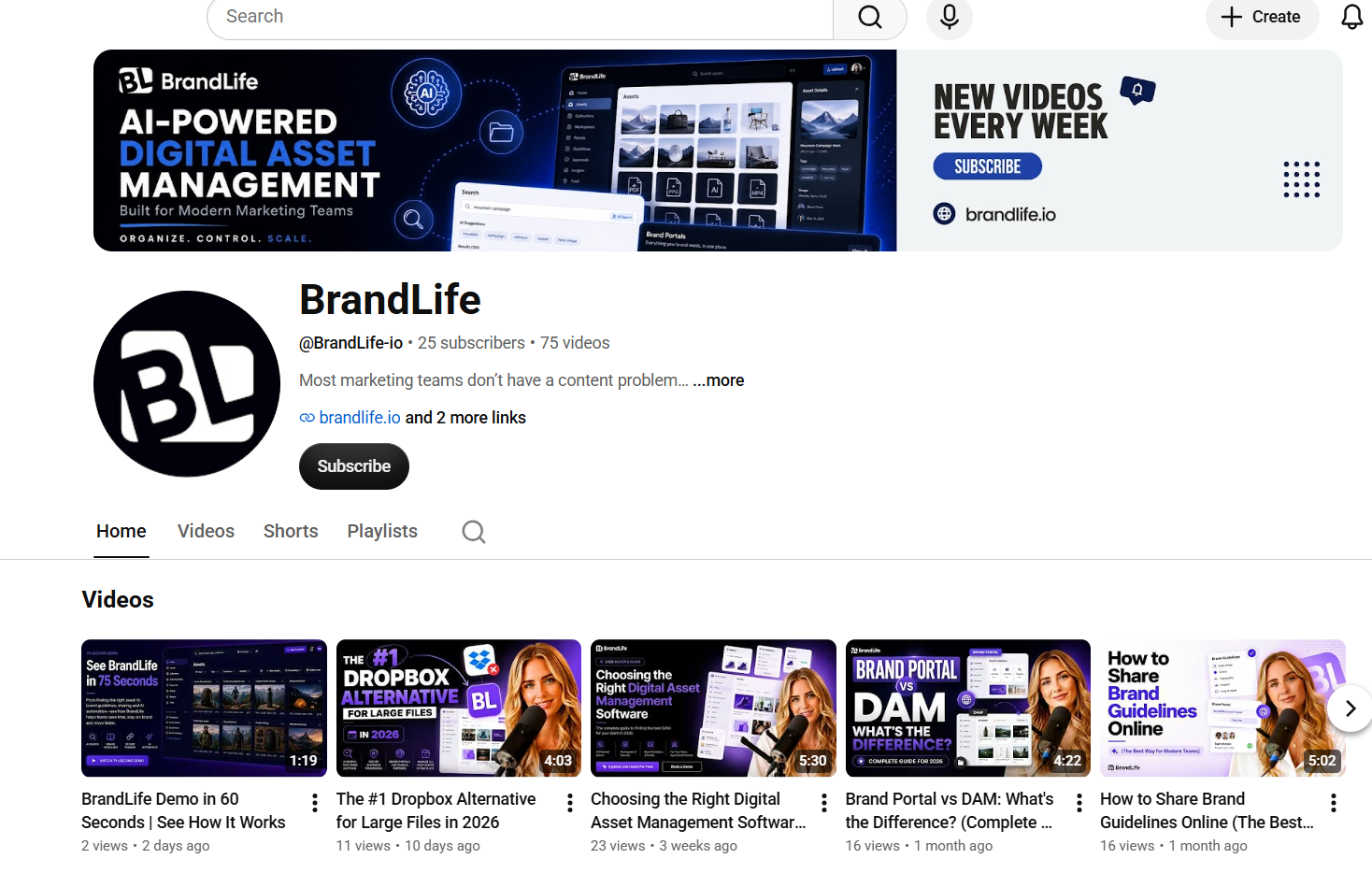
Brand teams usually shortlist BrandLife when they want a DAM, guidelines, and approvals in one place. The platform maps closely to the criteria above, especially for teams managing multiple brands or distributing approved assets to partners. BrandLife's YouTube channel walks through this positioning directly, organizing marketing operations, eliminating duplicate work, and building a single source of truth for a brand's assets.
1. AI search that finds assets fast
Launches slow down when search starts with guessing file names. BrandLife tags assets by keyword and SKU on ingest, so a Q3 lifestyle photo shows up by what it depicts. A skincare brand with hundreds of product SKUs, for example, can search "blue packaging, spring campaign" instead of opening folder after folder.
Customers report 40% less time searching and 6+ hours saved weekly per creative. Visual Search is available as a premium add-on for finding assets by similarity. The BrandLife product demo shows this search in action, filtering a library by color and campaign tag in a few clicks.
2. Brand governance built into the workspace
Stale PDF guidelines create brand drift fast. BrandLife's interactive brand guidelines live beside the asset library, and updates apply in place.
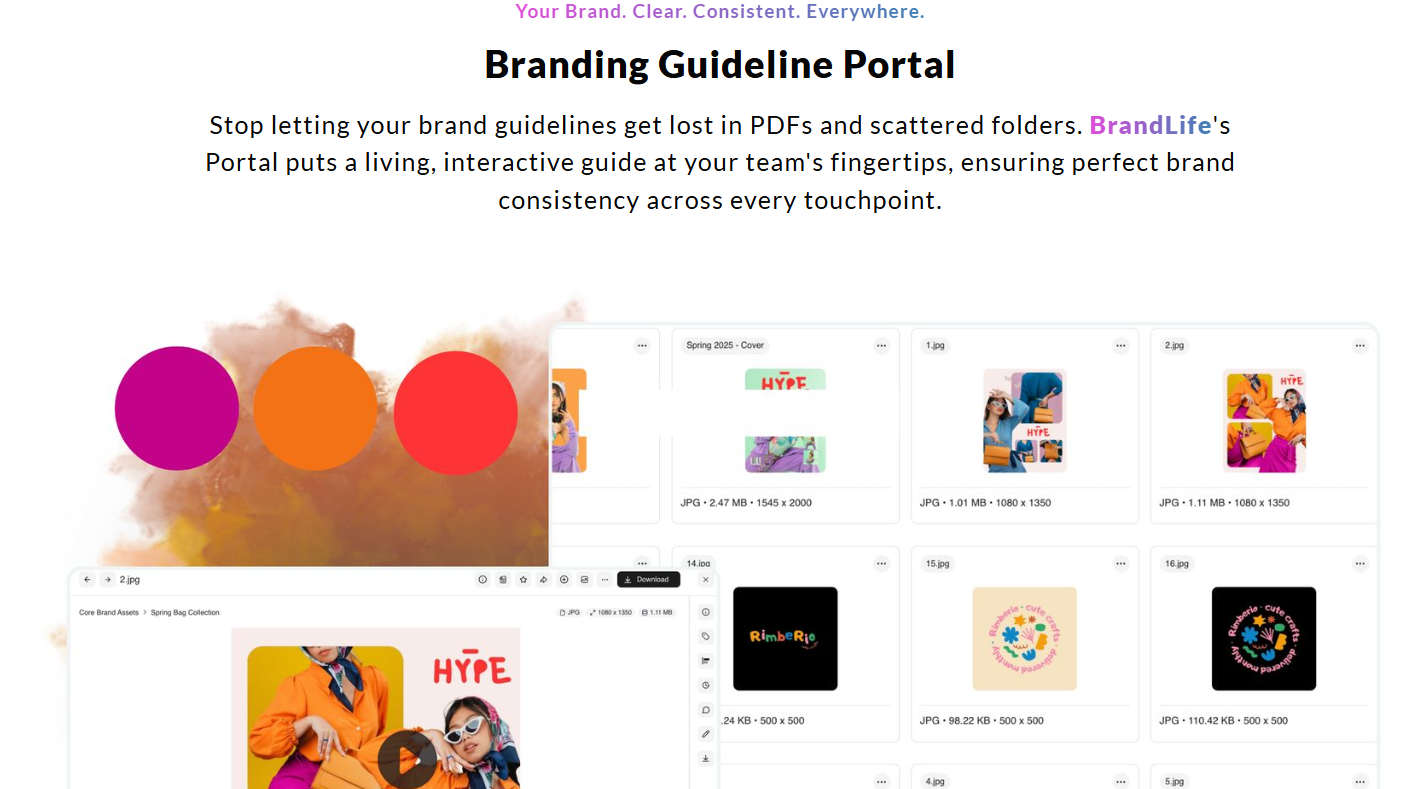
Approval routing carries status updates and comment threads on each asset. Asset expiration helps retire outdated creative on schedule, so old logos stop reaching partners. A nonprofit customer featured on BrandLife's review page said, “BrandLife has been a game-changer for our non-profit. We can easily store and access our campaign materials and photos from events. The platform's user-friendly design makes it easy for our volunteers to contribute and manage assets.”
3. Multi-brand workspaces for agencies and franchises
Agencies feel the strain first when every client sits in one library. BrandLife runs each client or sub-brand in its own brand workspace with separate palettes and font libraries.
Agencies can onboard a new client while every other brand library stays clean. Franchise operators can keep each region clearly separated too, a coffee franchise, for instance, could give each regional marketing lead their own workspace while keeping the master brand kit locked at the corporate level.
4. Partner portals and capture content
Partners work faster when approved assets live in a portal built for them. BrandLife offers unlimited free partner portals that show only approved assets, with expiration controls and secure sharing.
The Capture Content Portal handles inbound collection. Photographers and field teams can upload straight into the DAM, where assets arrive organized for review. A school district customer highlighted this exact workflow on BrandLife's site: “BrandLife has made it easy for our school to manage digital assets like photos, videos, and educational materials. The platform is secure and user-friendly, making it accessible for both staff and students.”
5. Transparent pricing and native integrations
Budget reviews move faster when pricing is public. BrandLife's Starter plan is $150/month for one user and one brand. Enterprise uses custom pricing for a broader scale.
Native integrations with Figma, Slack, SharePoint, OneDrive, Google Drive, and Dropbox keep assets moving between the DAM and the tools your team already uses. Visual Search, Asset Expiration, Asset Watermarking, SSO, and Custom Roles & Permissions are available as add-ons or through Enterprise.
Choosing the Right SharePoint Alternative
SharePoint earns its place for company-wide documents and internal wikis. Brand and marketing teams running asset-heavy work usually need stronger support for search, governance, and controlled sharing.
The strongest SharePoint alternatives split into two camps. General collaboration suites like Notion, Confluence, Google Workspace, and Dropbox Business cover docs with public pricing. DAM-first systems like BrandLife, Bynder, Brandfolder, Frontify, Air, and Dash handle assets and brand governance, including approval workflows and partner distribution.
Score every option on DAM depth and brand governance first. Weigh multi-brand support, portal control, and migration effort next. Public pricing keeps your shortlist honest before you book a demo. BrandLife brings a modern DAM, multi-brand workspaces, AI search, interactive brand guidelines, and partner portals into one platform. Starter pricing begins at $150/month.
Get Started with BrandLife and see how BrandLife centralizes brand assets, guidelines, and approvals for your team.
Frequently Asked Questions
Can BrandLife integrate with SharePoint during a transition?
Yes. BrandLife includes native integrations with SharePoint and OneDrive. It also connects with Google Drive and Dropbox, so teams can move libraries in phases instead of switching everything at once.
How long does migration off SharePoint usually take?
Timelines depend on library size and how clean your existing taxonomy is. Teams that audit and group assets by brand or campaign before migrating usually move faster. AI tagging on ingest can reduce manual metadata work during the move.
Is SharePoint free for brand teams already on Microsoft 365?
Teams already on Microsoft 365 often treat SharePoint as part of the existing stack. The trade-off usually shows up in workarounds, especially when brand teams need asset search, approvals, and controlled partner distribution.
What does BrandLife cost beyond the Starter plan?
Starter is $150/month for one user and one brand. Enterprise uses custom pricing for unlimited users and unlimited brands. Teams can also expand with add-ons such as Visual Search, Asset Expiration, Asset Watermarking, SSO, and Custom Roles & Permissions, plus additional users, storage, brands, and AI credits.
Do partner portals require paid seats for franchisees?
No. BrandLife includes unlimited free partner portals. Franchisees and resellers can view only the assets you approve through secure, controlled access.
Which teams benefit most from switching?
Multi-brand organizations and agencies usually see the clearest benefit, since each brand can run in its own workspace. E-commerce teams with large product catalogs benefit from AI tagging by SKU. Franchise and partner-driven brands benefit from controlled portal distribution.