

Preserving Digital Assets: Best Practices for Long-Term Storage

Key Takeaways

  1. Long-term preservation is not storage. It requires backups, governance, metadata, version control, and audits to keep assets usable over time.

  2. Cloud-only is not a safety plan. Most failures come from human error, migrations, permissions, and lack of redundancy.

  3. Metadata and search decide whether assets stay “alive.” If people cannot find assets quickly, teams recreate work and lose consistency.

  4. Version control prevents silent damage. It protects approved files from accidental overwrites and keeps a traceable history for compliance.
  5. Preservation succeeds when it is automated and owned. Assign clear ownership and rely on systems that make protection consistent by default.

The creative director needed one file. A brand guidelines PDF from three years ago—the one with the original color specifications, the approved logo lockups, the typography stack that anchored an entire product rebrand. It should have taken thirty seconds to find. Instead, it took three days, four Slack threads, and a panicked call to a former employee who might have saved a copy on a personal drive.

That file was never recovered. The team rebuilt it from memory, hoping they got close enough. They didn't. Six months later, a partner agency flagged inconsistencies across a global campaign, and the brand spent weeks untangling errors that traced back to a single missing document.

This isn't an edge case. It's the quiet crisis playing out across organizations that have gone all-in on digital without thinking about what happens to those assets over time. What used to live in filing cabinets and physical archives now exists as cloud files, SaaS records, and database entries—formats that feel permanent but are anything but.

Data has become the lifeblood of brand equity, operational continuity, and regulatory compliance. When digital assets disappear or degrade, the consequences ripple far beyond a missing file. They hit revenue, trust, and the ability to move fast when it matters most.

This article breaks down the risks organizations face, the obstacles that make preservation so difficult, and the concrete best practices that separate teams who protect their digital legacy from those who gamble with it.

Understanding the Importance of Digital Asset Preservation

Picture a consumer electronics brand preparing for its biggest product launch of the year. The marketing team reaches for its library of product images—high-resolution shots from three generations of devices, lifestyle photography, retail display mockups. But a botched migration to a new platform six months earlier wiped half the archive clean. No backup. No redundancy. Just empty folders where years of creative investment used to live.

The ripple effects are immediate and unforgiving. Product pages launch with placeholder images. Retail partners receive inconsistent assets. The social media team scrambles to reshoot content that already existed, burning budget and time that should have gone toward the campaign itself.

Lost trust is harder to measure but even more damaging. When a brand can't produce its own assets on demand, partners and stakeholders start questioning operational competence. Compliance teams flag gaps in documentation. Legal can't locate the licensing agreements attached to commissioned photography. What started as a storage problem becomes a credibility problem.

The scale of this challenge is reflected in the market's response. The global digital asset management market, valued at USD 4.22 billion in 2023, is projected to reach USD 11.94 billion by 2030, growing at a compound annual growth rate of 16.2 percent. That kind of investment signals something beyond a trend—it signals organizations recognizing that preserving digital assets is no longer optional.

So why are so many businesses still behind? Part of the answer is inertia. Teams accumulate digital assets far faster than they organize or protect them. The urgency of the next campaign always outweighs the maintenance of the last one. And by the time someone notices the gaps, the damage is already done.

How confident is any organization, really, in the integrity of its own digital archives? If the answer involves hesitation, the next section explains why that hesitation is well-founded—and what obstacles make asset management fundamentals so difficult to master.

Key Challenges in Digital Asset Preservation

A mid-size agency invests in a new digital asset management platform. The migration goes smoothly. Five years later, a designer opens a project folder and discovers that dozens of files—saved in a proprietary format the old system used—are completely unreadable. The assets exist, technically. But they might as well be carved in a dead language.

Format obsolescence is one of the most insidious challenges in digital preservation. Unlike physical media that degrades visibly, digital files can appear perfectly intact until the moment they're needed—and then reveal themselves as hollow shells, incompatible with current software or standards.

But format rot is just one front in a broader war. Metadata neglect creates assets that are technically preserved but practically invisible. Without consistent tagging, naming conventions, and descriptive data, a library of ten thousand images becomes a haystack with no way to find the needle. Siloed storage compounds the problem—when assets live across disconnected drives, platforms, and personal accounts, no single person has a complete picture of what exists.

Then there's the human factor. Manual backup processes depend on discipline, and discipline erodes under deadline pressure. When backups are inconsistent, even a single oversight can erase months of creative output. Data loss incidents have reached epidemic proportions, with 85.6 percent of reported incidents occurring in cloud storage environments—a statistic that challenges the assumption that "it's in the cloud, so it's safe."

The cost of these failures goes beyond replacing files. It's the campaign that launches late, the compliance audit that turns up gaps, the institutional knowledge that evaporates when an employee leaves and their personal folder goes with them. These aren't hypothetical risks. They're the daily reality for organizations that treat security solutions and preservation as afterthoughts.

Understanding these obstacles is the first step. The next is knowing what to do about them—and that starts with a set of practices that have proven their value across industries and scales.

Best Practices for Long-Term Digital Asset Storage

Knowing the risks isn't the same as mitigating them. The organizations that preserve digital assets effectively don't rely on good intentions—they build systems that make preservation automatic, consistent, and resilient. The difference between a team that recovers from a crisis and one that collapses under it almost always comes down to whether these practices were in place before disaster struck.

  • Automate backups across diverse locations. A team with automated, multi-location backups—cloud, on-premises, and offline—doesn't panic when a server fails or a ransomware attack encrypts a drive. The redundancy isn't a luxury; it's the insurance policy that keeps operations running while others scramble to recover.
  • Implement AI-powered tagging and metadata standards. Imagine a system where every uploaded asset is automatically tagged by content type, project, date, and usage rights. Instead of hunting through nested folders, a designer types a keyword and finds exactly what they need in seconds. That's not science fiction—it's what modern AI-driven tagging delivers.
  • Enforce version control as a non-negotiable. When a junior team member accidentally overwrites a final-approved creative with a draft, version control turns a potential catastrophe into a two-click rollback. Without it, that mistake might not surface until the wrong version goes to print.
  • Standardize file formats for longevity. Choosing widely supported, open-standard formats—TIFF over proprietary RAW, PDF/A over standard PDF—dramatically reduces the risk of files becoming unreadable as software evolves. It's a small decision at the point of creation that pays dividends for decades.
  • Conduct regular preservation audits. Quarterly reviews of asset integrity, metadata completeness, and backup health catch problems before they compound. Think of it as a wellness check for digital archives—far cheaper than emergency surgery.
  • Define clear ownership and governance. When everyone assumes someone else is managing the archive, no one actually does. Assigning explicit roles for asset preservation eliminates the ambiguity that lets files slip through cracks.

Organizations implementing automated backup and tagging report up to 40 percent faster retrieval times and 25 percent lower operational costs tied to asset management. Those aren't marginal gains—they're the kind of efficiency improvements that compound across every project, every quarter.

Let's dig deeper into how these practices work in real-world settings.

Implementing Robust Backup Solutions

When a ransomware attack hit a European retail brand last year, two divisions responded very differently. One had diversified backups—cloud snapshots, on-premises mirrors, and air-gapped offline copies. That team restored full operations within 48 hours. The other division, relying solely on a single cloud backup, spent three weeks rebuilding what it could and accepting the permanent loss of everything else.

The lesson is straightforward but underappreciated: backup diversity isn't redundancy for its own sake. It's the difference between a recoverable setback and an irreversible one. When backups span cloud, on-premises, and offline environments, the odds of total loss plummet. A comprehensive storage solutions guide can help teams design this kind of resilience from the ground up.

The practical tip that separates intent from results? Schedule automated backups and periodically test restores. A backup that hasn't been tested is just a hope—not a strategy.

Utilizing AI-Powered Tagging for Efficient Retrieval

A designer on a deadline needs a specific logo variant—the one with the transparent background, approved for dark mode interfaces, last updated in Q2. Under manual tagging systems, that search might take twenty minutes of folder-diving and guesswork. With AI-powered tagging, it takes five seconds and a keyword.

The contrast between old and new approaches is stark. Manual tagging depends on human consistency, which degrades under pressure and varies between team members. AI tagging applies rules uniformly, enriches metadata automatically, and learns from usage patterns to surface the most relevant assets first.

Faster retrieval isn't just a convenience—it's a strategic advantage. Every minute a creative professional spends searching for an asset is a minute not spent on the work that actually drives value.

Ensuring Data Integrity with Version Control

Halfway through a product launch, a content manager realizes the hero image on the landing page is an outdated mockup. Someone overwrote the approved version during a late-night editing session. Without version control, the team would be left reverse-engineering the original from screenshots and memory. With it, a two-click rollback restores the correct file before anyone outside the team notices.

Version control isn't just about recovering from mistakes. It creates an audit trail—a timestamped record of who changed what, when, and why. For industries with regulatory requirements, that trail isn't optional. It's the documentation that keeps compliance teams from losing sleep.

But even the best version control and backup practices depend on where those assets live. The next decision—choosing the right storage infrastructure—determines whether preservation strategies hold up under real-world pressure.

Choosing the Right Storage Solutions

A CIO at a fast-scaling media company faces a familiar dilemma: the flexibility of cloud storage versus the control of on-premises infrastructure. Budget constraints favor one option, security concerns favor another, and the team's distributed workforce complicates everything. The right answer depends on how the organization weighs competing priorities—and how honestly it assesses its own growth trajectory.

Cloud Storage On-Premises Storage Hybrid Storage
Scalability Scales on demand—ideal for teams with unpredictable growth, but costs can creep as usage expands. Finite capacity requires upfront planning and hardware investment to expand. Balances elastic cloud capacity with stable on-prem baselines for predictable workloads.
Security Control Provider-managed security is robust but less customizable; data residency may raise compliance questions. Full control over encryption, access, and physical security—but the burden falls entirely on internal teams. Sensitive assets stay on-prem while less critical files leverage cloud protections.
Cost Structure Low upfront cost, ongoing subscription fees that scale with storage volume. High initial investment, lower long-term cost for stable workloads. Moderate upfront with flexible cloud spending; requires careful cost monitoring.
Accessibility Access from anywhere with an internet connection—essential for distributed teams. Limited to on-site or VPN access, which can slow remote collaboration. Cloud layer enables remote access; on-prem layer serves high-performance local needs.
Disaster Recovery Built-in redundancy across data centers reduces single-point-of-failure risk. Depends entirely on internal backup discipline and offsite replication.

For fast-growing teams managing large creative libraries, hybrid solutions often strike the best balance—keeping sensitive or high-use assets close while leveraging the cloud for scale and accessibility. A detailed comparison guide for storage options can help organizations map their specific needs to the right architecture.

Even the best storage solution, though, is only as good as its security. A perfectly architected system with weak access controls is like a vault with the door left open.

Enhancing Security and Accessibility

An intern with broad file permissions accidentally deletes a folder containing three months of campaign assets. No confirmation prompt. No approval workflow. Just a click, and the files are gone. In organizations with granular access controls, that scenario ends differently—the intern never had delete permissions in the first place, and the assets remain untouched.

Security in digital asset management isn't about building a fortress that nobody can enter. It's about designing smart boundaries—ensuring the right people have the right access at the right time, without creating bottlenecks that slow down legitimate work. Encryption protects assets in transit and at rest. Multi-factor authentication stops credential theft from becoming a data breach. Audit logs create accountability by recording every access event and file modification.

The threat landscape makes these measures non-negotiable. Claimed ransomware victims increased by 50 percent year-over-year, marking the most active year on record. Digital assets—brand files, product photography, proprietary creative work—are prime targets because their loss creates immediate operational pain and leverage for extortion.

But here's the tension that trips up many organizations: security tightened too aggressively becomes a barrier to productivity. If a designer needs three approvals and a VPN connection to access a logo file, that security protocol isn't protecting the business—it's handicapping it. The best security features enable both protection and speed by using role-based permissions, single sign-on integration, and contextual access rules that adapt to the user and the situation.

Watermarking adds another layer, allowing organizations to share preview assets externally without exposing full-resolution originals. Combined with expiring links and download tracking, these tools create a security ecosystem that protects assets without punishing the people who need to use them.

Securing assets is half the battle, though. The other half is making sure teams can actually work together on those assets without friction—because collaboration is where preservation and productivity intersect.

The Role of Collaboration in Asset Management

A global marketing campaign moves from concept to launch in six weeks. The creative team is in London, the brand strategist sits in New York, and the production agency operates out of Singapore. Without a shared collaboration platform, feedback lives in scattered email threads, version confusion multiplies with every time zone handoff, and the final deliverables arrive late—with the wrong logo variant on half the assets.

That scenario plays out constantly in organizations that treat asset management and collaboration as separate problems. They're not. Every time a team member downloads a file, edits it locally, and re-uploads it, the door opens for version conflicts, lost annotations, and duplicated effort. Collaboration tools that operate directly within the asset management environment eliminate that gap entirely.

Real-time comments and approval workflows transform what used to be a multi-day feedback loop into an afternoon conversation. A stakeholder flags a color correction directly on the asset. The designer sees it instantly, makes the change, and the updated version replaces the old one automatically—no email chains, no "final_v3_REAL_final" filenames, no ambiguity about which version is current.

The impact on efficiency is measurable. Teams using integrated collaboration tools report faster go-to-market timelines and fewer errors in final deliverables. But the preservation benefit is equally significant: when collaboration happens inside a managed platform, every edit is tracked, every version is saved, and every asset remains accessible to authorized users long after the project ends.

Collaborative platforms also break down the silos that cause assets to disappear. When creative, marketing, legal, and external partners all work within the same system, there's no orphaned folder on someone's personal drive, no rogue Dropbox account holding the only copy of a critical file. The asset library becomes a single source of truth—alive, current, and protected.

So how do all these best practices—backup, tagging, version control, secure storage, and collaboration—come together in a single, cohesive solution?

Bridging to BrandLife's Comprehensive Solution

A global consumer brand with offices across twelve countries faced the exact challenges outlined throughout this article. Assets scattered across regional drives. Inconsistent metadata. No version control. Security policies that varied by office. The decision to consolidate everything into a single platform wasn't just an IT initiative—it was a business survival move. That platform was BrandLife.

What makes BrandLife's approach distinctive is how directly its feature set maps to the preservation best practices that matter most. AI-powered tagging eliminates the metadata gap by automatically categorizing every asset at the point of upload—no manual entry, no inconsistency between users or teams. The result is a searchable, intelligent library where finding the right asset takes seconds, not hours.

BrandLife's automated backup infrastructure and version control address the two most common causes of permanent asset loss. Every file change is tracked and reversible. Every asset exists in multiple redundant locations. The kind of "one click and it's gone" disaster that haunts organizations without these safeguards simply doesn't happen within BrandLife's architecture.

Granular permissions and role-based access controls solve the security-versus-accessibility dilemma without compromise. BrandLife allows administrators to define exactly who can view, edit, download, or delete specific assets—down to the individual file level. Watermarking, expiring share links, and comprehensive audit logs add layers of protection that adapt to different use cases and risk profiles.

BrandLife includes unlimited users because the value of a digital asset management platform increases with adoption—not with artificial seat limits. When every stakeholder, from the C-suite to external agency partners, operates within the same system, the silos that cause asset loss dissolve entirely. BrandLife becomes the single source of truth for an organization's entire creative and brand asset ecosystem.
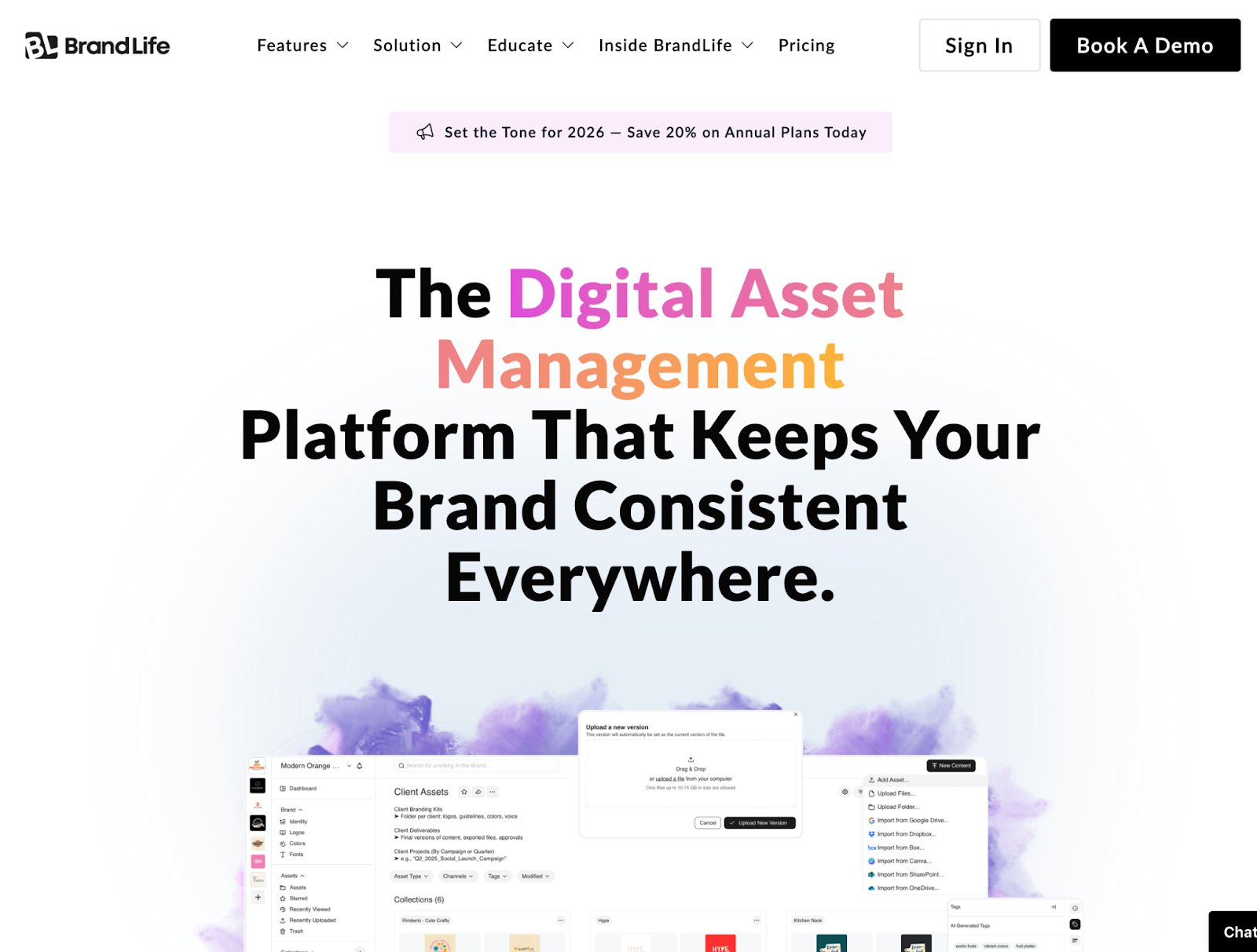
For organizations seeking to future-proof their digital assets—protecting years of creative investment while enabling the speed and collaboration that modern teams demand—solutions like BrandLife set a new standard for what comprehensive digital asset preservation looks like in practice. Start Free Trial


Frequently Asked Questions

What does “digital asset preservation” mean in practice?

Digital asset preservation is the process of keeping files usable, findable, and trustworthy over time. It goes beyond storing files and includes backups, metadata standards, format longevity, version control, access governance, and periodic audits.

Why do digital assets get lost even when they are stored in the cloud?

Cloud storage reduces some risks but does not prevent accidental deletion, permission mistakes, migration failures, ransomware, or metadata breakdown. If teams lack redundancy, testing, and governance, cloud storage can still lead to permanent loss.

What are the biggest risks to long-term asset storage?

The most common risks include format obsolescence, missing or inconsistent metadata, siloed storage across tools and personal drives, untested backups, weak permission controls, and failed migrations.

What is the best backup strategy for long-term preservation?

A diversified approach works best. Use automated backups across multiple locations (cloud plus on-premises plus offline or air-gapped copies), and test restores regularly so the backup is actually usable in a crisis.

How does metadata affect preservation?

Without consistent metadata, assets may still exist but become practically “lost” because no one can find them. Strong metadata standards and AI-powered tagging improve retrieval and reduce duplication.

Why is version control critical for preserving digital assets?

Version control prevents overwrites, preserves history, and enables quick rollbacks. It also creates an audit trail that helps with compliance and internal accountability.

Which file formats are best for long-term storage?

Open or widely supported formats reduce the risk of files becoming unreadable. Examples include PDF/A for documents, TIFF for high-quality images, and well-documented video codecs. The key is avoiding niche or proprietary formats as “final” archives.

How often should teams run preservation audits?

Quarterly is a strong baseline for most teams. Audits should check asset integrity, backup health, metadata completeness, access permissions, and whether archival formats still meet current standards.

How do you balance security and accessibility?

Use role-based access controls, MFA, encryption, audit logs, expiring links, and watermarking for external sharing. The goal is to protect assets without blocking legitimate day-to-day work.

What role does a DAM platform play in long-term preservation?

A DAM platform can centralize storage, enforce metadata standards, automate versioning, manage permissions, and support structured workflows. The right platform reduces reliance on manual discipline, which is where preservation often fails.

Related

See more
Preserving Digital Assets: Best Practices for Long-Term Storage

Preserving Digital Assets: Best Practices for Long-Term Storage

Digital Asset Management Library: A Comprehensive Guide

Digital Asset Management Library: A Comprehensive Guide

Frontify Pricing Guide: Find Better Alternatives

Frontify Pricing Guide: Find Better Alternatives

Ready to make your brand unstoppable?

Try it free or request a quote. Let’s build your brand’s next.

Preserving Digital Assets: Best Practices for Long-Term Storage

Start Free TrialDownload Free PDF
Preserving Digital Assets: Best Practices for Long-Term Storage

Key Takeways

  1. Long-term preservation is not storage. It requires backups, governance, metadata, version control, and audits to keep assets usable over time.

  2. Cloud-only is not a safety plan. Most failures come from human error, migrations, permissions, and lack of redundancy.

  3. Metadata and search decide whether assets stay “alive.” If people cannot find assets quickly, teams recreate work and lose consistency.

  4. Version control prevents silent damage. It protects approved files from accidental overwrites and keeps a traceable history for compliance.
  5. Preservation succeeds when it is automated and owned. Assign clear ownership and rely on systems that make protection consistent by default.

The creative director needed one file. A brand guidelines PDF from three years ago—the one with the original color specifications, the approved logo lockups, the typography stack that anchored an entire product rebrand. It should have taken thirty seconds to find. Instead, it took three days, four Slack threads, and a panicked call to a former employee who might have saved a copy on a personal drive.

That file was never recovered. The team rebuilt it from memory, hoping they got close enough. They didn't. Six months later, a partner agency flagged inconsistencies across a global campaign, and the brand spent weeks untangling errors that traced back to a single missing document.

This isn't an edge case. It's the quiet crisis playing out across organizations that have gone all-in on digital without thinking about what happens to those assets over time. What used to live in filing cabinets and physical archives now exists as cloud files, SaaS records, and database entries—formats that feel permanent but are anything but.

Data has become the lifeblood of brand equity, operational continuity, and regulatory compliance. When digital assets disappear or degrade, the consequences ripple far beyond a missing file. They hit revenue, trust, and the ability to move fast when it matters most.

This article breaks down the risks organizations face, the obstacles that make preservation so difficult, and the concrete best practices that separate teams who protect their digital legacy from those who gamble with it.

Understanding the Importance of Digital Asset Preservation

Picture a consumer electronics brand preparing for its biggest product launch of the year. The marketing team reaches for its library of product images—high-resolution shots from three generations of devices, lifestyle photography, retail display mockups. But a botched migration to a new platform six months earlier wiped half the archive clean. No backup. No redundancy. Just empty folders where years of creative investment used to live.

The ripple effects are immediate and unforgiving. Product pages launch with placeholder images. Retail partners receive inconsistent assets. The social media team scrambles to reshoot content that already existed, burning budget and time that should have gone toward the campaign itself.

Lost trust is harder to measure but even more damaging. When a brand can't produce its own assets on demand, partners and stakeholders start questioning operational competence. Compliance teams flag gaps in documentation. Legal can't locate the licensing agreements attached to commissioned photography. What started as a storage problem becomes a credibility problem.

The scale of this challenge is reflected in the market's response. The global digital asset management market, valued at USD 4.22 billion in 2023, is projected to reach USD 11.94 billion by 2030, growing at a compound annual growth rate of 16.2 percent. That kind of investment signals something beyond a trend—it signals organizations recognizing that preserving digital assets is no longer optional.

So why are so many businesses still behind? Part of the answer is inertia. Teams accumulate digital assets far faster than they organize or protect them. The urgency of the next campaign always outweighs the maintenance of the last one. And by the time someone notices the gaps, the damage is already done.

How confident is any organization, really, in the integrity of its own digital archives? If the answer involves hesitation, the next section explains why that hesitation is well-founded—and what obstacles make asset management fundamentals so difficult to master.

Key Challenges in Digital Asset Preservation

A mid-size agency invests in a new digital asset management platform. The migration goes smoothly. Five years later, a designer opens a project folder and discovers that dozens of files—saved in a proprietary format the old system used—are completely unreadable. The assets exist, technically. But they might as well be carved in a dead language.

Format obsolescence is one of the most insidious challenges in digital preservation. Unlike physical media that degrades visibly, digital files can appear perfectly intact until the moment they're needed—and then reveal themselves as hollow shells, incompatible with current software or standards.

But format rot is just one front in a broader war. Metadata neglect creates assets that are technically preserved but practically invisible. Without consistent tagging, naming conventions, and descriptive data, a library of ten thousand images becomes a haystack with no way to find the needle. Siloed storage compounds the problem—when assets live across disconnected drives, platforms, and personal accounts, no single person has a complete picture of what exists.

Then there's the human factor. Manual backup processes depend on discipline, and discipline erodes under deadline pressure. When backups are inconsistent, even a single oversight can erase months of creative output. Data loss incidents have reached epidemic proportions, with 85.6 percent of reported incidents occurring in cloud storage environments—a statistic that challenges the assumption that "it's in the cloud, so it's safe."

The cost of these failures goes beyond replacing files. It's the campaign that launches late, the compliance audit that turns up gaps, the institutional knowledge that evaporates when an employee leaves and their personal folder goes with them. These aren't hypothetical risks. They're the daily reality for organizations that treat security solutions and preservation as afterthoughts.

Understanding these obstacles is the first step. The next is knowing what to do about them—and that starts with a set of practices that have proven their value across industries and scales.

Best Practices for Long-Term Digital Asset Storage

Knowing the risks isn't the same as mitigating them. The organizations that preserve digital assets effectively don't rely on good intentions—they build systems that make preservation automatic, consistent, and resilient. The difference between a team that recovers from a crisis and one that collapses under it almost always comes down to whether these practices were in place before disaster struck.

  • Automate backups across diverse locations. A team with automated, multi-location backups—cloud, on-premises, and offline—doesn't panic when a server fails or a ransomware attack encrypts a drive. The redundancy isn't a luxury; it's the insurance policy that keeps operations running while others scramble to recover.
  • Implement AI-powered tagging and metadata standards. Imagine a system where every uploaded asset is automatically tagged by content type, project, date, and usage rights. Instead of hunting through nested folders, a designer types a keyword and finds exactly what they need in seconds. That's not science fiction—it's what modern AI-driven tagging delivers.
  • Enforce version control as a non-negotiable. When a junior team member accidentally overwrites a final-approved creative with a draft, version control turns a potential catastrophe into a two-click rollback. Without it, that mistake might not surface until the wrong version goes to print.
  • Standardize file formats for longevity. Choosing widely supported, open-standard formats—TIFF over proprietary RAW, PDF/A over standard PDF—dramatically reduces the risk of files becoming unreadable as software evolves. It's a small decision at the point of creation that pays dividends for decades.
  • Conduct regular preservation audits. Quarterly reviews of asset integrity, metadata completeness, and backup health catch problems before they compound. Think of it as a wellness check for digital archives—far cheaper than emergency surgery.
  • Define clear ownership and governance. When everyone assumes someone else is managing the archive, no one actually does. Assigning explicit roles for asset preservation eliminates the ambiguity that lets files slip through cracks.

Organizations implementing automated backup and tagging report up to 40 percent faster retrieval times and 25 percent lower operational costs tied to asset management. Those aren't marginal gains—they're the kind of efficiency improvements that compound across every project, every quarter.

Let's dig deeper into how these practices work in real-world settings.

Implementing Robust Backup Solutions

When a ransomware attack hit a European retail brand last year, two divisions responded very differently. One had diversified backups—cloud snapshots, on-premises mirrors, and air-gapped offline copies. That team restored full operations within 48 hours. The other division, relying solely on a single cloud backup, spent three weeks rebuilding what it could and accepting the permanent loss of everything else.

The lesson is straightforward but underappreciated: backup diversity isn't redundancy for its own sake. It's the difference between a recoverable setback and an irreversible one. When backups span cloud, on-premises, and offline environments, the odds of total loss plummet. A comprehensive storage solutions guide can help teams design this kind of resilience from the ground up.

The practical tip that separates intent from results? Schedule automated backups and periodically test restores. A backup that hasn't been tested is just a hope—not a strategy.

Utilizing AI-Powered Tagging for Efficient Retrieval

A designer on a deadline needs a specific logo variant—the one with the transparent background, approved for dark mode interfaces, last updated in Q2. Under manual tagging systems, that search might take twenty minutes of folder-diving and guesswork. With AI-powered tagging, it takes five seconds and a keyword.

The contrast between old and new approaches is stark. Manual tagging depends on human consistency, which degrades under pressure and varies between team members. AI tagging applies rules uniformly, enriches metadata automatically, and learns from usage patterns to surface the most relevant assets first.

Faster retrieval isn't just a convenience—it's a strategic advantage. Every minute a creative professional spends searching for an asset is a minute not spent on the work that actually drives value.

Ensuring Data Integrity with Version Control

Halfway through a product launch, a content manager realizes the hero image on the landing page is an outdated mockup. Someone overwrote the approved version during a late-night editing session. Without version control, the team would be left reverse-engineering the original from screenshots and memory. With it, a two-click rollback restores the correct file before anyone outside the team notices.

Version control isn't just about recovering from mistakes. It creates an audit trail—a timestamped record of who changed what, when, and why. For industries with regulatory requirements, that trail isn't optional. It's the documentation that keeps compliance teams from losing sleep.

But even the best version control and backup practices depend on where those assets live. The next decision—choosing the right storage infrastructure—determines whether preservation strategies hold up under real-world pressure.

Choosing the Right Storage Solutions

A CIO at a fast-scaling media company faces a familiar dilemma: the flexibility of cloud storage versus the control of on-premises infrastructure. Budget constraints favor one option, security concerns favor another, and the team's distributed workforce complicates everything. The right answer depends on how the organization weighs competing priorities—and how honestly it assesses its own growth trajectory.

Cloud Storage On-Premises Storage Hybrid Storage
Scalability Scales on demand—ideal for teams with unpredictable growth, but costs can creep as usage expands. Finite capacity requires upfront planning and hardware investment to expand. Balances elastic cloud capacity with stable on-prem baselines for predictable workloads.
Security Control Provider-managed security is robust but less customizable; data residency may raise compliance questions. Full control over encryption, access, and physical security—but the burden falls entirely on internal teams. Sensitive assets stay on-prem while less critical files leverage cloud protections.
Cost Structure Low upfront cost, ongoing subscription fees that scale with storage volume. High initial investment, lower long-term cost for stable workloads. Moderate upfront with flexible cloud spending; requires careful cost monitoring.
Accessibility Access from anywhere with an internet connection—essential for distributed teams. Limited to on-site or VPN access, which can slow remote collaboration. Cloud layer enables remote access; on-prem layer serves high-performance local needs.
Disaster Recovery Built-in redundancy across data centers reduces single-point-of-failure risk. Depends entirely on internal backup discipline and offsite replication.

For fast-growing teams managing large creative libraries, hybrid solutions often strike the best balance—keeping sensitive or high-use assets close while leveraging the cloud for scale and accessibility. A detailed comparison guide for storage options can help organizations map their specific needs to the right architecture.

Even the best storage solution, though, is only as good as its security. A perfectly architected system with weak access controls is like a vault with the door left open.

Enhancing Security and Accessibility

An intern with broad file permissions accidentally deletes a folder containing three months of campaign assets. No confirmation prompt. No approval workflow. Just a click, and the files are gone. In organizations with granular access controls, that scenario ends differently—the intern never had delete permissions in the first place, and the assets remain untouched.

Security in digital asset management isn't about building a fortress that nobody can enter. It's about designing smart boundaries—ensuring the right people have the right access at the right time, without creating bottlenecks that slow down legitimate work. Encryption protects assets in transit and at rest. Multi-factor authentication stops credential theft from becoming a data breach. Audit logs create accountability by recording every access event and file modification.

The threat landscape makes these measures non-negotiable. Claimed ransomware victims increased by 50 percent year-over-year, marking the most active year on record. Digital assets—brand files, product photography, proprietary creative work—are prime targets because their loss creates immediate operational pain and leverage for extortion.

But here's the tension that trips up many organizations: security tightened too aggressively becomes a barrier to productivity. If a designer needs three approvals and a VPN connection to access a logo file, that security protocol isn't protecting the business—it's handicapping it. The best security features enable both protection and speed by using role-based permissions, single sign-on integration, and contextual access rules that adapt to the user and the situation.

Watermarking adds another layer, allowing organizations to share preview assets externally without exposing full-resolution originals. Combined with expiring links and download tracking, these tools create a security ecosystem that protects assets without punishing the people who need to use them.

Securing assets is half the battle, though. The other half is making sure teams can actually work together on those assets without friction—because collaboration is where preservation and productivity intersect.

The Role of Collaboration in Asset Management

A global marketing campaign moves from concept to launch in six weeks. The creative team is in London, the brand strategist sits in New York, and the production agency operates out of Singapore. Without a shared collaboration platform, feedback lives in scattered email threads, version confusion multiplies with every time zone handoff, and the final deliverables arrive late—with the wrong logo variant on half the assets.

That scenario plays out constantly in organizations that treat asset management and collaboration as separate problems. They're not. Every time a team member downloads a file, edits it locally, and re-uploads it, the door opens for version conflicts, lost annotations, and duplicated effort. Collaboration tools that operate directly within the asset management environment eliminate that gap entirely.

Real-time comments and approval workflows transform what used to be a multi-day feedback loop into an afternoon conversation. A stakeholder flags a color correction directly on the asset. The designer sees it instantly, makes the change, and the updated version replaces the old one automatically—no email chains, no "final_v3_REAL_final" filenames, no ambiguity about which version is current.

The impact on efficiency is measurable. Teams using integrated collaboration tools report faster go-to-market timelines and fewer errors in final deliverables. But the preservation benefit is equally significant: when collaboration happens inside a managed platform, every edit is tracked, every version is saved, and every asset remains accessible to authorized users long after the project ends.

Collaborative platforms also break down the silos that cause assets to disappear. When creative, marketing, legal, and external partners all work within the same system, there's no orphaned folder on someone's personal drive, no rogue Dropbox account holding the only copy of a critical file. The asset library becomes a single source of truth—alive, current, and protected.

So how do all these best practices—backup, tagging, version control, secure storage, and collaboration—come together in a single, cohesive solution?

Bridging to BrandLife's Comprehensive Solution

A global consumer brand with offices across twelve countries faced the exact challenges outlined throughout this article. Assets scattered across regional drives. Inconsistent metadata. No version control. Security policies that varied by office. The decision to consolidate everything into a single platform wasn't just an IT initiative—it was a business survival move. That platform was BrandLife.

What makes BrandLife's approach distinctive is how directly its feature set maps to the preservation best practices that matter most. AI-powered tagging eliminates the metadata gap by automatically categorizing every asset at the point of upload—no manual entry, no inconsistency between users or teams. The result is a searchable, intelligent library where finding the right asset takes seconds, not hours.

BrandLife's automated backup infrastructure and version control address the two most common causes of permanent asset loss. Every file change is tracked and reversible. Every asset exists in multiple redundant locations. The kind of "one click and it's gone" disaster that haunts organizations without these safeguards simply doesn't happen within BrandLife's architecture.

Granular permissions and role-based access controls solve the security-versus-accessibility dilemma without compromise. BrandLife allows administrators to define exactly who can view, edit, download, or delete specific assets—down to the individual file level. Watermarking, expiring share links, and comprehensive audit logs add layers of protection that adapt to different use cases and risk profiles.

BrandLife includes unlimited users because the value of a digital asset management platform increases with adoption—not with artificial seat limits. When every stakeholder, from the C-suite to external agency partners, operates within the same system, the silos that cause asset loss dissolve entirely. BrandLife becomes the single source of truth for an organization's entire creative and brand asset ecosystem.

For organizations seeking to future-proof their digital assets—protecting years of creative investment while enabling the speed and collaboration that modern teams demand—solutions like BrandLife set a new standard for what comprehensive digital asset preservation looks like in practice. Start Free Trial

Frequently Asked Questions

What does “digital asset preservation” mean in practice?

Digital asset preservation is the process of keeping files usable, findable, and trustworthy over time. It goes beyond storing files and includes backups, metadata standards, format longevity, version control, access governance, and periodic audits.

Why do digital assets get lost even when they are stored in the cloud?

Cloud storage reduces some risks but does not prevent accidental deletion, permission mistakes, migration failures, ransomware, or metadata breakdown. If teams lack redundancy, testing, and governance, cloud storage can still lead to permanent loss.

What are the biggest risks to long-term asset storage?

The most common risks include format obsolescence, missing or inconsistent metadata, siloed storage across tools and personal drives, untested backups, weak permission controls, and failed migrations.

What is the best backup strategy for long-term preservation?

A diversified approach works best. Use automated backups across multiple locations (cloud plus on-premises plus offline or air-gapped copies), and test restores regularly so the backup is actually usable in a crisis.

How does metadata affect preservation?

Without consistent metadata, assets may still exist but become practically “lost” because no one can find them. Strong metadata standards and AI-powered tagging improve retrieval and reduce duplication.

Why is version control critical for preserving digital assets?

Version control prevents overwrites, preserves history, and enables quick rollbacks. It also creates an audit trail that helps with compliance and internal accountability.

Which file formats are best for long-term storage?

Open or widely supported formats reduce the risk of files becoming unreadable. Examples include PDF/A for documents, TIFF for high-quality images, and well-documented video codecs. The key is avoiding niche or proprietary formats as “final” archives.

How often should teams run preservation audits?

Quarterly is a strong baseline for most teams. Audits should check asset integrity, backup health, metadata completeness, access permissions, and whether archival formats still meet current standards.

How do you balance security and accessibility?

Use role-based access controls, MFA, encryption, audit logs, expiring links, and watermarking for external sharing. The goal is to protect assets without blocking legitimate day-to-day work.

What role does a DAM platform play in long-term preservation?

A DAM platform can centralize storage, enforce metadata standards, automate versioning, manage permissions, and support structured workflows. The right platform reduces reliance on manual discipline, which is where preservation often fails.

Professional Branding Start Here

Everything you need to launch and maintain a consistent brand.

Try Free TrialLearn More

Related Resources

Preserving Digital Assets: Best Practices for Long-Term Storage

Preserving Digital Assets: Best Practices for Long-Term Storage

Digital Asset Management Library: A Comprehensive Guide

Digital Asset Management Library: A Comprehensive Guide

Transform the way you

manage your assets

8.8 hours/ week are wasted just looking for files and content