
The Ultimate Guide to Creative Operations Software for 2026

Your roadmap to choosing smarter, faster, and more scalable creative operations software

Key Takeways

  • Creative operations software centralizes workflows, approvals, and digital asset management, making it essential as content volume and channel demands continue to rise.
  • Tools like BrandLife help teams cut production bottlenecks, maintain brand consistency, and improve collaboration, especially across distributed teams.
  • Choosing the right platform depends on workflow needs, integrations, stakeholder volume, and scalability, not just budget.
  • 2026's best creative operations tools combine workflow automation with digital asset management solutions, analytics, and governance, enabling teams to deliver high-quality content faster.

Creative teams today face more pressure than ever, with accelerated campaign timelines, increased digital channels to serve, distributed teams, and rapidly growing content demands.

According to Adobe research 2023, 62% of marketers say content demand has increased 5x times over the last two years. 71% of marketers anticipate increased content needs, yet resources haven’t scaled at the same pace. 

This gap has made creative operations software essential for brands that want to move fast without sacrificing quality, governance, or brand consistency.

This guide walks you through what creative operations software does, what to look for, and the top tools worth evaluating in 2025. You’ll also see how BrandLife supports organizations that want a more intuitive, unified approach to managing creative work.

What Is Creative Operations Software?

💡 Creative operations software is a category of platforms designed to streamline the end-to-end creative workflow—from intake and task management to asset creation, approvals, digital asset management (DAM), and analytics.

As content demand increases, teams can no longer rely on spreadsheets, email threads, or scattered asset folders. Creative operations software brings everything into one system so teams can create, collaborate, approve, and maintain brand assets at scale—with fewer errors and less chaos.

Modern solutions like BrandLife elevate creative operations even further by combining workflow automation with a powerful digital asset management system built specifically for brand, creative, and marketing teams. 

With features like smart tagging, version control, collaborative feedback, and more, BrandLife empowers creative teams to work faster, stay organized, and maintain brand consistency across every channel.
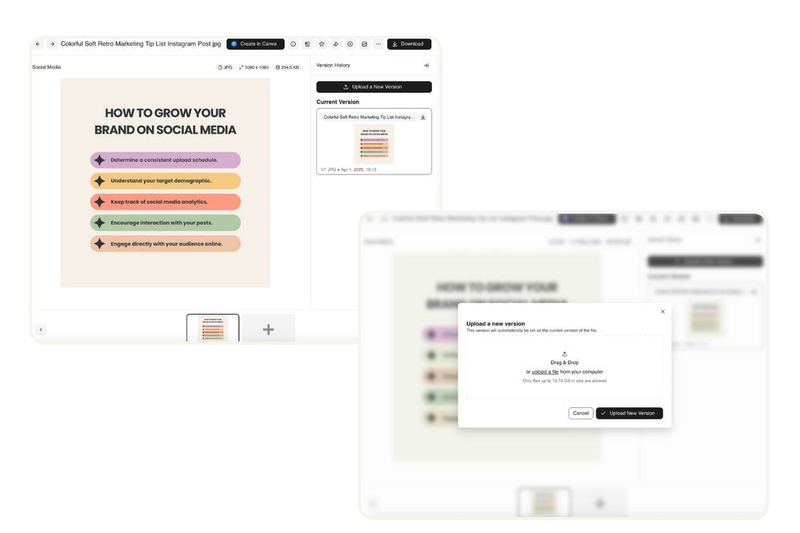
Manage your brand consistency with BrandLife's version control feature
BrandLife’s version control feature ensures consistency

Creative operations vs. project management

Creative operations and project management often overlap, but they serve different purposes.

Project management focuses on timelines, tasks, milestones, and resources. Tools like Asana or Monday help teams track deliverables and coordinate at a high level.

Creative operations go deeper into content production. It covers creative briefs, asset creation, version control, review cycles, approvals, brand guidelines, and distribution. It centers around how creative work actually happens.

Think of it this way:

  • Project management answers: “What needs to be done and by when?”
  • Creative operations answers: “How does the creative get produced, reviewed, stored, and reused?”

Platforms built for creative operations combine workflow features with digital asset management so teams can create and manage content in the same ecosystem.

Elements of creative operations software

The best creative operations platforms bring these capabilities together:

  • Workflow automation: Move briefs, revisions, and approvals through a predictable flow.
  • Digital asset management: Store, organize, and access creative files from a central library. BrandLife’s digital asset management helps brands maintain complete project visibility across versions, usage rights, and asset collections.
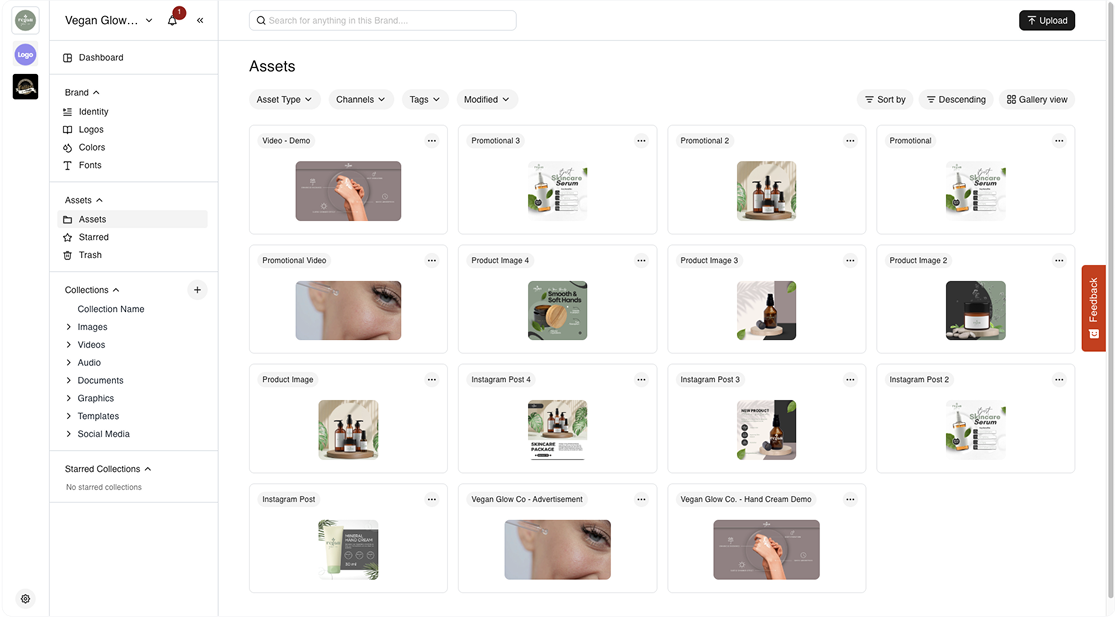
BrandLife's creative operation software dashboard screenshot
BrandLife’s creative asset centralized digital storage
  • Collaboration tools: Comments, annotations, real-time updates, and feedback loops that help creatives and marketing professionals work together without messy email chains.
  • Analytics & reporting: Insights into asset performance, cycle times, capacity utilization, review bottlenecks, and more.
  • Security & governance: Role-based permissions, audit logs, brand policy enforcement, and consistent version control to protect brand integrity.
  • Integrations: Connections to Slack, Figma, Canva, Adobe Creative Cloud, CRM systems, and marketing platforms.

This entire ecosystem is built to help creative teams deliver better work, faster, without sacrificing governance or brand consistency.

Why Creative Operations Software Is Essential for Brands

As content demands surge and teams juggle more campaigns across more channels, creative operations software has become a foundational layer for modern brand management. 

It gives creative, marketing, and brand teams the structure, visibility, and automation needed to keep work moving—without compromising quality or consistency.

Efficiency that scales with demand

Creative teams today are producing 5–10x more content than they did just a few years ago. Without a system to manage briefs, approvals, and asset distribution, workflows quickly become chaotic. Creative operations software streamlines every stage: intake, task assignment, versioning, review cycles, and publishing.

This reduces bottlenecks, shortens turnaround times, and frees teams to focus on actual creative work instead of admin-heavy tasks.

Brand consistency across every channel

Creative operation software also strengthens brand consistency. When creative assets, guidelines, and versions live in a shared system, teams stop relying on outdated files or conflicting references. 

Designers, marketers, agencies, and partners always know where to find the most accurate and approved materials, reducing errors and creating a more unified brand presence across every channel.

Collaboration for distributed and cross-functional teams

Hybrid and remote work have made collaboration more complex. Designers, marketers, product teams, agencies, and freelancers often work from different locations and tools.

Creative operations software centralizes communication and feedback through contextual comments, real-time updates, and approval routing. 
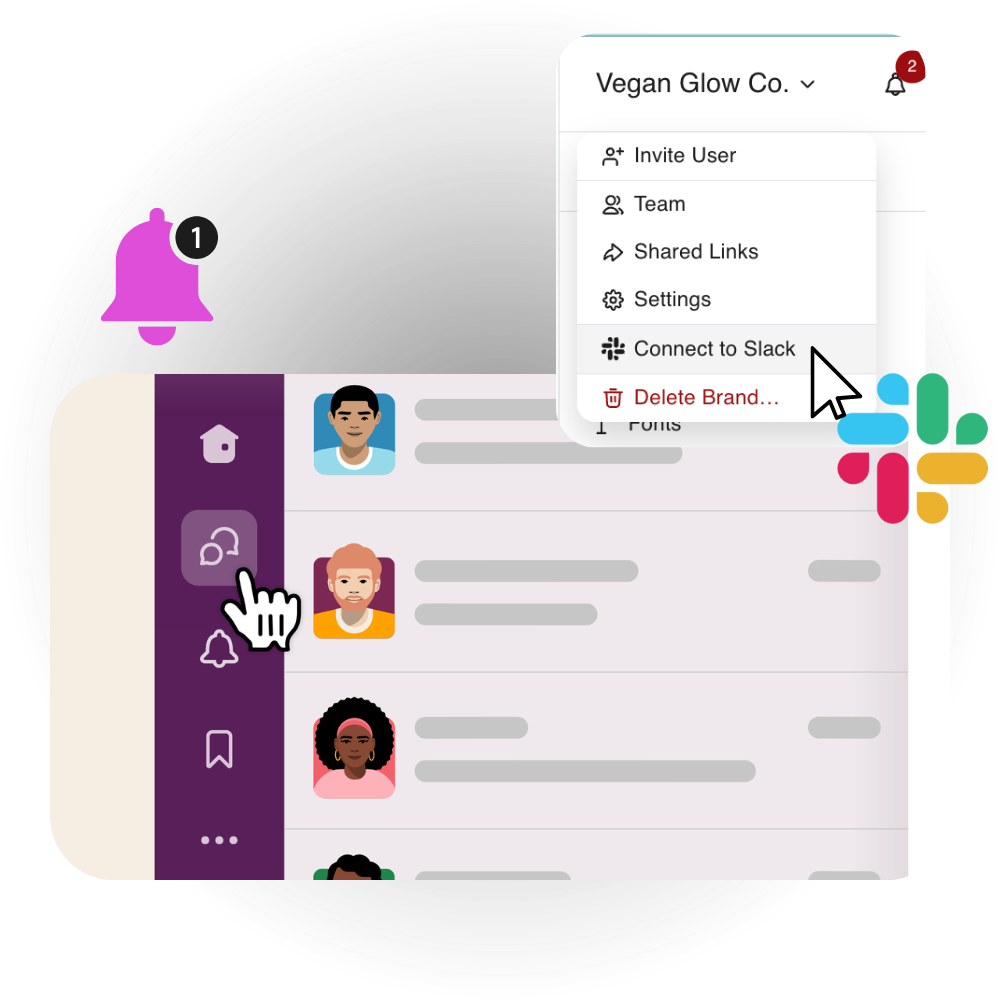
Brandlife screenshot of how it integrates with Slack for streamlining workflow communication
BrandLife connects with Slack to streamline real-time updates and prompt messaging within the workspace

This eliminates scattered email chains and ensures everyone works on the same version, dramatically reducing miscommunication and rework.

Data-driven decision-making

Teams can only improve what they measure. Modern creative operations platforms provide analytics on asset usage, review timelines, production velocity, and team capacity.

With this insight, leaders can identify bottlenecks, forecast resourcing needs, and make informed decisions about hiring or scaling creative output. 

BrandLife, for example, offers built-in analytics that help teams understand how assets perform and where workflows can be optimized.
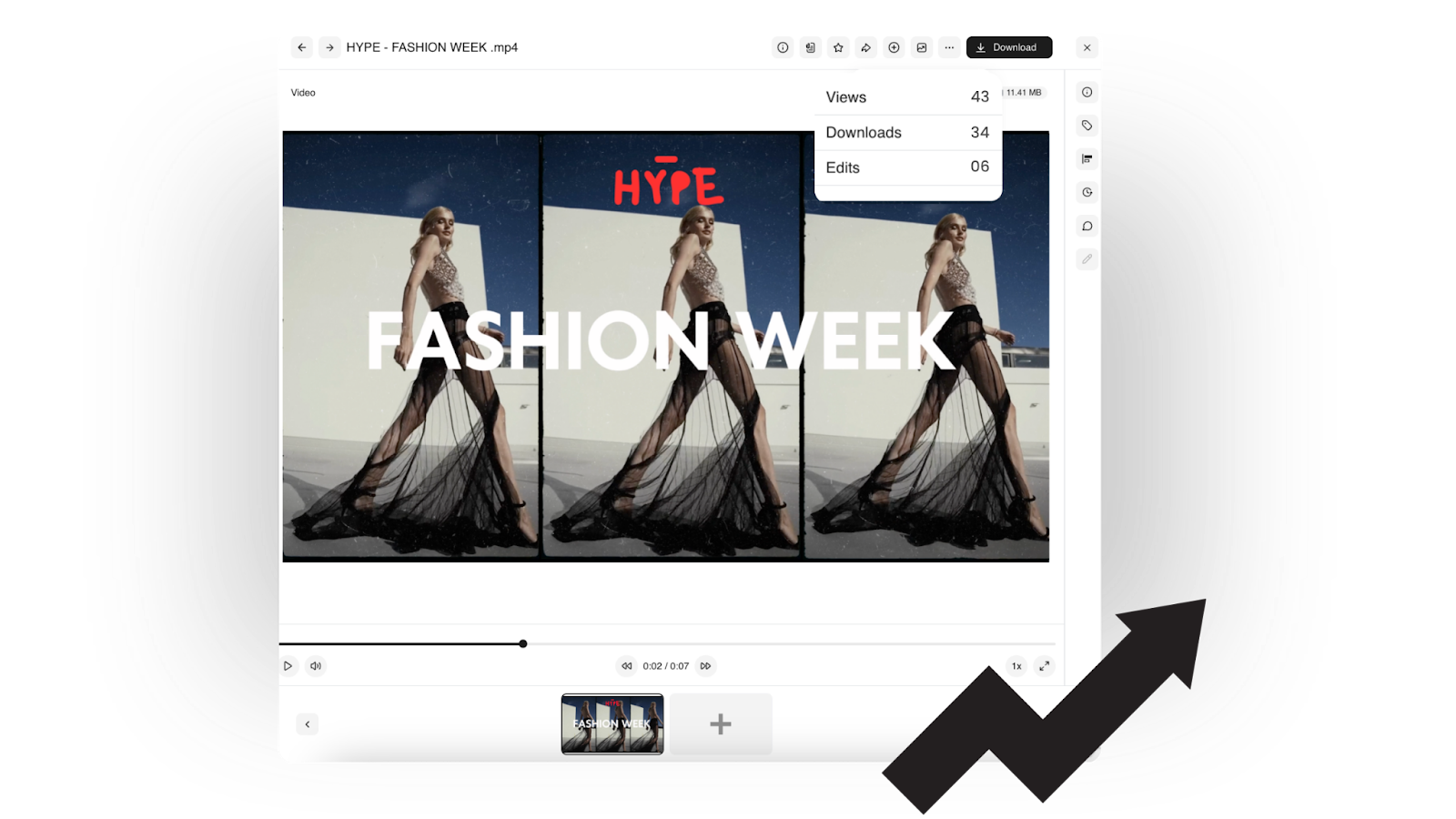
Cloud based digital asset management, BrandLife — built in analytical feature screenshot
BrandLife’s insights into asset usage and its performance

The Best Creative Operations Software Tools in 2025

Creative operations software isn’t one-size-fits-all. Depending on your team’s size, budget, and content volume, here are the top tools worth considering.

1. BrandLife
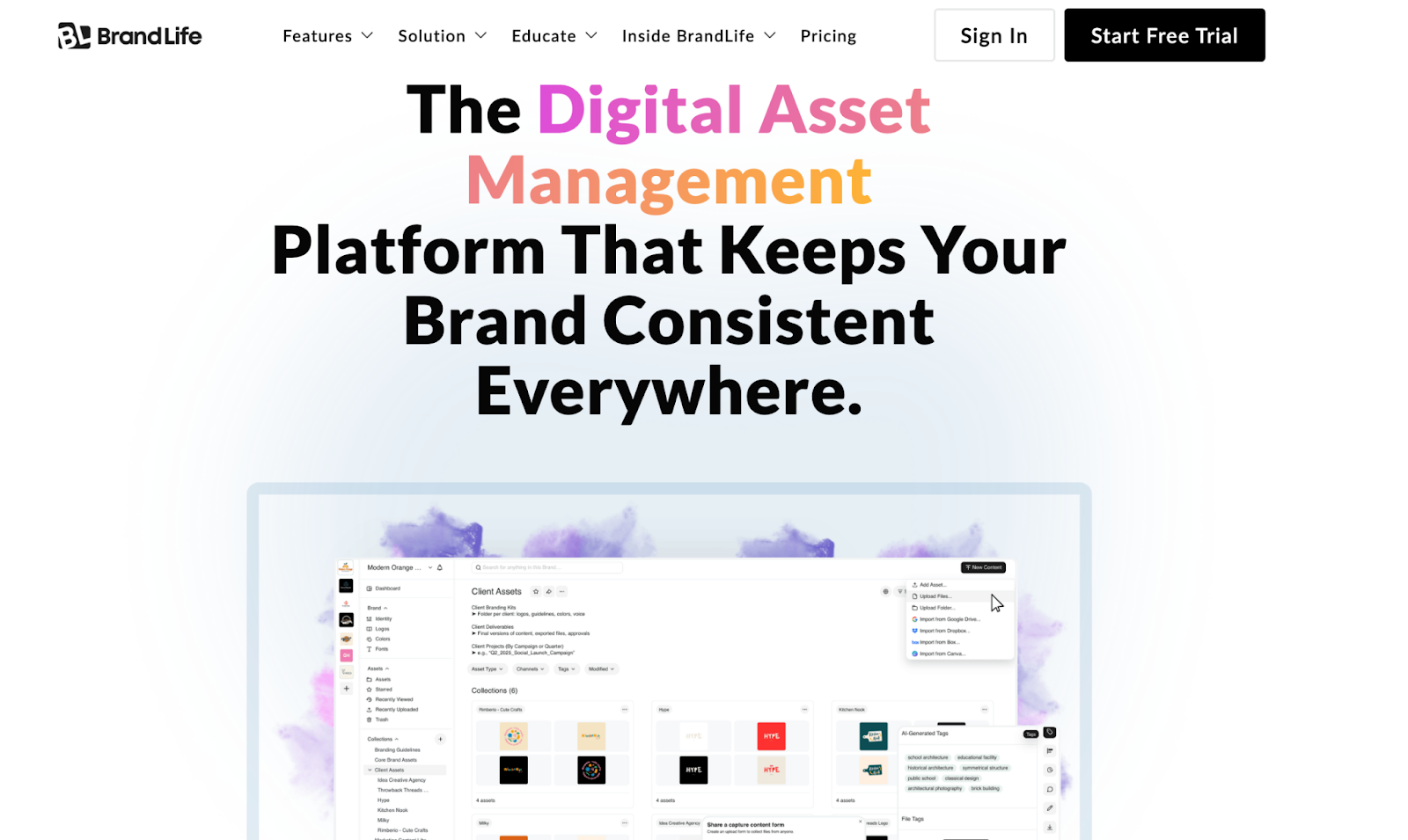
BrandLife, a brand asset management tool

Best for: Multi-brand management

BrandLife offers creative teams a unified space for workflows, brand guidelines, and digital asset management. It provides a stronger focus on simplicity and multi-brand management compared to most competitors.

BrandLife’s key strengths

  • AI-powered tagging and metadata
  • Integrated brand guideline portal
  • Easy onboarding for small and mid-market teams
  • Multi-brand workspaces, ideal for agencies
💡 The ABARA Marketing Group, using BrandLife, reported up to a 50% reduction in time spent searching for assets and a 30–40% improvement in brand consistency after adoption. This makes it a strong fit for marketing teams that value clarity, accessibility, and speed.

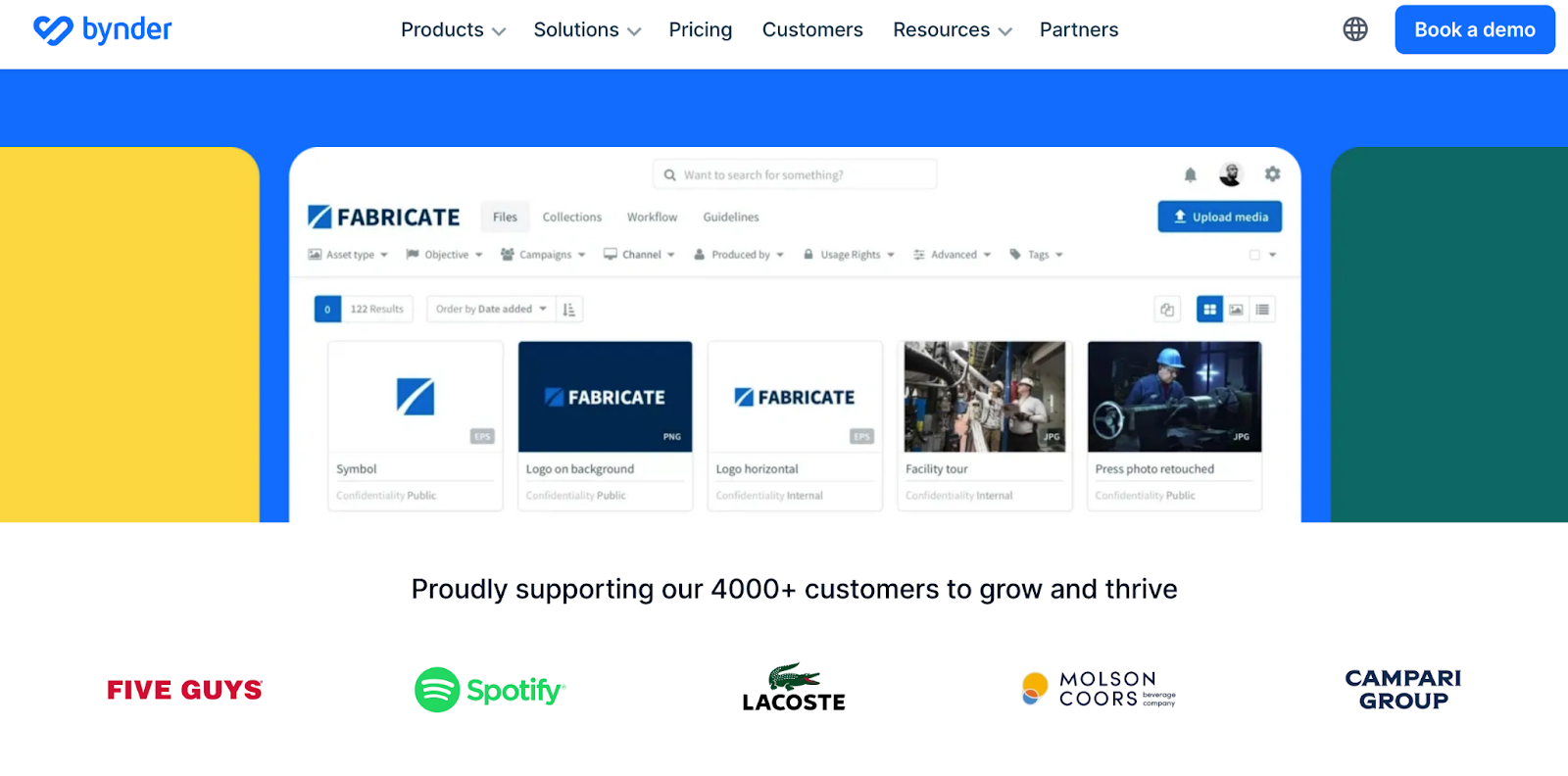
2. Bynder

Bynder creative operation platform
Bynder’s homepage

Best for: Large global brands, retail, media houses

Bynder is well-known for its enterprise-grade digital asset management combined with project workflows. It offers advanced search, metadata frameworks, and in-depth analytics.

3. Brandfolder
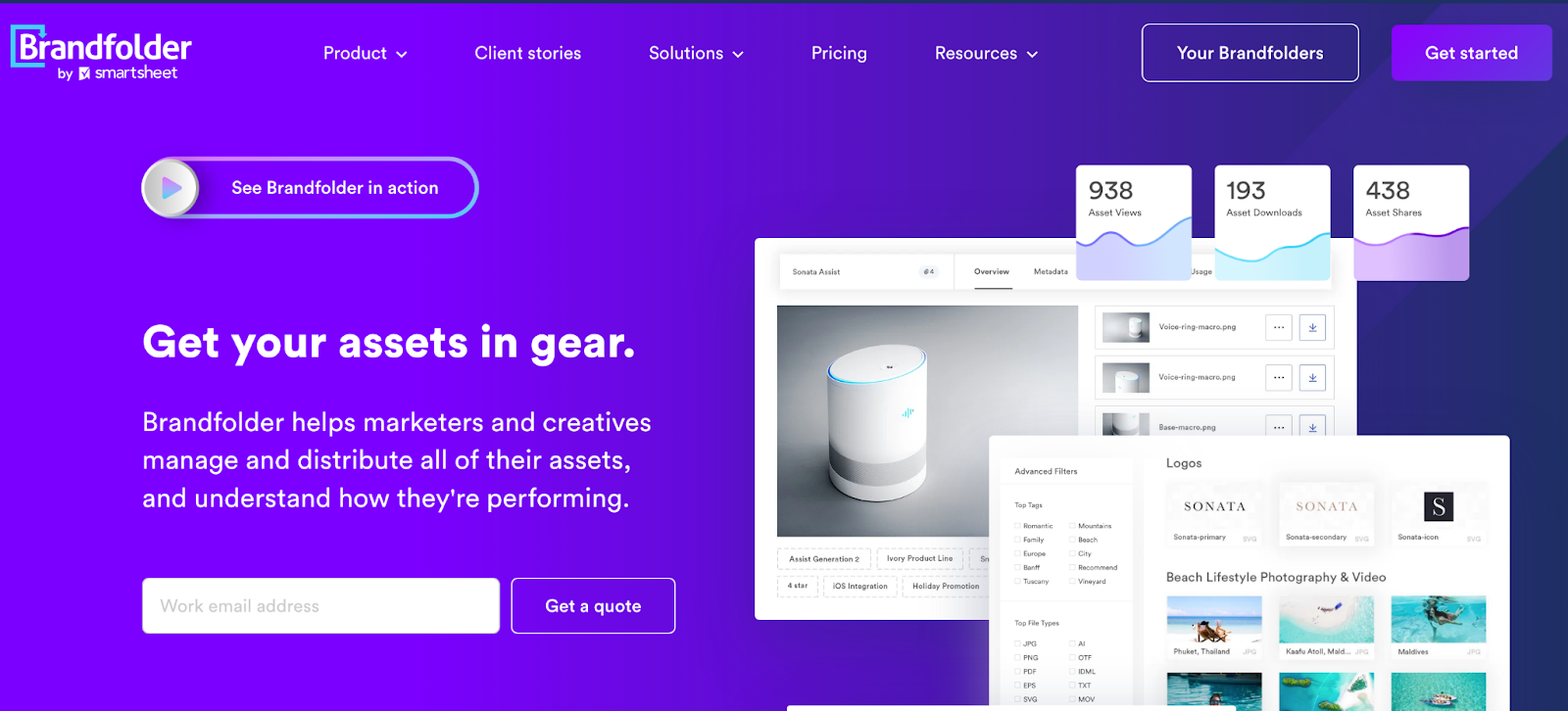
Brandfolder creative workflow software homepage
Brandfolder’s homepage

Best for: Deep analytics and multi-market content distribution

Brandfolder focuses on creative analytics and asset ROI. Its “Insights” dashboard helps brands understand what assets drive engagement.

4. Canto
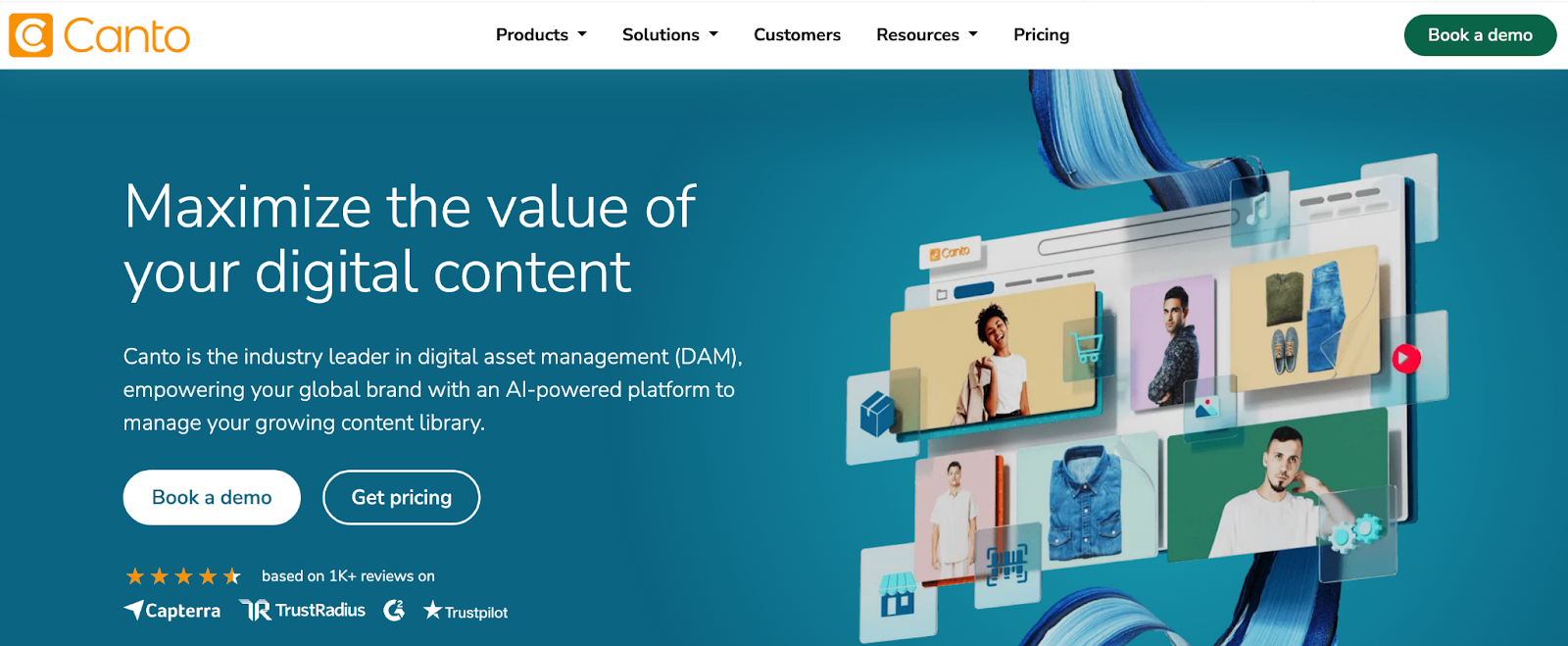
Canto – top brand asset management software
Canto’s homepage

Best for: Mid-sized companies

Canto is a long-standing digital asset management platform known for its simplicity and ease of adoption. It’s often chosen by marketing teams that want a dependable, easy-to-navigate system without the technical overhead of enterprise solutions.

5. Air.inc
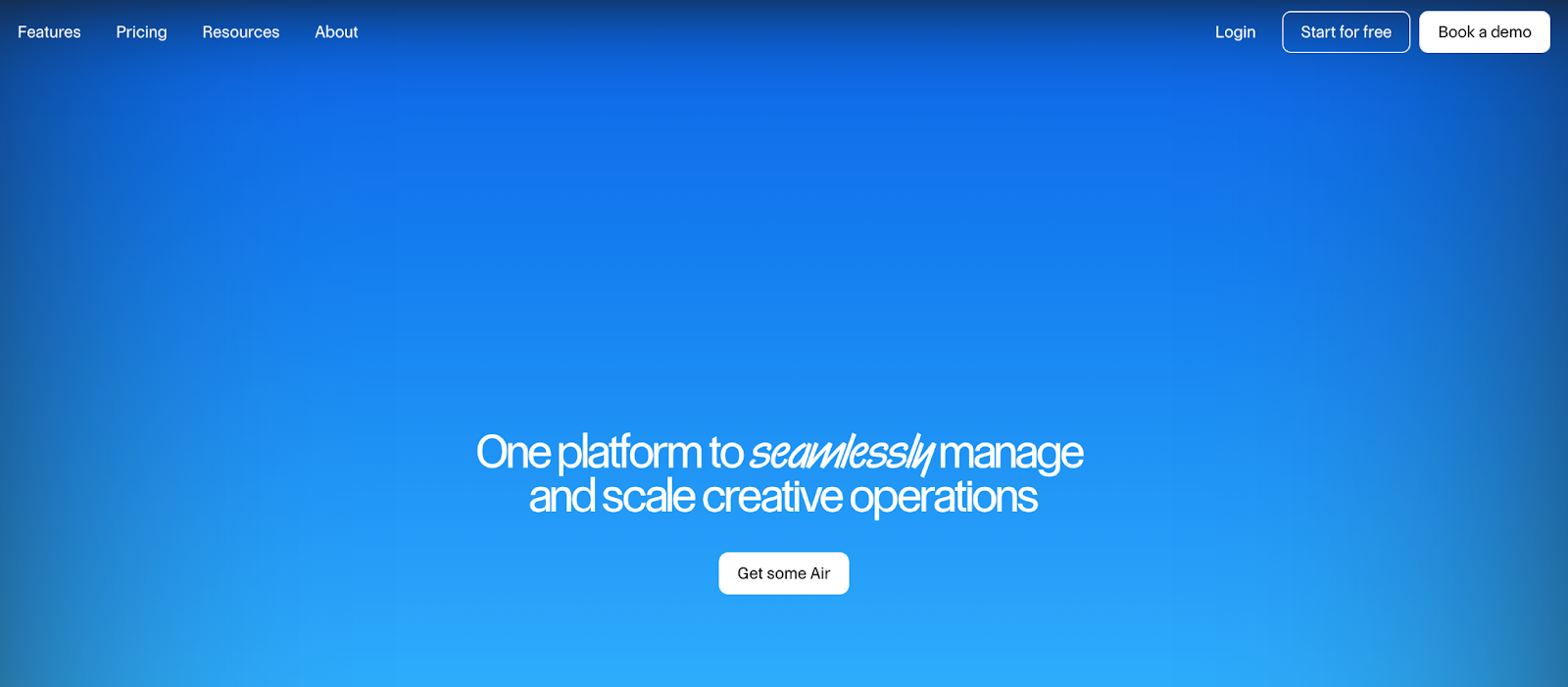
Air.inc creative operation software for design studios
Air.inc homepage

Best for: Creative agencies and design studios

Air.inc is popular for its modern, visual-first interface. Many creative agencies prefer it for its board-style views and drag-and-drop flows.

How to Choose the Right Creative Operations Software

Choosing a creative operations platform requires understanding your workflow, content volume, team structure, and governance needs.

Considerations for teams and budgets

When evaluating tools, think about:

  • How many assets you manage
  • Whether your team works across multiple brands
  • The number of stakeholders in each project
  • Your budget, especially for scaling storage and user seats

For example, Bynder and Brandfolder offer extensive capabilities, but their pricing (starting around $450–$1,600 per month) can be hard to justify for mid-market teams.

Platforms like BrandLife and Air.inc offer more cost-predictable plans while still delivering strong creative operations functionality.

BrandLife's pricing plans
BrandLife’s pricing plan starts as low as $250 per month

Prioritizing features: collaboration vs. security

Your priorities should match your workflows:

  • If your biggest pain point is the feedback loop, prioritize collaboration features like inline commenting, version control, and secure share links.
  • If you distribute large volumes of assets to external partners, focus on security controls, permissions, and usage analytics.
  • If your team handles many brands, ensure the tool supports multi-brand management without extra per-brand fees.

BrandLife shines here by offering clear permission-based access, secure sharing, and brand guideline governance within the same system, making it easier for teams to maintain control while still moving quickly.
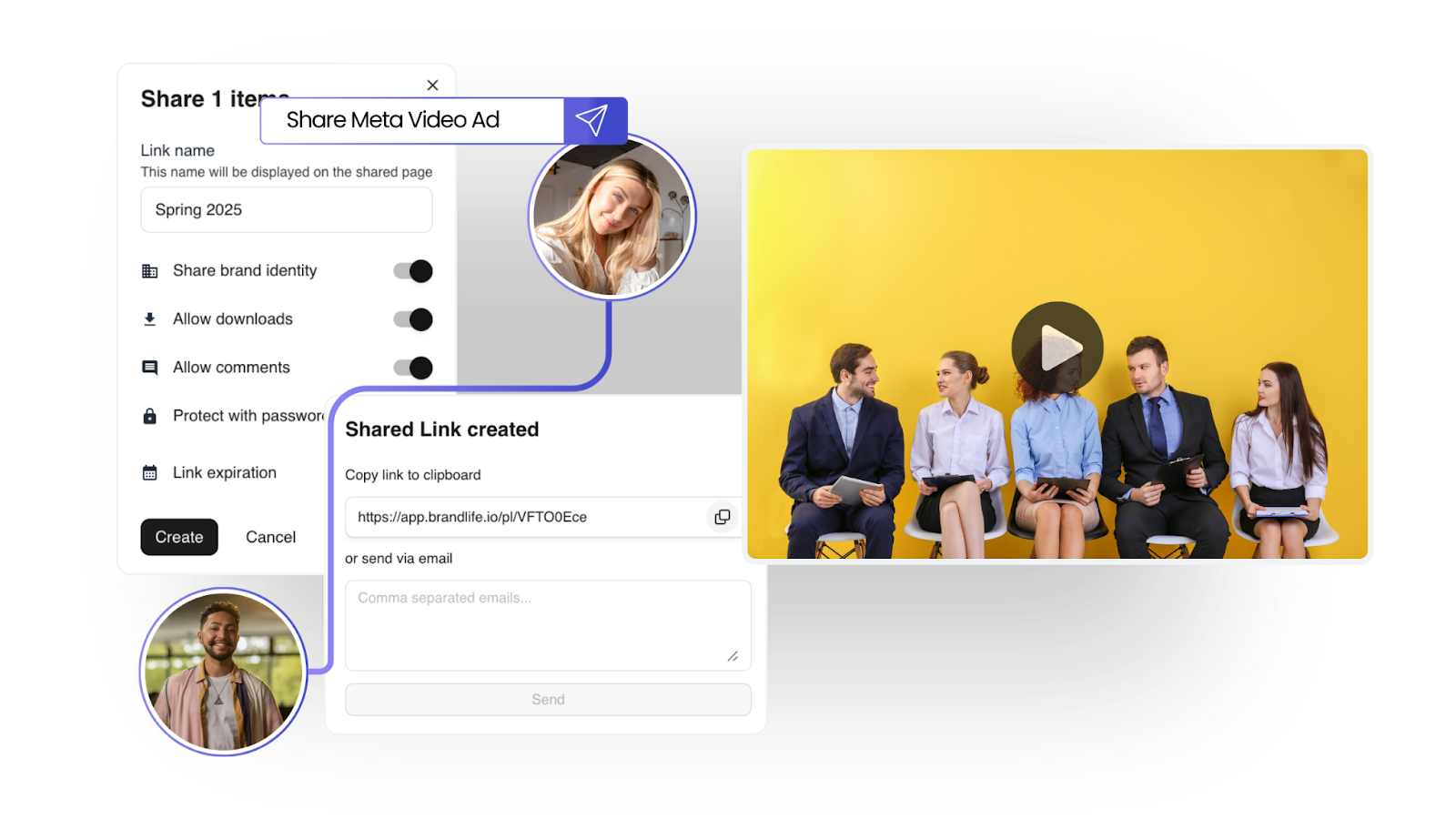
BrandLife's digital asset management collaboration feature
BrandLife’s shareable link feature simplifies collaboration with internal and external stakeholders

Importance of integrations and scalability

Integrations make or break creative operations software. You should look for:

  • Figma sync for design teams
  • Canva for social and digital creatives
  • Slack for notifications
  • Google Drive and Dropbox for file flows
  • Zapier for automation (if needed)

Also consider how long the tool supports you as you grow. If you're managing more assets every month, you need flexible storage options and strong search.

BrandLife integrates with tools like Canva, Google Drive, Dropbox, Slack, and Figma, making it a cohesive part of a creative workflow, not another silo.

BrandLife's integration with Canva, enabling seamless collaboration
BrandLife’s Canva integration enables you to design, approve, and share templates without leaving the dashboard

Choosing specialized tools built for creatives

Generic project management tools are useful for planning tasks, but creative teams need tools that understand nuances like:

  • Iterative revisions
  • Asset versions
  • Creative briefs
  • Branding elements
  • Real-time visual feedback
  • Multi-format storage
  • Distribution rules and rights management

When tools don’t support these needs, work becomes more fragmented. This results in more screenshots, more attachments, and more “final_final_v4” files.

BrandLife, Air.inc, and Canto understand the pace, fluidity, and structure creative teams require. These platforms allow creatives to focus on producing work, not sorting through chaos.

Why BrandLife Is Your Go-To for Creative Operations

Creative operations software is no longer a luxury; it’s essential for teams that want clarity, speed, and consistency. Whether you’re managing hundreds of assets across brands, coordinating campaigns, or trying to improve collaboration across roles, the right platform helps lift the pressure and reduce friction.

BrandLife brings digital asset management, workflow clarity, brand governance, and team collaboration together in a simple, elegant way that resonates with creative professionals. 

Some of its key features include: 

AI-powered tagging
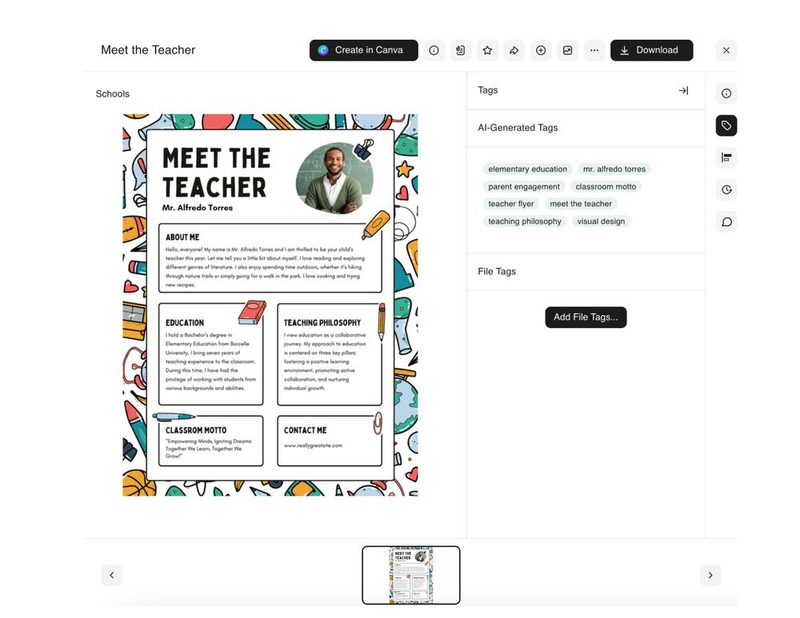
BrandLife's cloud DAM feature – AI tagging and smart search
BrandLife automatically assigns relevant tags to streamline asset organization

BrandLife automatically identifies and tags assets the moment they’re uploaded, saving teams hours of manual organization. 

Brand guideline portal
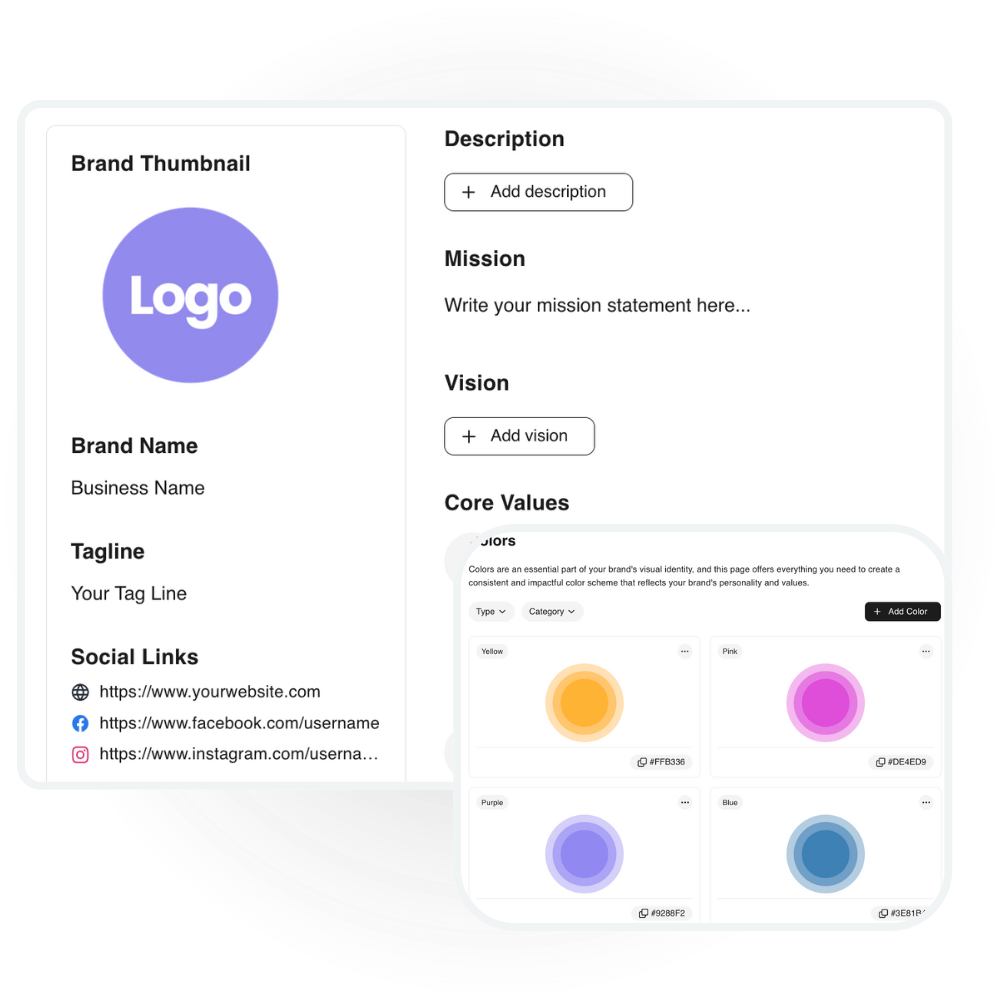
BrandLife's cloud based digital asset management offers brand guideline portal
BrandLife’s Brand Guideline portal, where you can store the brand’s core statements, including value, mission, and vision

The brand guideline portal keeps logos, fonts, color palettes, and usage rules in one accessible space so every stakeholder stays aligned. It gives teams a single source of truth, reducing brand inconsistencies across campaigns and channels.

Contextual commenting

BrandLife's approval workflow feature for enhancing productivity
BrandLife’s contextual commenting and approval workflow ensures brand governance

With contextual commenting, teammates can leave feedback directly on images, videos, or documents without switching tools. This keeps conversations tied to the right asset, speeding up revisions and eliminating long back-and-forth threads.

If your team wants a cleaner, more cohesive creative workflow, try BrandLife’s 14-day free trial and see how much smoother your creative operations can feel.

Frequently Asked Questions

How does creative operations software improve team collaboration?

Creative operations software centralizes briefs, tasks, feedback, and approvals so teams no longer work in silos or across scattered tools. Real-time commenting, version tracking, and clear workflows help creatives, marketers, and stakeholders collaborate faster and reduce back-and-forth.

What are the top features to look for in creative operations software?

Key features include workflow automation, digital asset management, approval routing, version control, and integrations with design and marketing tools. Look for platforms that offer governance and analytics to ensure long-term scalability and brand consistency.

Can creative operations software integrate with existing tools?

Yes, most modern platforms integrate with design suites, cloud storage, project management tools, and communication apps. For example, BrandLife supports seamless integrations with tools like Canva, Slack, and more that enable teams to maintain their existing stack while organizing workflows and assets in one system.

Related

See more
The Ultimate Guide to Creative Operations Software for 2026

The Ultimate Guide to Creative Operations Software for 2026

Ready to make your brand unstoppable?

Try it free or request a quote. Let’s build your brand’s next.

The Ultimate Guide to Creative Operations Software for 2026

Your roadmap to choosing smarter, faster, and more scalable creative operations software
Start Free TrialDownload Free PDF
The Ultimate Guide to Creative Operations Software for 2026

Key Takeways

  • Creative operations software centralizes workflows, approvals, and digital asset management, making it essential as content volume and channel demands continue to rise.
  • Tools like BrandLife help teams cut production bottlenecks, maintain brand consistency, and improve collaboration, especially across distributed teams.
  • Choosing the right platform depends on workflow needs, integrations, stakeholder volume, and scalability, not just budget.
  • 2026's best creative operations tools combine workflow automation with digital asset management solutions, analytics, and governance, enabling teams to deliver high-quality content faster.

Creative teams today face more pressure than ever, with accelerated campaign timelines, increased digital channels to serve, distributed teams, and rapidly growing content demands.

According to Adobe research 2023, 62% of marketers say content demand has increased 5x times over the last two years. 71% of marketers anticipate increased content needs, yet resources haven’t scaled at the same pace. 

This gap has made creative operations software essential for brands that want to move fast without sacrificing quality, governance, or brand consistency.

This guide walks you through what creative operations software does, what to look for, and the top tools worth evaluating in 2025. You’ll also see how BrandLife supports organizations that want a more intuitive, unified approach to managing creative work.

What Is Creative Operations Software?

💡 Creative operations software is a category of platforms designed to streamline the end-to-end creative workflow—from intake and task management to asset creation, approvals, digital asset management (DAM), and analytics.

As content demand increases, teams can no longer rely on spreadsheets, email threads, or scattered asset folders. Creative operations software brings everything into one system so teams can create, collaborate, approve, and maintain brand assets at scale—with fewer errors and less chaos.

Modern solutions like BrandLife elevate creative operations even further by combining workflow automation with a powerful digital asset management system built specifically for brand, creative, and marketing teams. 

With features like smart tagging, version control, collaborative feedback, and more, BrandLife empowers creative teams to work faster, stay organized, and maintain brand consistency across every channel.

Manage your brand consistency with BrandLife's version control feature
BrandLife’s version control feature ensures consistency

Creative operations vs. project management

Creative operations and project management often overlap, but they serve different purposes.

Project management focuses on timelines, tasks, milestones, and resources. Tools like Asana or Monday help teams track deliverables and coordinate at a high level.

Creative operations go deeper into content production. It covers creative briefs, asset creation, version control, review cycles, approvals, brand guidelines, and distribution. It centers around how creative work actually happens.

Think of it this way:

  • Project management answers: “What needs to be done and by when?”
  • Creative operations answers: “How does the creative get produced, reviewed, stored, and reused?”

Platforms built for creative operations combine workflow features with digital asset management so teams can create and manage content in the same ecosystem.

Elements of creative operations software

The best creative operations platforms bring these capabilities together:

  • Workflow automation: Move briefs, revisions, and approvals through a predictable flow.
  • Digital asset management: Store, organize, and access creative files from a central library. BrandLife’s digital asset management helps brands maintain complete project visibility across versions, usage rights, and asset collections.
BrandLife's creative operation software dashboard screenshot
BrandLife’s creative asset centralized digital storage
  • Collaboration tools: Comments, annotations, real-time updates, and feedback loops that help creatives and marketing professionals work together without messy email chains.
  • Analytics & reporting: Insights into asset performance, cycle times, capacity utilization, review bottlenecks, and more.
  • Security & governance: Role-based permissions, audit logs, brand policy enforcement, and consistent version control to protect brand integrity.
  • Integrations: Connections to Slack, Figma, Canva, Adobe Creative Cloud, CRM systems, and marketing platforms.

This entire ecosystem is built to help creative teams deliver better work, faster, without sacrificing governance or brand consistency.

Why Creative Operations Software Is Essential for Brands

As content demands surge and teams juggle more campaigns across more channels, creative operations software has become a foundational layer for modern brand management. 

It gives creative, marketing, and brand teams the structure, visibility, and automation needed to keep work moving—without compromising quality or consistency.

Efficiency that scales with demand

Creative teams today are producing 5–10x more content than they did just a few years ago. Without a system to manage briefs, approvals, and asset distribution, workflows quickly become chaotic. Creative operations software streamlines every stage: intake, task assignment, versioning, review cycles, and publishing.

This reduces bottlenecks, shortens turnaround times, and frees teams to focus on actual creative work instead of admin-heavy tasks.

Brand consistency across every channel

Creative operation software also strengthens brand consistency. When creative assets, guidelines, and versions live in a shared system, teams stop relying on outdated files or conflicting references. 

Designers, marketers, agencies, and partners always know where to find the most accurate and approved materials, reducing errors and creating a more unified brand presence across every channel.

Collaboration for distributed and cross-functional teams

Hybrid and remote work have made collaboration more complex. Designers, marketers, product teams, agencies, and freelancers often work from different locations and tools.

Creative operations software centralizes communication and feedback through contextual comments, real-time updates, and approval routing. 

Brandlife screenshot of how it integrates with Slack for streamlining workflow communication
BrandLife connects with Slack to streamline real-time updates and prompt messaging within the workspace

This eliminates scattered email chains and ensures everyone works on the same version, dramatically reducing miscommunication and rework.

Data-driven decision-making

Teams can only improve what they measure. Modern creative operations platforms provide analytics on asset usage, review timelines, production velocity, and team capacity.

With this insight, leaders can identify bottlenecks, forecast resourcing needs, and make informed decisions about hiring or scaling creative output. 

BrandLife, for example, offers built-in analytics that help teams understand how assets perform and where workflows can be optimized.

Cloud based digital asset management, BrandLife — built in analytical feature screenshot
BrandLife’s insights into asset usage and its performance

The Best Creative Operations Software Tools in 2025

Creative operations software isn’t one-size-fits-all. Depending on your team’s size, budget, and content volume, here are the top tools worth considering.

1. BrandLife

BrandLife, a brand asset management tool

Best for: Multi-brand management

BrandLife offers creative teams a unified space for workflows, brand guidelines, and digital asset management. It provides a stronger focus on simplicity and multi-brand management compared to most competitors.

BrandLife’s key strengths

  • AI-powered tagging and metadata
  • Integrated brand guideline portal
  • Easy onboarding for small and mid-market teams
  • Multi-brand workspaces, ideal for agencies
💡 The ABARA Marketing Group, using BrandLife, reported up to a 50% reduction in time spent searching for assets and a 30–40% improvement in brand consistency after adoption. This makes it a strong fit for marketing teams that value clarity, accessibility, and speed.

2. Bynder

Bynder creative operation platform
Bynder’s homepage

Best for: Large global brands, retail, media houses

Bynder is well-known for its enterprise-grade digital asset management combined with project workflows. It offers advanced search, metadata frameworks, and in-depth analytics.

3. Brandfolder

Brandfolder creative workflow software homepage
Brandfolder’s homepage

Best for: Deep analytics and multi-market content distribution

Brandfolder focuses on creative analytics and asset ROI. Its “Insights” dashboard helps brands understand what assets drive engagement.

4. Canto

Canto – top brand asset management software
Canto’s homepage

Best for: Mid-sized companies

Canto is a long-standing digital asset management platform known for its simplicity and ease of adoption. It’s often chosen by marketing teams that want a dependable, easy-to-navigate system without the technical overhead of enterprise solutions.

5. Air.inc

Air.inc creative operation software for design studios
Air.inc homepage

Best for: Creative agencies and design studios

Air.inc is popular for its modern, visual-first interface. Many creative agencies prefer it for its board-style views and drag-and-drop flows.

How to Choose the Right Creative Operations Software

Choosing a creative operations platform requires understanding your workflow, content volume, team structure, and governance needs.

Considerations for teams and budgets

When evaluating tools, think about:

  • How many assets you manage
  • Whether your team works across multiple brands
  • The number of stakeholders in each project
  • Your budget, especially for scaling storage and user seats

For example, Bynder and Brandfolder offer extensive capabilities, but their pricing (starting around $450–$1,600 per month) can be hard to justify for mid-market teams.

Platforms like BrandLife and Air.inc offer more cost-predictable plans while still delivering strong creative operations functionality.

BrandLife's pricing plans
BrandLife’s pricing plan starts as low as $250 per month

Prioritizing features: collaboration vs. security

Your priorities should match your workflows:

  • If your biggest pain point is the feedback loop, prioritize collaboration features like inline commenting, version control, and secure share links.
  • If you distribute large volumes of assets to external partners, focus on security controls, permissions, and usage analytics.
  • If your team handles many brands, ensure the tool supports multi-brand management without extra per-brand fees.

BrandLife shines here by offering clear permission-based access, secure sharing, and brand guideline governance within the same system, making it easier for teams to maintain control while still moving quickly.

BrandLife's digital asset management collaboration feature
BrandLife’s shareable link feature simplifies collaboration with internal and external stakeholders

Importance of integrations and scalability

Integrations make or break creative operations software. You should look for:

  • Figma sync for design teams
  • Canva for social and digital creatives
  • Slack for notifications
  • Google Drive and Dropbox for file flows
  • Zapier for automation (if needed)

Also consider how long the tool supports you as you grow. If you're managing more assets every month, you need flexible storage options and strong search.

BrandLife integrates with tools like Canva, Google Drive, Dropbox, Slack, and Figma, making it a cohesive part of a creative workflow, not another silo.

BrandLife's integration with Canva, enabling seamless collaboration
BrandLife’s Canva integration enables you to design, approve, and share templates without leaving the dashboard

Choosing specialized tools built for creatives

Generic project management tools are useful for planning tasks, but creative teams need tools that understand nuances like:

  • Iterative revisions
  • Asset versions
  • Creative briefs
  • Branding elements
  • Real-time visual feedback
  • Multi-format storage
  • Distribution rules and rights management

When tools don’t support these needs, work becomes more fragmented. This results in more screenshots, more attachments, and more “final_final_v4” files.

BrandLife, Air.inc, and Canto understand the pace, fluidity, and structure creative teams require. These platforms allow creatives to focus on producing work, not sorting through chaos.

Why BrandLife Is Your Go-To for Creative Operations

Creative operations software is no longer a luxury; it’s essential for teams that want clarity, speed, and consistency. Whether you’re managing hundreds of assets across brands, coordinating campaigns, or trying to improve collaboration across roles, the right platform helps lift the pressure and reduce friction.

BrandLife brings digital asset management, workflow clarity, brand governance, and team collaboration together in a simple, elegant way that resonates with creative professionals. 

Some of its key features include: 

AI-powered tagging

BrandLife's cloud DAM feature – AI tagging and smart search
BrandLife automatically assigns relevant tags to streamline asset organization

BrandLife automatically identifies and tags assets the moment they’re uploaded, saving teams hours of manual organization. 

Brand guideline portal

BrandLife's cloud based digital asset management offers brand guideline portal
BrandLife’s Brand Guideline portal, where you can store the brand’s core statements, including value, mission, and vision

The brand guideline portal keeps logos, fonts, color palettes, and usage rules in one accessible space so every stakeholder stays aligned. It gives teams a single source of truth, reducing brand inconsistencies across campaigns and channels.

Contextual commenting

BrandLife's approval workflow feature for enhancing productivity
BrandLife’s contextual commenting and approval workflow ensures brand governance

With contextual commenting, teammates can leave feedback directly on images, videos, or documents without switching tools. This keeps conversations tied to the right asset, speeding up revisions and eliminating long back-and-forth threads.

If your team wants a cleaner, more cohesive creative workflow, try BrandLife’s 14-day free trial and see how much smoother your creative operations can feel.

Frequently Asked Questions

How does creative operations software improve team collaboration?

Creative operations software centralizes briefs, tasks, feedback, and approvals so teams no longer work in silos or across scattered tools. Real-time commenting, version tracking, and clear workflows help creatives, marketers, and stakeholders collaborate faster and reduce back-and-forth.

What are the top features to look for in creative operations software?

Key features include workflow automation, digital asset management, approval routing, version control, and integrations with design and marketing tools. Look for platforms that offer governance and analytics to ensure long-term scalability and brand consistency.

Can creative operations software integrate with existing tools?

Yes, most modern platforms integrate with design suites, cloud storage, project management tools, and communication apps. For example, BrandLife supports seamless integrations with tools like Canva, Slack, and more that enable teams to maintain their existing stack while organizing workflows and assets in one system.

Professional Branding Start Here

Everything you need to launch and maintain a consistent brand.

Try Free TrialLearn More

Related Resources

The Ultimate Guide to Creative Operations Software for 2026

The Ultimate Guide to Creative Operations Software for 2026

Transform the way you

manage your assets

8.8 hours/ week are wasted just looking for files and content