For marketing, brand & creative teams

The Digital Asset Management System Built for Modern Brand Teams

BrandLife is a digital asset management system that centralizes, organizes, and governs your images, videos, logos, and brand guidelines — so every team finds the right, on-brand asset in seconds, not hours.

Trusted by Modern Marketing Teams Worldwide

What is a digital asset management system?

A digital asset management system (DAM) is software that stores, organizes, and controls all of your digital assets — images, videos, logos, documents, and templates — in one central, searchable library. Instead of files scattered across drives, inboxes, and desktops, a DAM gives every team a single source of truth where each asset is tagged, version-controlled, and ready to share.

“Digital asset management system,” “DAM software,” and “digital asset management software” all describe the same thing: the platform your team uses to keep brand content organized, on-brand, and easy to find.

Everything a modern DAM system should do

Smart search. Real-time collaboration. Multiple brands. Multiple users. 
BrandLife is digital asset management done right.

Find it fast

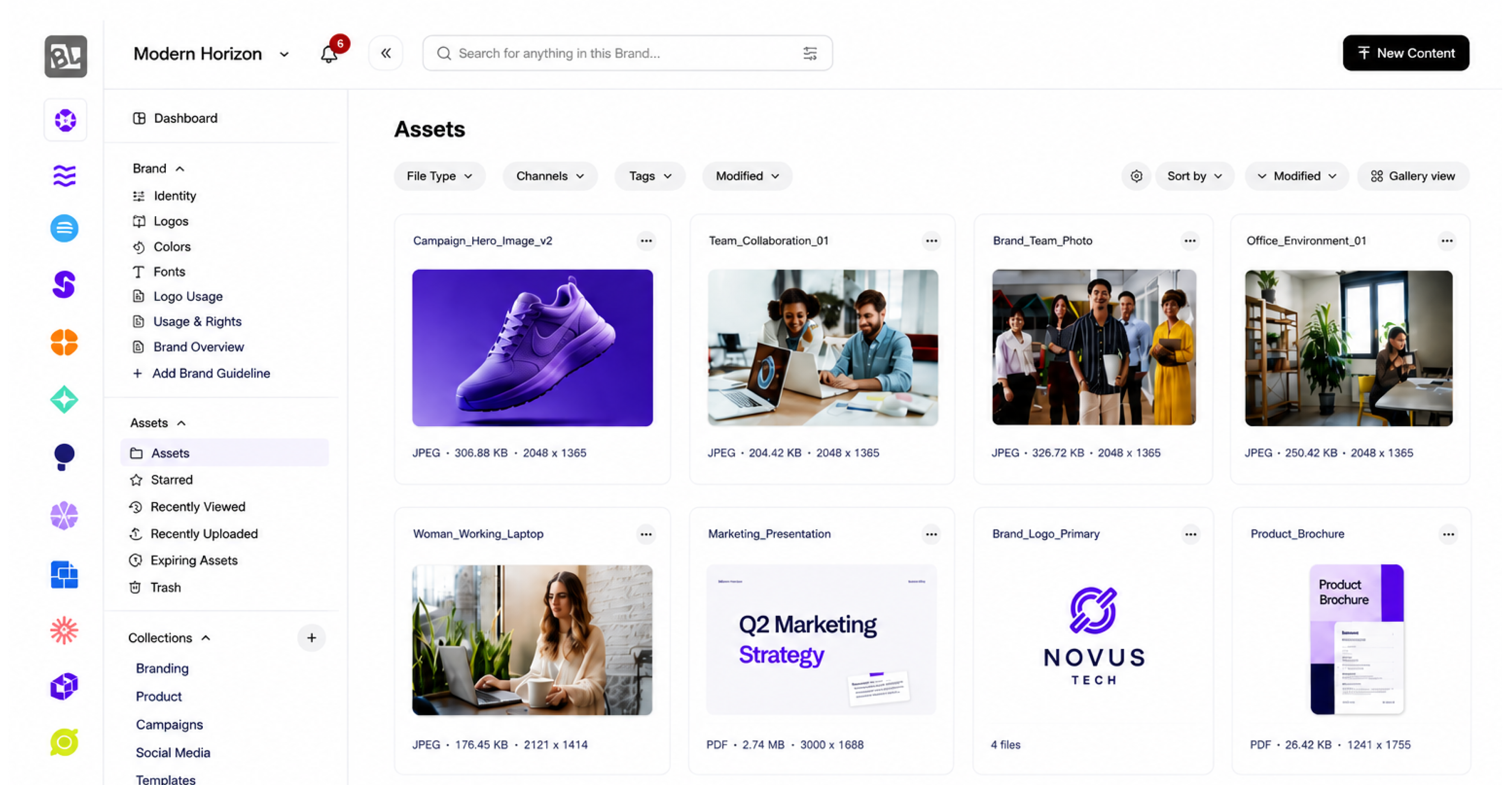
AI Tagging & Smart Search
Every asset is auto-tagged on upload. Search by keyword, color, object, or campaign — no manual folders required.

Keep control

Version Control

Every edit is tracked. See the full history and restore any version, so teams always use the current, approved file.

Custom Fields & Approvals

Build approval workflows and track status, usage rights, and ownership on every asset.

Asset Expiration

Set expiry dates so outdated or unlicensed assets retire automatically — no off-brand surprises.

Share securely

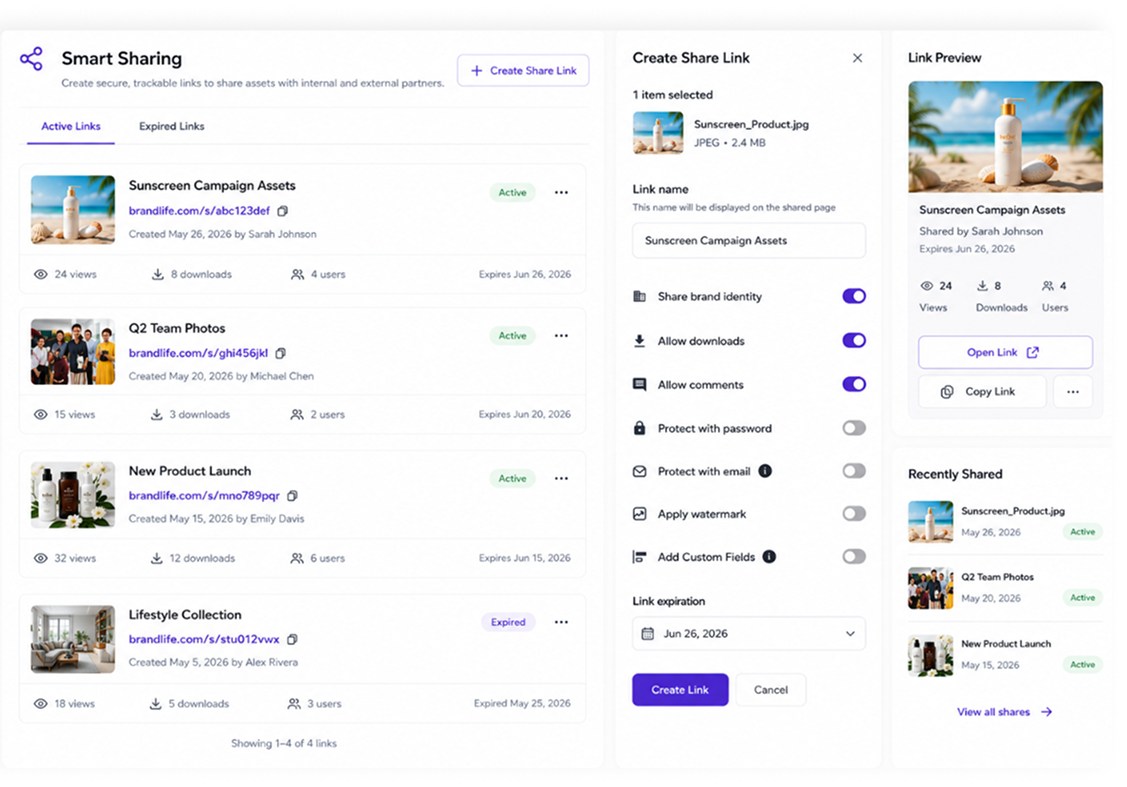
Smart Sharing

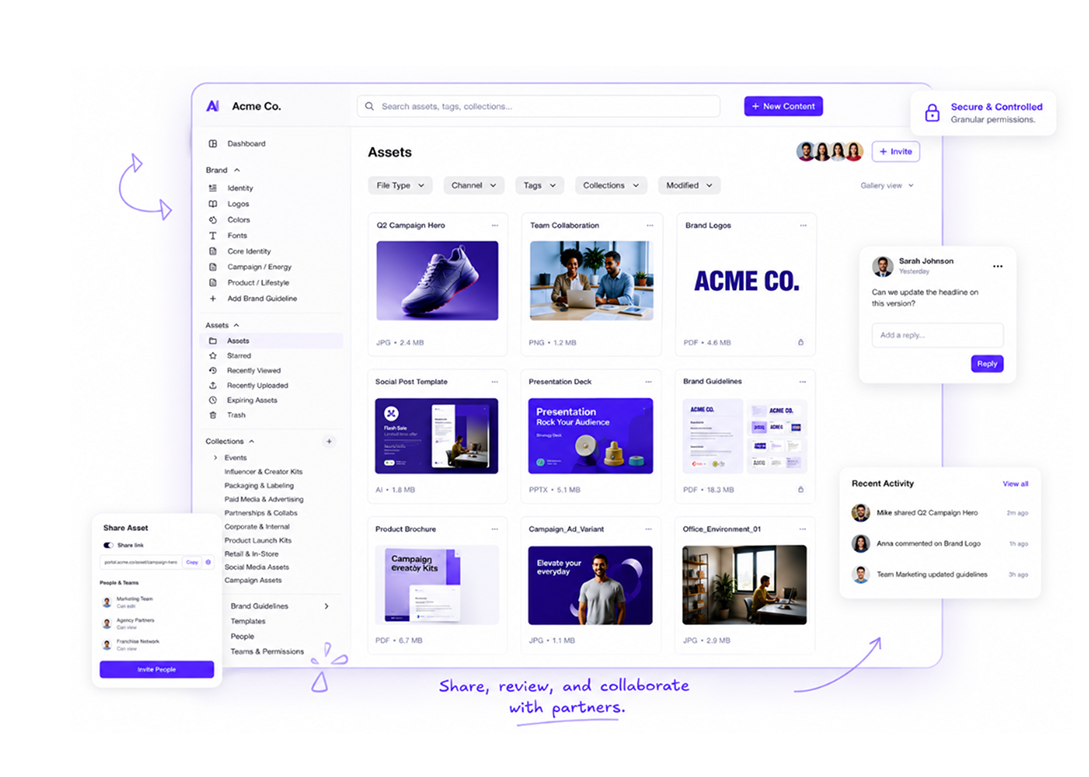
Share with external partners via secure links with set permissions and expiry — recipients don’t need an account.

Branded Portals

Give teams, partners, and franchisees their own branded portal with exactly the assets they need.

Stay on brand

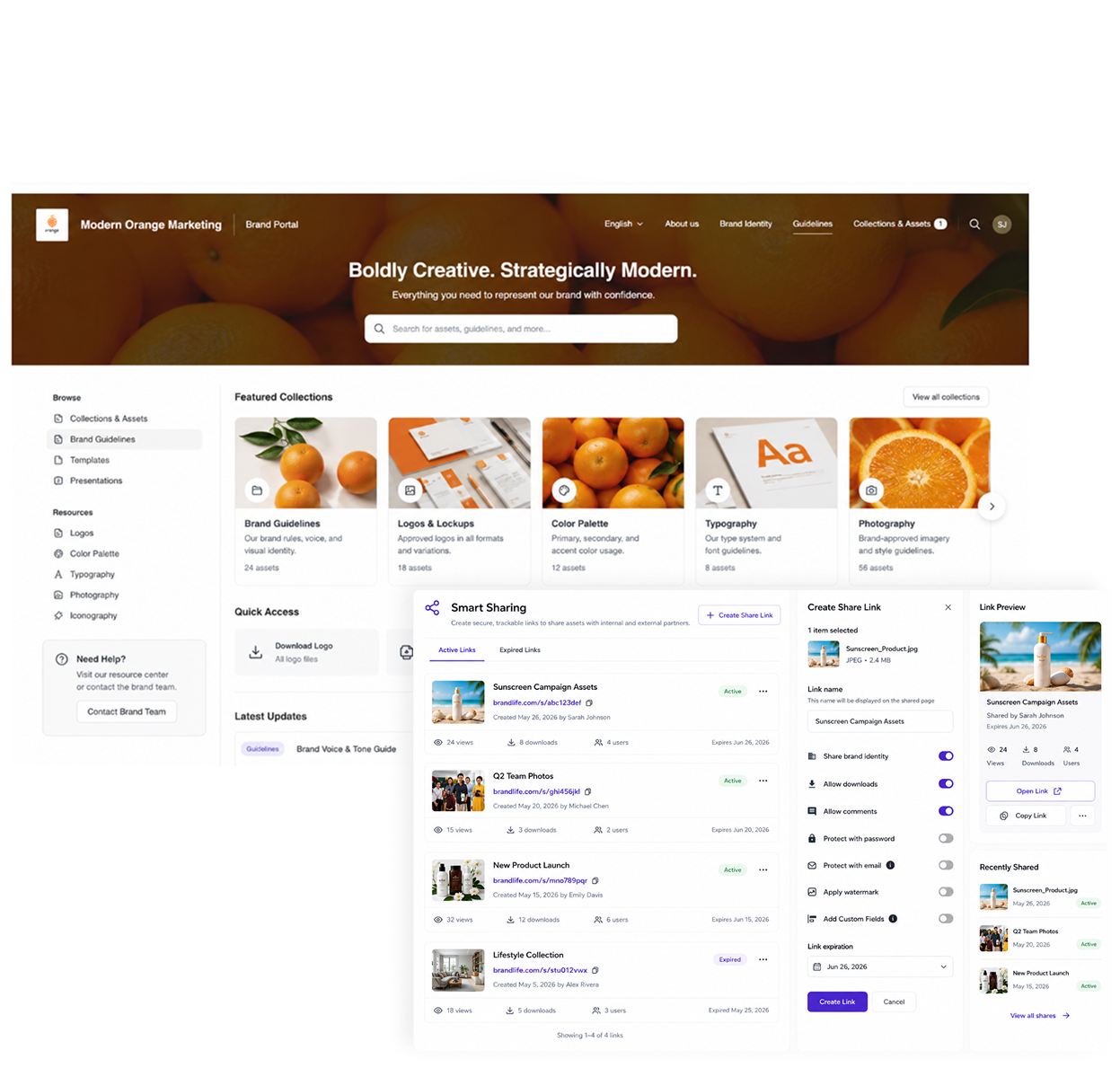
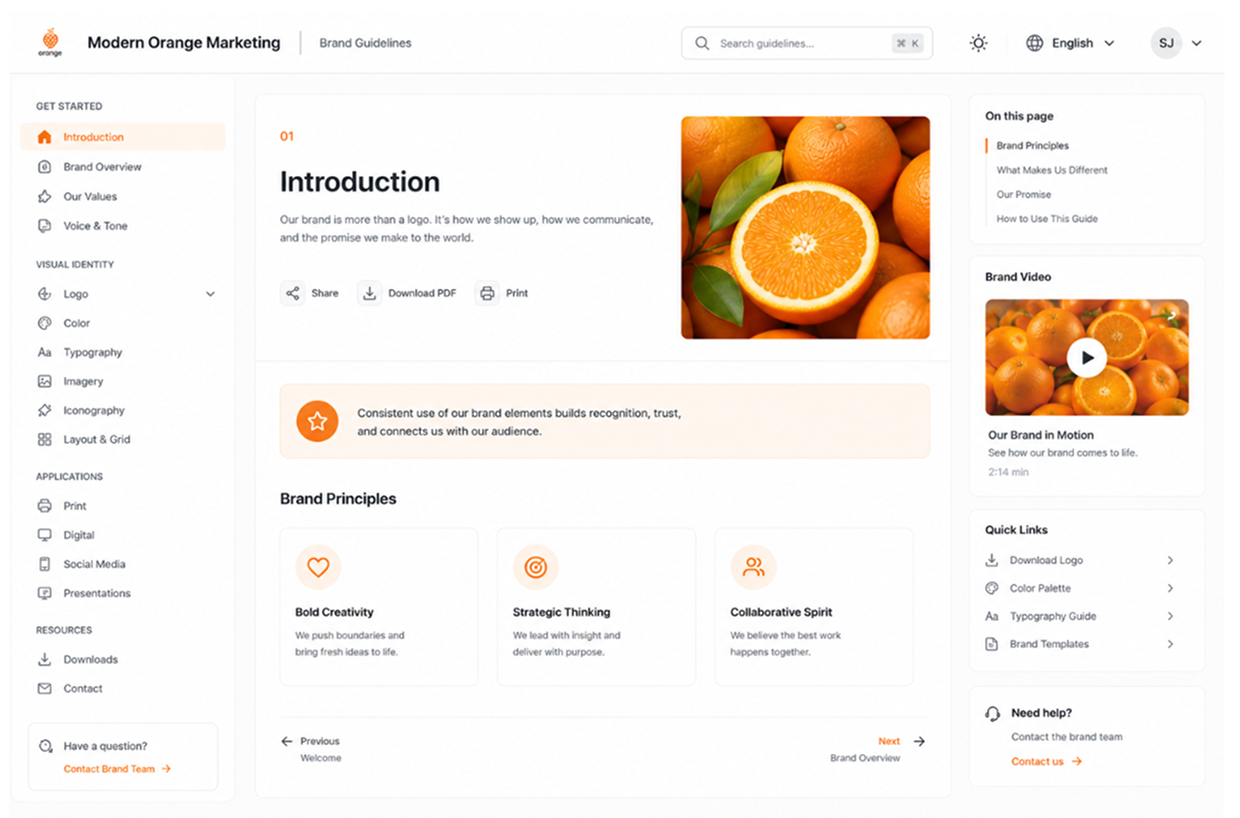
Interactive Brand Guidelines
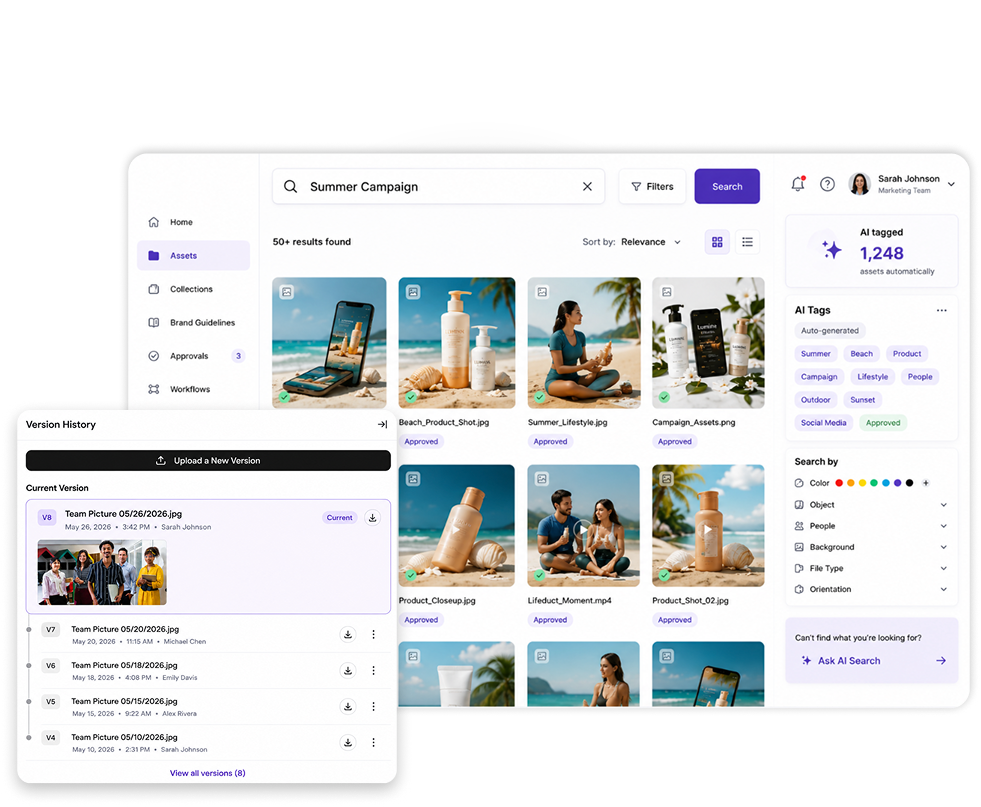
Living, on-brand guidelines that sit alongside your assets so everyone uses them correctly.

Results we've delivered

+50%
Teams report finding what they need drops from “minutes of searching” to seconds.
Sarah J.
Marketing Director TechFlow
“BrandLife has completely transformed how we manage our brand. Our team is faster, more consistent, and way more organized.”
5 of 5
40%
Less re-work because duplicate assets are no longer invisible.
Michael R.
Brand Manager Global Retail Co.
“The brand portals are a game changer for our franchisees. Everything they need is one click away.”
5 of 5
Higher brand consistency
Teams report finding what they need drops from “minutes of searching” to seconds.
Priya K.
Creative Director Studio Elevate
“Finally, a DAM that's beautiful, powerful, and actually easy for our team to use.”
5 of 5
For marketing, brand & creative teams

See what a DAM system could save your team

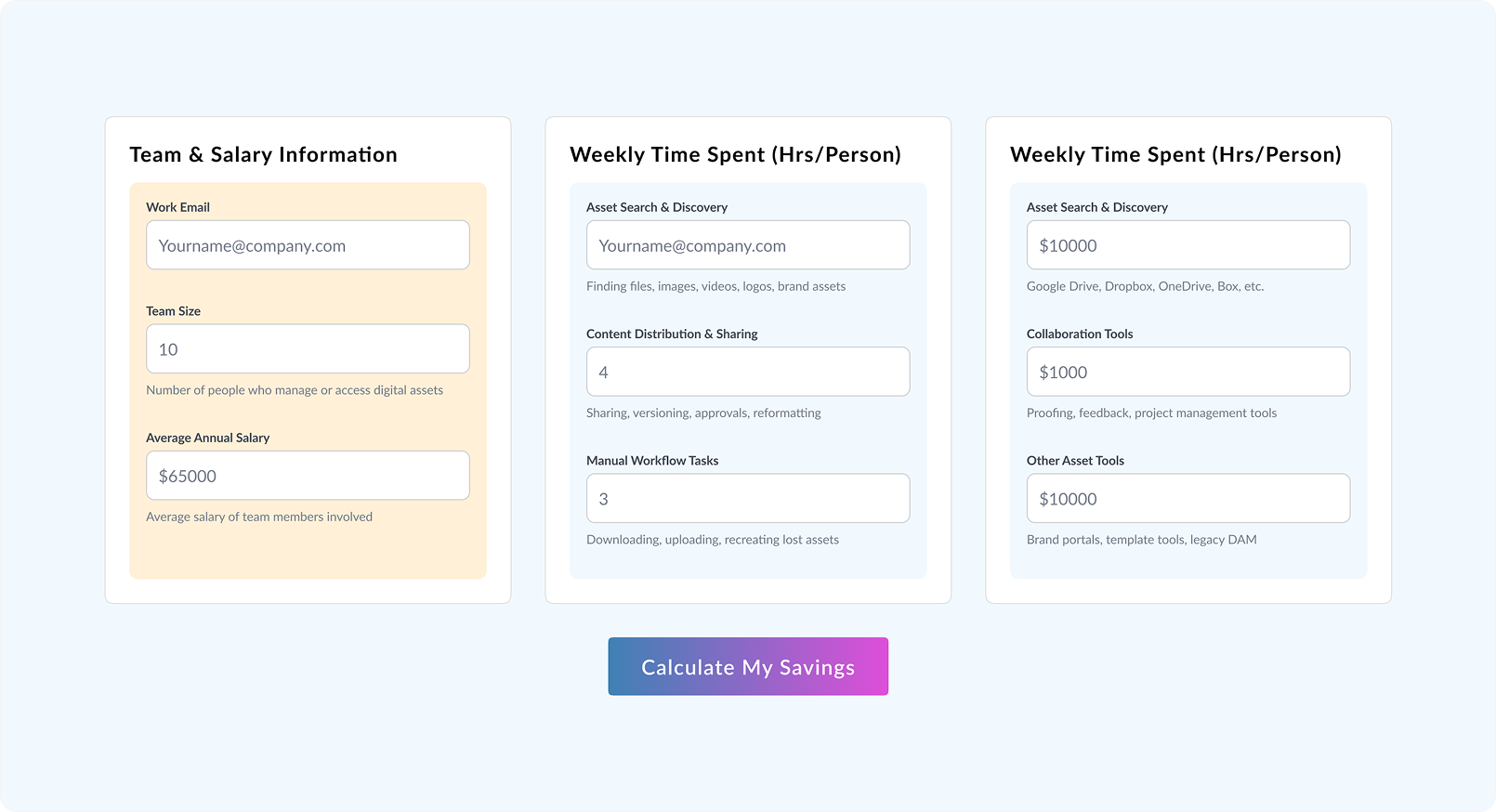
  • Put a number on the hours and budget lost to missing files, duplicate work, and off-brand assets.
Everything a modern DAM system should do

Smart search. Real-time collaboration. Multiple brands. Multiple users. 
BrandLife is digital asset management done right.

Cloud storage (Drive / Dropbox)
CMS
DAM system (BrandLife)
Built for
Storing files
Publishing web content
Managing & governing brand assets
Find asset by
Folder / file name
Page or post
AI search: keyword, color, object, campaign
Brand control
None
Limited
Version control, approvals, guidelines
Sharing
Raw link
On your site only
Secure links + branded portals
DAM vs. cloud storage. Drive and Dropbox hold files; they don’t tag, govern, or keep them on-brand. A DAM adds search, version control, and permissions on top of storage.
DAM vs. CMS. A CMS publishes content to your website. A DAM manages the source assets that feed your CMS, campaigns, and every other channel.
PIM vs. DAM. A PIM manages product data (specs, SKUs); a DAM manages the visual assets. Many teams run both, connected.

Built for every team that touches your brand

Agencies

Too many clients or campaigns? One digital asset management software keeps it all
Discover More

E-commerce

From seasonal drops to evergreen bestsellers, keep every asset always on-brand
Discover More

Media

High volumes. Tight deadlines. Fast, visual search that keeps up
Discover More

Education

Bring consistency in every brochure, banner, bulletin, and communication
Discover More

Non-Profits

Lean teams, big missions. Spend less time searching, more time creating impact
Discover More

Everything a modern DAM system should do

Slack
Stay connected with your team in real time. You can receive instant notifications about asset updates, project changes, or new brand guidelines directly within your messaging platform.
Figma
Design and branding go hand in hand, and our integration with Figma allows designers to access brand assets effortlessly.
Google Drive
Store, share, and collaborate on documents and files within your existing Google Drive setup, making it easy to keep track of important resources while ensuring that all team members have access to the latest materials.k.
Box
Upload, share, and collaborate on files while maintaining control over permissions and access, ensuring that your sensitive brand information is protected.
Dropbox
Easily sync and share brand assets across your team, allowing for quick access to essential materials.
Canva
Access your brand assets directly within Canva, ensuring that every piece of content created aligns with your brand guidelines.

What to look for in a DAM system

Powerful search
AI tagging and search by keyword, color, or object
Governance
version control, approvals, and role-based permissions
Secure sharing
external links and branded portals, no account needed
Brand consistency
built-in, interactive
brand guidelines
Integrations
connects to your creative and collaboration stack
Fair, scalable pricing
grow-as-you-go, not locked into
rigid tiers

Start small.
Scale as you grow.

BrandLife is grow-as-you-go — start at $20/month and add storage, users, and AI features as your team grows. No rigid tiers, no paying for seats you don’t use.

Users 1 user
1 5 10 25 100
Storage 1GB
1GB 5GB 10GB 50GB 1TB
$20/month Grow As You Go Plan 1 user · 1GB Storage

Frequently Asked Questions

What is a digital asset management system?
What’s the difference between DAM software and a DAM system?
Who needs a DAM system?
How is a DAM different from Google Drive or Dropbox?
Does BrandLife handle video and large design files?
How much does a DAM system cost?